Create DPD Ireland consignments and labels when you validate a delivery
This DPD Ireland Odoo integration registers each parcel with DPD Ireland and attaches the label the moment you validate the delivery order. You set the price with a fixed charge or your own rules. Shipping covers Ireland, Northern Ireland, mainland UK and the EU.
- Odoo 17.0 – 20.0
- Community & Enterprise
- Odoo.sh · On-premise
-
Not for
Odoo Online
Top seller on the Odoo Apps Store
- sales on the Odoo Apps Store
- 3,000+
- apps published
- 100+
- countries running them
- 100+
Shipping work before and after the DPD Ireland Connector
Without the connector by hand
-
Retype each delivery address into the DPD Ireland portal.
-
Copy parcel counts and weights from Odoo into the carrier site.
-
Download label files and match them to the right order.
-
Paste tracking numbers back onto the delivery order for your team.
-
Fill in customs details by hand for cross-border parcels.
With the connector automatic
-
Validating the delivery order sends the address to DPD Ireland.
-
Every package you packed goes over with its own weight.
-
The label is attached to the delivery order as PDF or ZPL.
-
The tracking reference is recorded and posted in the chatter.
-
Customs data is prepared from the order and product records.
Consignments, labels and tracking between Odoo and DPD Ireland
Every object the connector handles, which way it travels and what triggers it.
| Data | Direction | What happens & when |
|---|---|---|
| Consignment with address and weight |

 Odoo to DPD Ireland
|
You click Validate on the delivery order. |
| Shipping label, PDF or ZPL |
DPD Ireland to Odoo
|
Returned with the consignment and attached to the delivery order. |
| Tracking reference |
DPD Ireland to Odoo
|
Recorded on the delivery order and posted in the chatter. |
| Customs data for international parcels |
Odoo to DPD Ireland
|
Delivery address country differs from the warehouse country. |
| Return consignment |
Odoo to DPD Ireland
|
You click Print Return Label on the delivery order. |
DPD Ireland Connector features
Set your own rates with rules
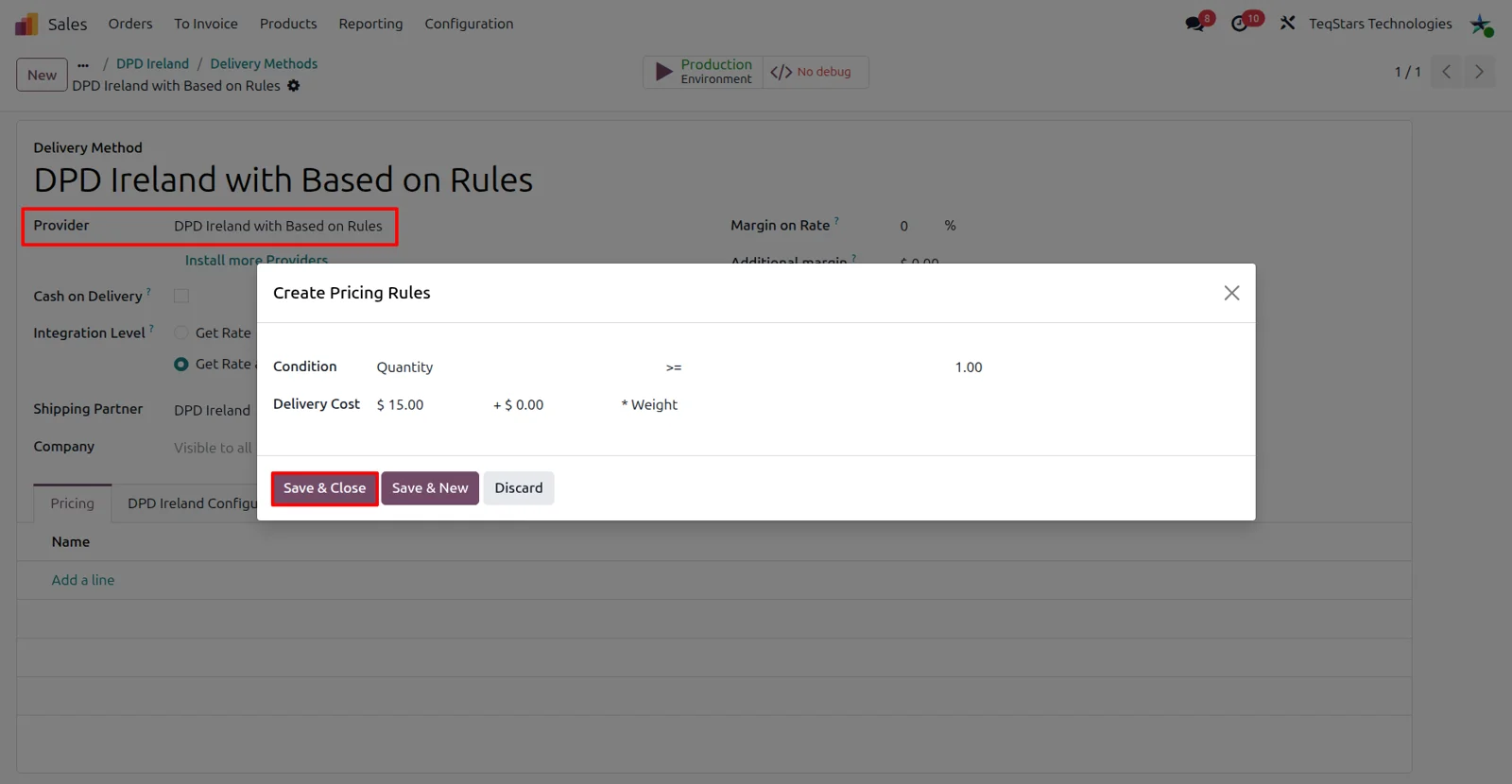
DPD Ireland publishes no live rates, so you decide what shipping costs. Choose the DPD Ireland with Based on Rules provider and add rules that work the charge out from order quantity, weight or amount. If one flat charge suits you better, the DPD Ireland with Fixed Price provider bills the price of the delivery product you attach to the method.
Pick the DPD Ireland service per method
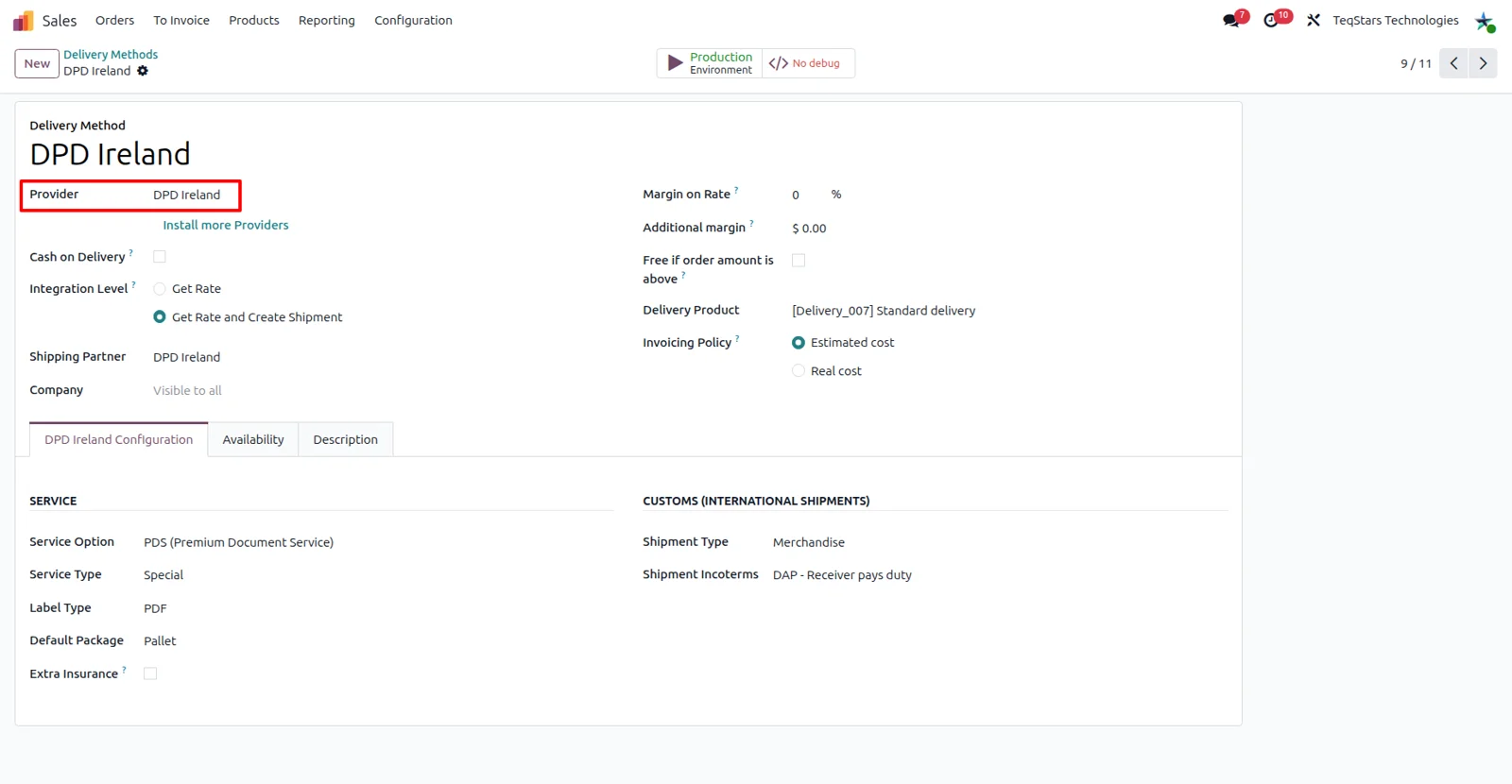
Each delivery method carries one DPD Ireland service, so your team chooses the speed by choosing the method on the order. Service Type covers Overnight, Saturday Delivery, Timed and three more entries, including Two Day Service. Service Option covers COD (Cheque on Delivery), PDS (Premium Document Service), Return Receipt and SwapIt. Normal handles everyday parcels, and Extra Insurance can be requested for every shipment on that method.
Price the delivery on the quotation
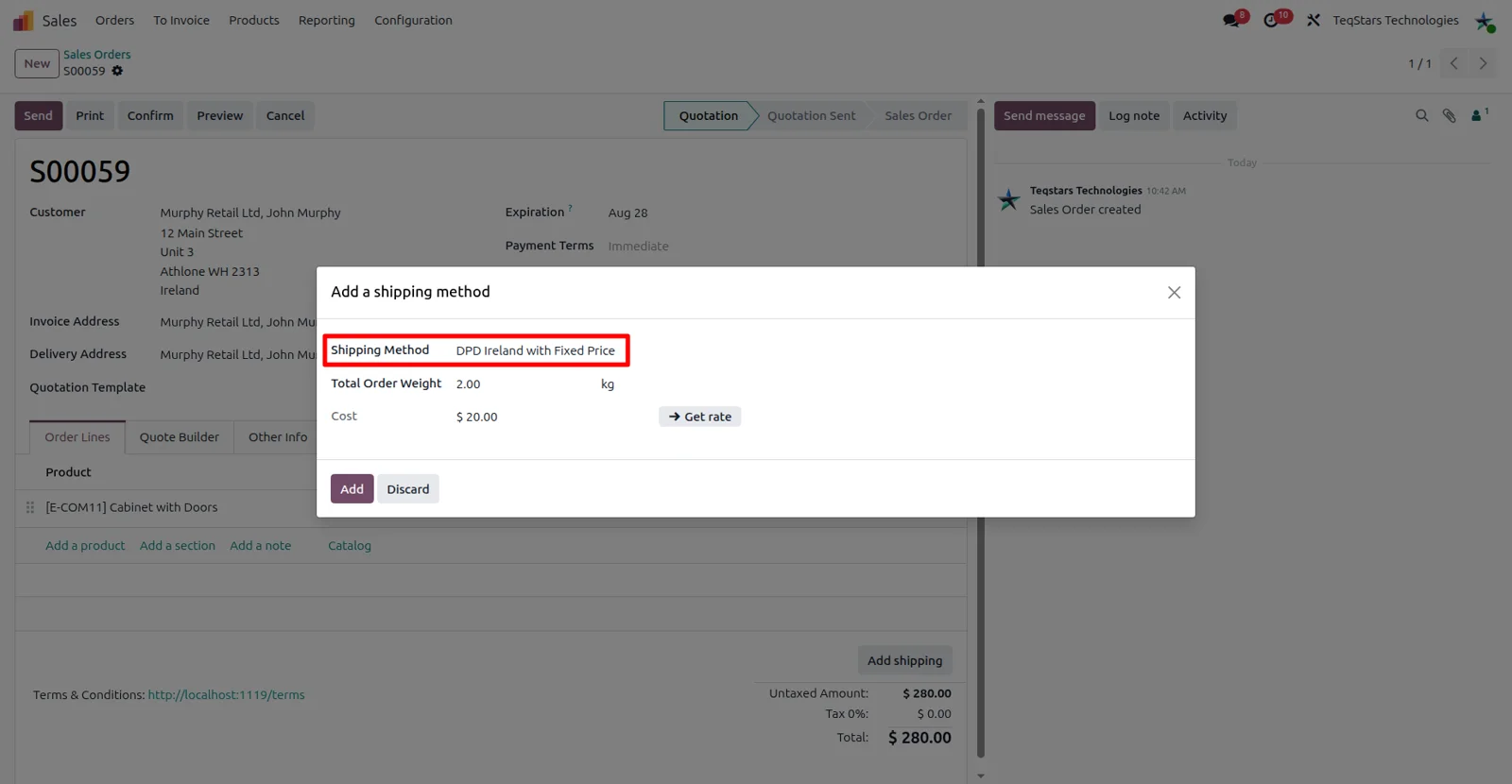
Your quotation shows the shipping charge before the customer confirms. Click "Add Shipping", pick the DPD Ireland method you set up, then press "Get Rate". Odoo works the order weight out from the products, and you can type a different figure. The rate comes from the method's fixed price, and "Add" writes it onto the order as a line. Odoo eCommerce shoppers choose the same method at checkout.
Ship one order in several parcels
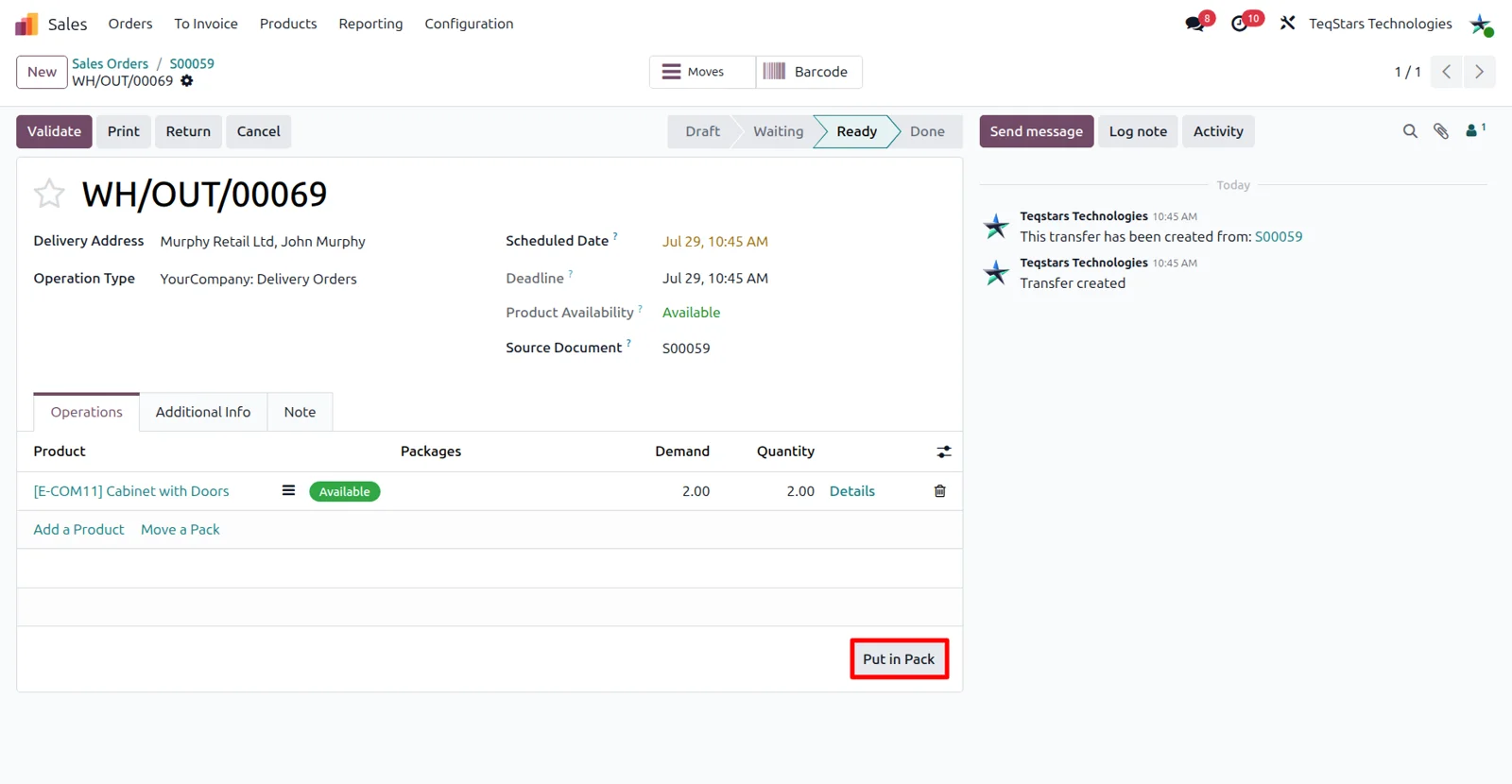
Orders that fill more than one box still reach DPD Ireland accurately. Use the "Put in Pack" operation on the delivery order to group goods into boxes, and each box is registered as its own parcel with its own weight. Package types need DPD Ireland chosen as their carrier. The method's Default Package supplies the parcel count and weight when you do not pack by hand.
Labels appear once you validate
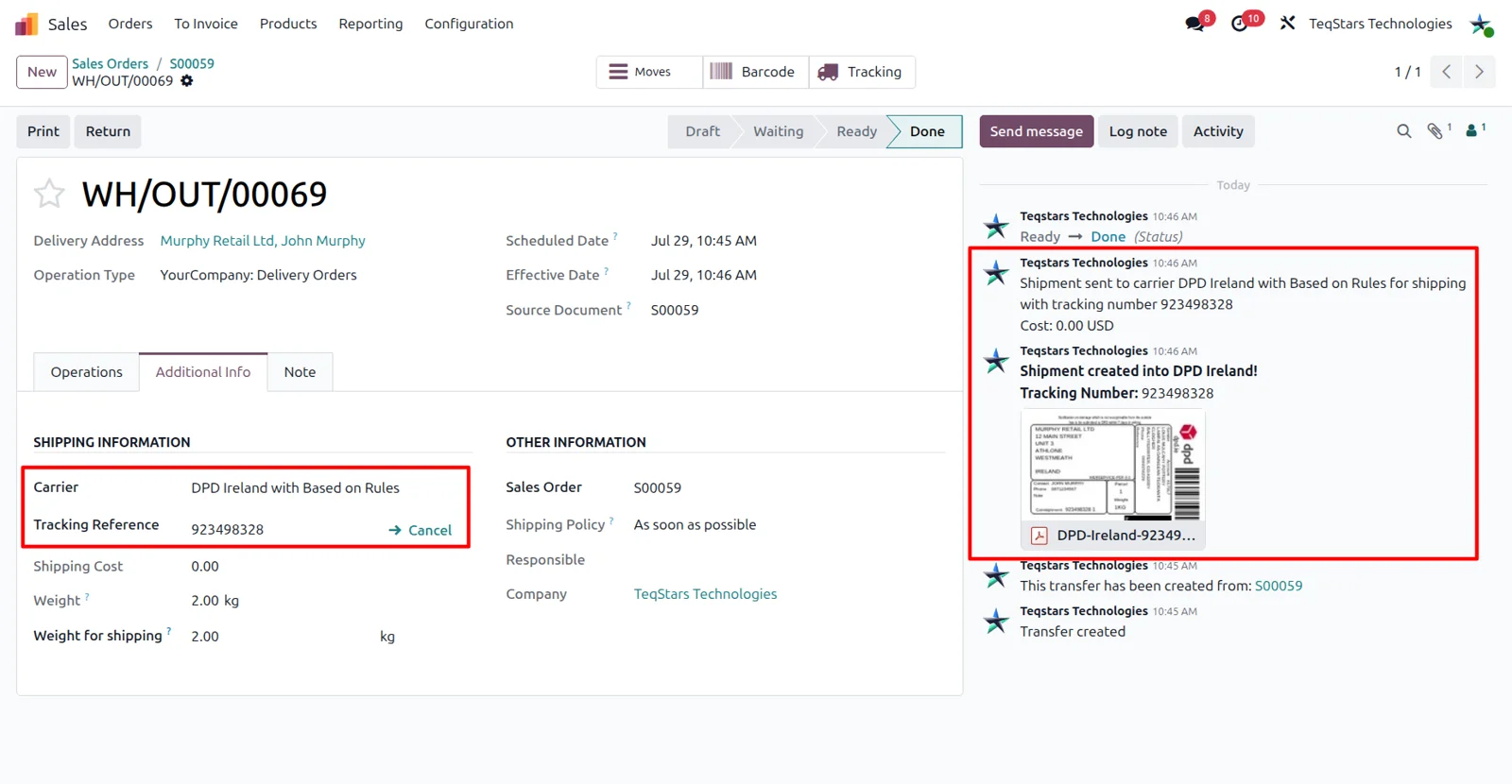
Validate the delivery order and the connector registers the consignment with DPD Ireland, then attaches the label to the order. The tracking reference comes back at the same time and is posted as a chatter message, so packers see both in one place. Choose PDF in the method's Label Type for a file you can read on screen, or ZPL (Zebra) to print on a thermal printer.
Check a parcel on DPD Ireland's portal
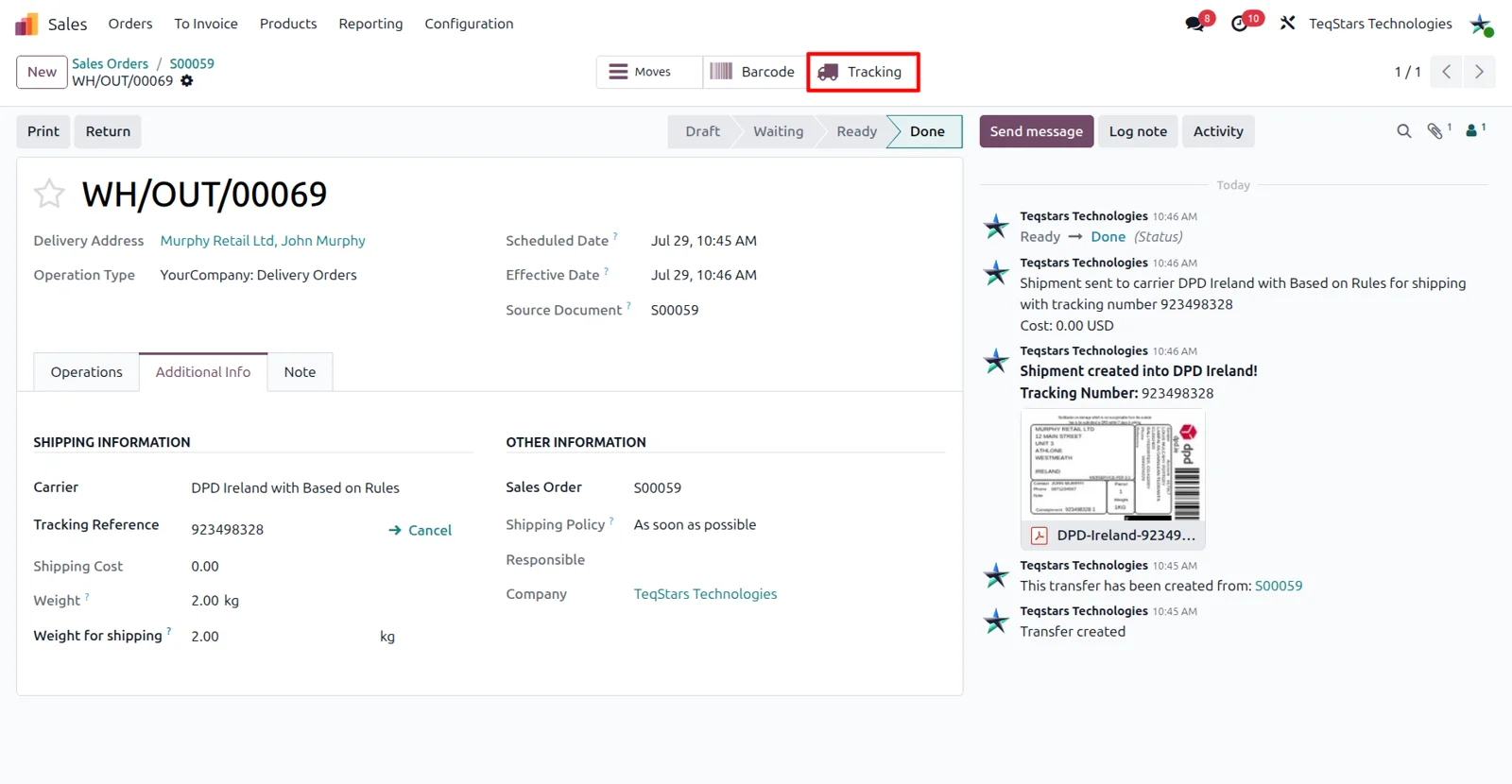
Anyone answering a customer query can see where the parcel is. The "Tracking" button on the delivery order opens DPD Ireland's official tracking page in a new tab, already filled in with the consignment number. The status and the location are shown there. Odoo does not copy the delivery status back onto the order, so the carrier page is where the latest position is read.
Create return labels for customers
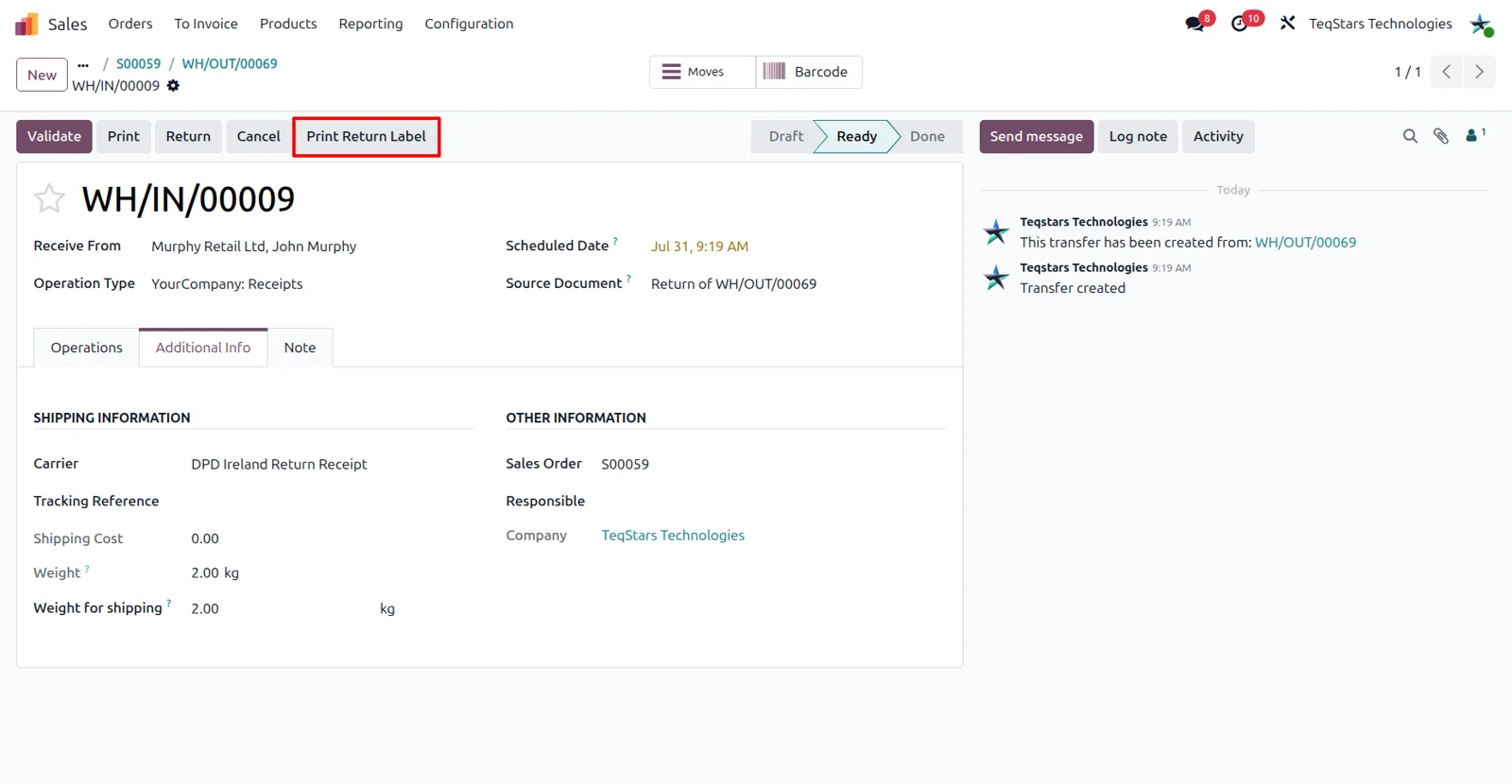
Returns are booked the same way as outgoing parcels. When the delivery method's Service Option is Return Receipt or SwapIt, a "Print Return Label" button appears on the delivery order, and clicking it creates the return consignment with DPD Ireland. For SwapIt, fill the Return Description field on the delivery order so the item coming back is described for the driver.
Supported Odoo versions
| Odoo version | Editions | Hosting | Price | Latest release | |
|---|---|---|---|---|---|
| 20.0 | Community & Enterprise | Odoo.sh · On-premise | €315.67 | 20.0.1.0.0 | Buy Docs |
| 19.0 | Community & Enterprise | Odoo.sh · On-premise | €315.67 | 19.0.1.0.0 | Buy Docs |
| 18.0 | Community & Enterprise | Odoo.sh · On-premise | €315.67 | No release notes | Buy |
| 17.0 | Community & Enterprise | Odoo.sh · On-premise | €315.67 | No release notes | Buy |
Support for DPD Ireland Connector
The developers who build the app answer your tickets.
- Free app support from purchase
- 60 days
- First response in working hours, typical
- 4–6 hours
- Support hours, 10:00–18:00 IST
- Mon–Fri
How to connect DPD Ireland to Odoo
-
Step 1
Store your account details
Odoo signs in to DPD Ireland once the account details are saved. Under Sales, open "Shipping Partner" and create a record for DPD Ireland. Paste the user name, password and Basic Token your DPD account manager issues, then save.
-
Step 2
Create a delivery method
Decide what customers pay. Create a delivery method whose provider is either DPD Ireland with Fixed Price or DPD Ireland with Based on Rules, point it at your shipping partner record, and pick the product that carries the charge.
-
Step 3
Choose service, label and package
Open the "DPD Ireland Configuration" tab to settle how parcels go out: service type, service option, label format and default package. Cross-border shipments also need a Shipment Type, Merchandise or Documents, plus incoterms DAP or EDAP.
-
Step 4
Quote, pack and validate
On the quotation, use "Add Shipping" to price the delivery. In Inventory, pack the goods if the order needs more than one box, then click "Validate" to create the consignment and receive the label and tracking reference.
Questions before you buy
Not answered here? Talk to the team.