Take Airwallex payments in 35 currencies and have Odoo reconcile them
This Airwallex payment gateway for Odoo sends shoppers to Airwallex's secure page, where they pay by card, wallet or a local method. They return to your order and Odoo marks the transaction Done. Refunds, captures and status checks happen on the payment record.
- Odoo 17.0 – 20.0
- Community & Enterprise
- Odoo.sh · On-premise
-
Not for
Odoo Online
Top seller on the Odoo Apps Store
- sales on the Odoo Apps Store
- 3,000+
- apps published
- 100+
- countries running them
- 100+
Payment work before and after this Airwallex gateway
Without the connector by hand
-
Shoppers cannot find their usual card, wallet or local method at checkout
-
Someone opens the Airwallex dashboard and marks invoices paid by hand
-
Every refund means a separate login to Airwallex
-
A shopper who closes the tab after paying leaves the order unpaid
-
Each new selling currency needs another gateway setup to maintain
With the connector automatic
-
Cards, wallets and local methods sit together on one secure Airwallex page
-
Odoo marks the invoice paid when Airwallex confirms the payment
-
You click Refund on the payment in Odoo, for all or part
-
A scheduled sync checks unsettled payments from the last seven days
-
One Airwallex account covers charges in 35 currencies
Payments, refunds and status updates between Odoo and Airwallex
Every object the connector handles, which way it travels and what triggers it.
| Data | Direction | What happens & when |
|---|---|---|
| Payment request |

 Odoo to Airwallex
|
A customer picks Airwallex at checkout or on an invoice pay page |
| Payment confirmation |
Airwallex to Odoo
|
Airwallex confirms the charge and the Odoo transaction is set to Done |
| Refund request |
Odoo to Airwallex
|
You click Refund on the payment, for the full amount or part |
| Capture or cancel of a hold |
Odoo to Airwallex
|
You capture the held money when you ship, or cancel to release it |
| Unsettled payment status |
Airwallex to Odoo
|
A background sync checks payments from the last seven days |
| Latest transaction status |
Airwallex to Odoo
|
You click Refresh from Airwallex on the transaction |
Odoo Airwallex Payment Gateway features
Checkout on Airwallex's secure page
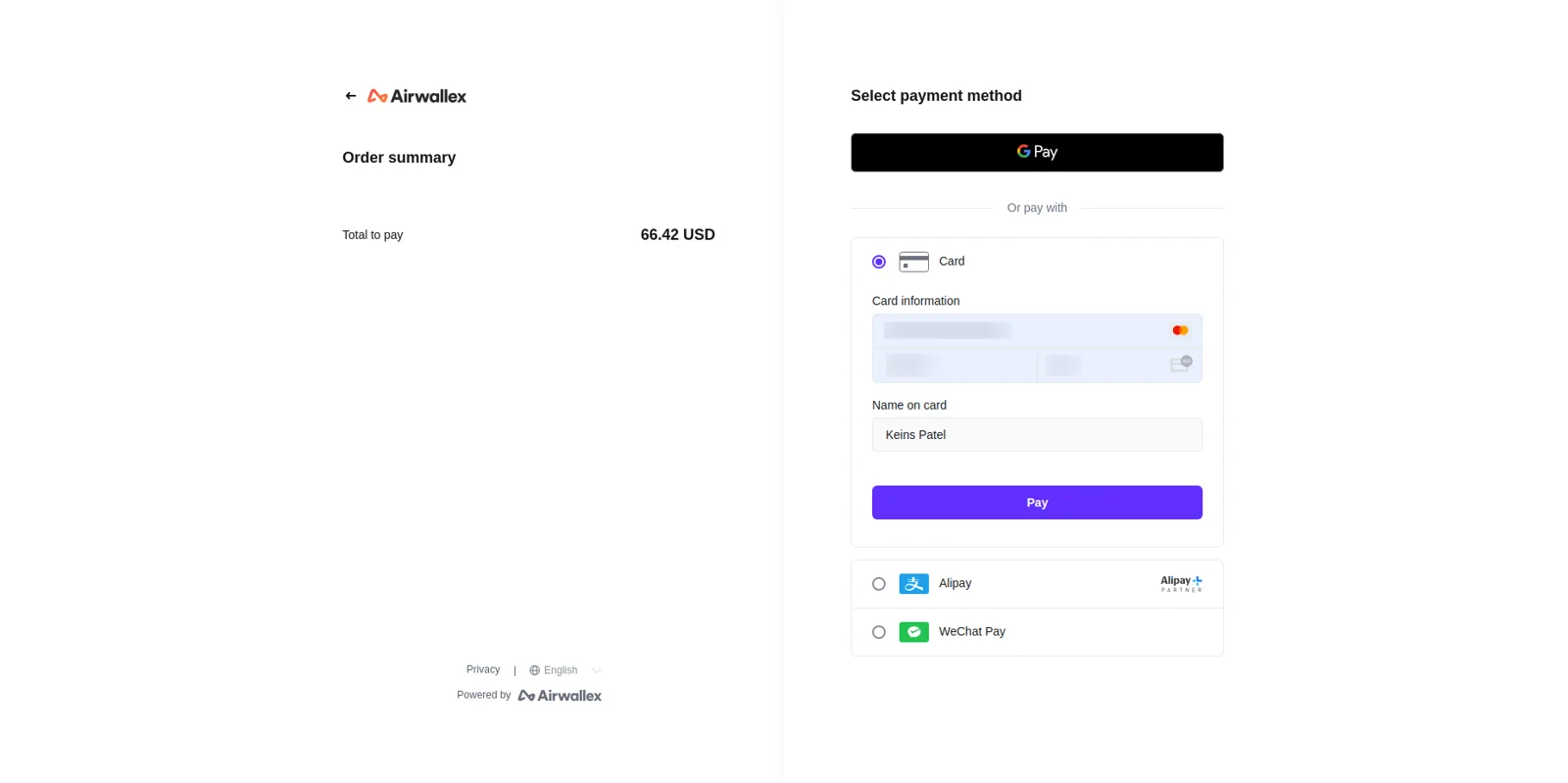
Your customer leaves the order for a moment and pays on Airwallex's own hosted page, where cards, Apple Pay, Google Pay and the local options you switched on are listed for them. Whatever you enable in your Airwallex account shows up there, with nothing extra to configure in Odoo. Airwallex handles card authentication, so card numbers never reach your Odoo server.
Airwallex on every pay page
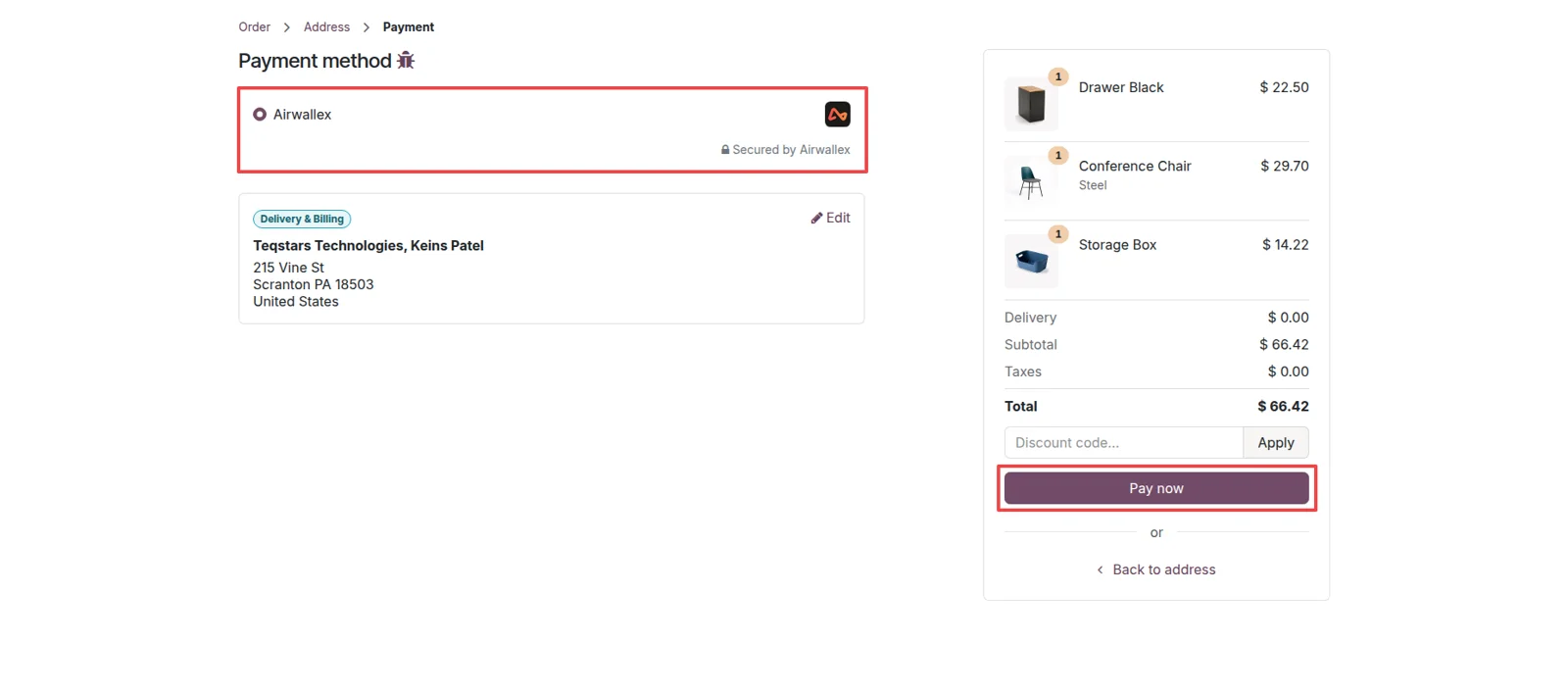
Once the provider is published, Airwallex appears in the normal Odoo payment list beside your other methods. Shoppers see it on the website checkout, customers see it in the portal, and clients see it on the pay page that goes out with an invoice. They choose it the same way they choose anything else, and a payment link with an invoice is enough to collect from a B2B client.
Transactions marked Done for you
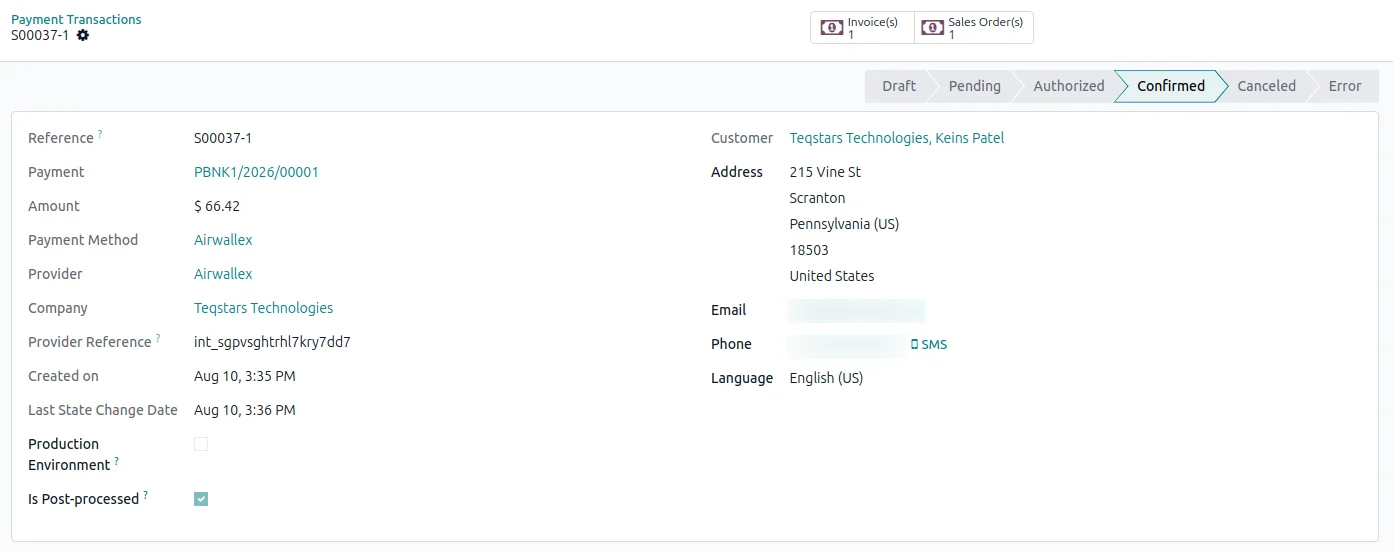
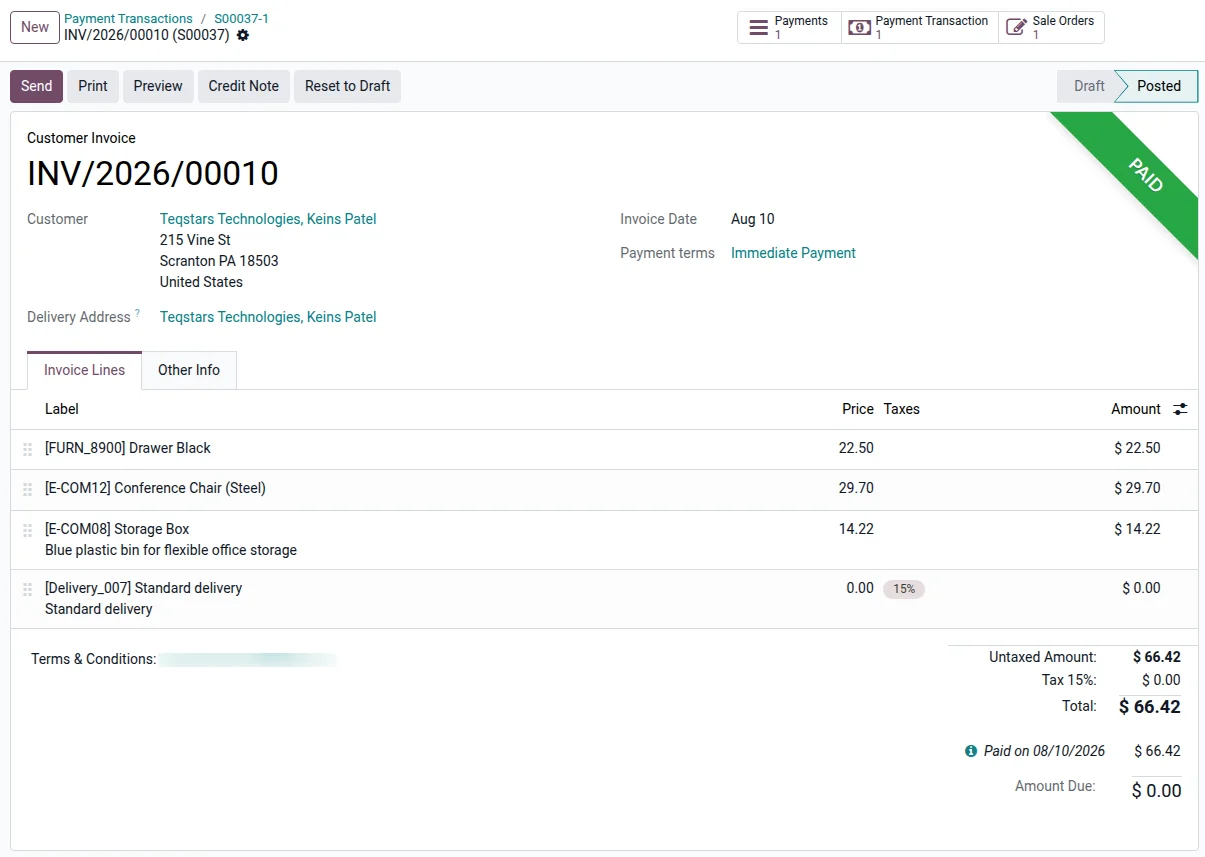
When Airwallex confirms the charge, the matching Odoo transaction moves to Done on its own. Nobody compares a payments dashboard against a list of orders at the end of the day. Captures and refunds update the same record, so the payment history you read in Odoo matches what happened at Airwallex.
Invoices reconciled on payment
The confirmed payment is matched to its invoice or sale order, and the invoice is marked paid without data entry from your team. Your accountant opens a clean record with the payment already against it. That also covers the shopper who pays and then closes the browser, because the order no longer waits for someone to notice it.
Refund in full or in part
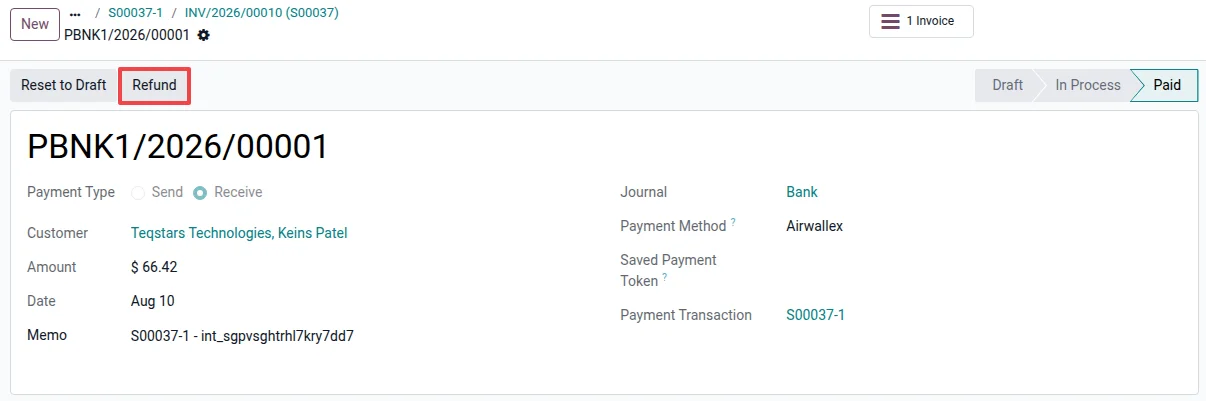
Open the payment in Odoo and click Refund to send money back through Airwallex. You can return the whole amount or a part of it, and repeat that as many times as you need until the payment is fully refunded. Each refund is recorded against the original payment in your accounting and settles once Airwallex confirms it.
Check a payment's status on demand
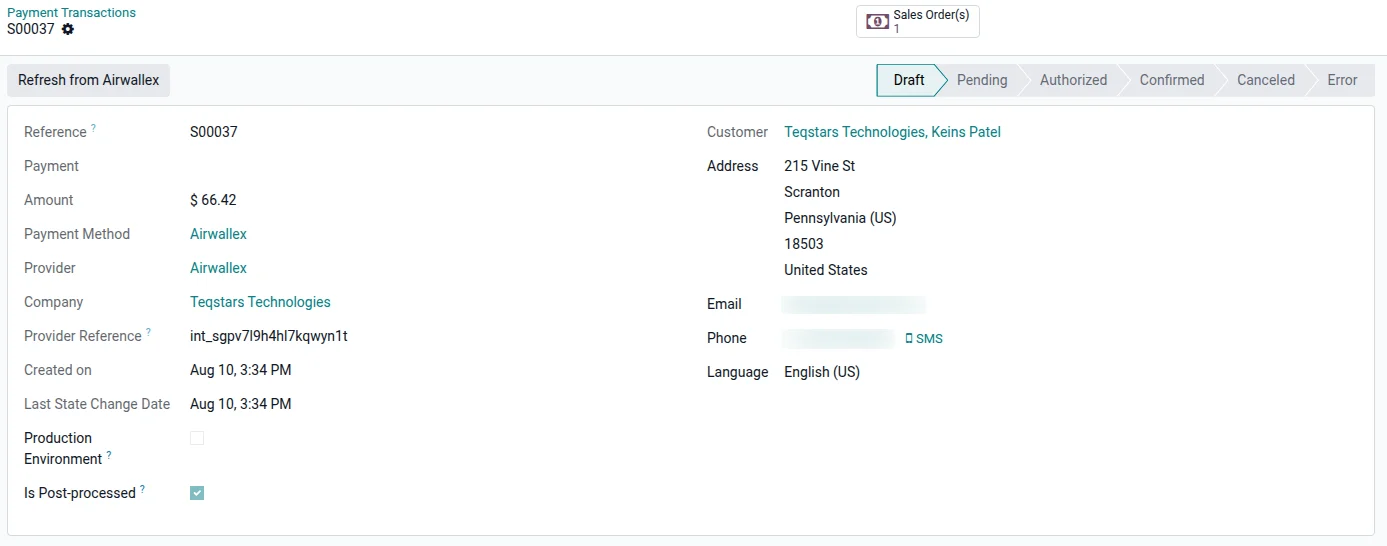
Every transaction carries a Refresh from Airwallex button that pulls the current status the second you click it. That helps when a payment still reads Pending because a slower local or bank-based method has not cleared. A background sync also checks back on unsettled payments from the last seven days, so you are not the one keeping a list.
Supported Odoo versions
| Odoo version | Editions | Hosting | Price | Latest release | |
|---|---|---|---|---|---|
| 20.0 | Community & Enterprise | Odoo.sh · On-premise | €99 | No release notes | Buy |
| 19.0 | Community & Enterprise | Odoo.sh · On-premise | €99 | No release notes | Buy |
| 18.0 | Community & Enterprise | Odoo.sh · On-premise | €99 | No release notes | Buy |
| 17.0 | Community & Enterprise | Odoo.sh · On-premise | €99 | No release notes | Buy |
Support for Odoo Airwallex Payment Gateway
The developers who build the app answer your tickets.
- Free app support from purchase
- 60 days
- First response in working hours, typical
- 4–6 hours
- Support hours, 10:00–18:00 IST
- Mon–Fri
How to connect Airwallex to Odoo
-
Step 1
Add your Airwallex keys
Open the Airwallex provider in Odoo's payment settings and paste the Client ID and API Key from your Airwallex account. Pick Test Mode while you are trying it out, or Enabled when you want real charges.
-
Step 2
Publish the payment method
Set the provider to Published so buyers can see it. Airwallex then shows as an option on your website checkout, in the customer portal and on the pay pages your invoices link to.
-
Step 3
Take your first payment
A customer selects Airwallex, pays on the hosted page and comes back to the order. Odoo moves the transaction to Done and reconciles the invoice. The scheduled sync and the Refresh button cover anything still open.
Questions before you buy
Not answered here? Talk to the team.