Your customers pay by bank transfer, and Odoo marks the invoice paid
Shoppers pick GoCardless (Pay by Bank) at checkout and approve the transfer in their own bank. Bank payments usually cost less than card processing. This GoCardless Odoo integration marks the matching invoice or sale order paid once the payment settles.
- Odoo 17.0 – 20.0
- Community & Enterprise
- Odoo.sh · On-premise
-
Not for
Odoo Online
Top seller on the Odoo Apps Store
- sales on the Odoo Apps Store
- 3,000+
- apps published
- 100+
- countries running them
- 100+
Invoice follow-up before and after GoCardless in Odoo
Without the connector by hand
-
Check the bank statement, then mark the invoice paid by hand
-
Sign in to the GoCardless dashboard to send a refund
-
Keep re-checking a slow payment to see whether it cleared
-
A fresh GoCardless contact piles up for every repeat buyer
With the connector automatic
-
The matching invoice or sale order is reconciled when the payment settles
-
Click Refund on the Odoo transaction and pick full or partial
-
A status check after checkout and a sync that keeps watching
-
A returning buyer is matched to the GoCardless customer they already have
Payments, refunds and customers between Odoo and GoCardless
Every object the connector handles, which way it travels and what triggers it.
| Data | Direction | What happens & when |
|---|---|---|
| Payment request |

 Odoo to GoCardless
|
The customer selects GoCardless (Pay by Bank) and confirms at checkout. |
| Payment status |
GoCardless to Odoo
|
Signed updates from GoCardless, a check after checkout, or the Refresh button. |
| Full or partial refund |
Odoo to GoCardless
|
You open a successful transaction, click Refund and choose the amount. |
| Customer record |
Odoo to GoCardless
|
A first payment creates the customer, later payments reuse it. |
Odoo GoCardless Payment Gateway features
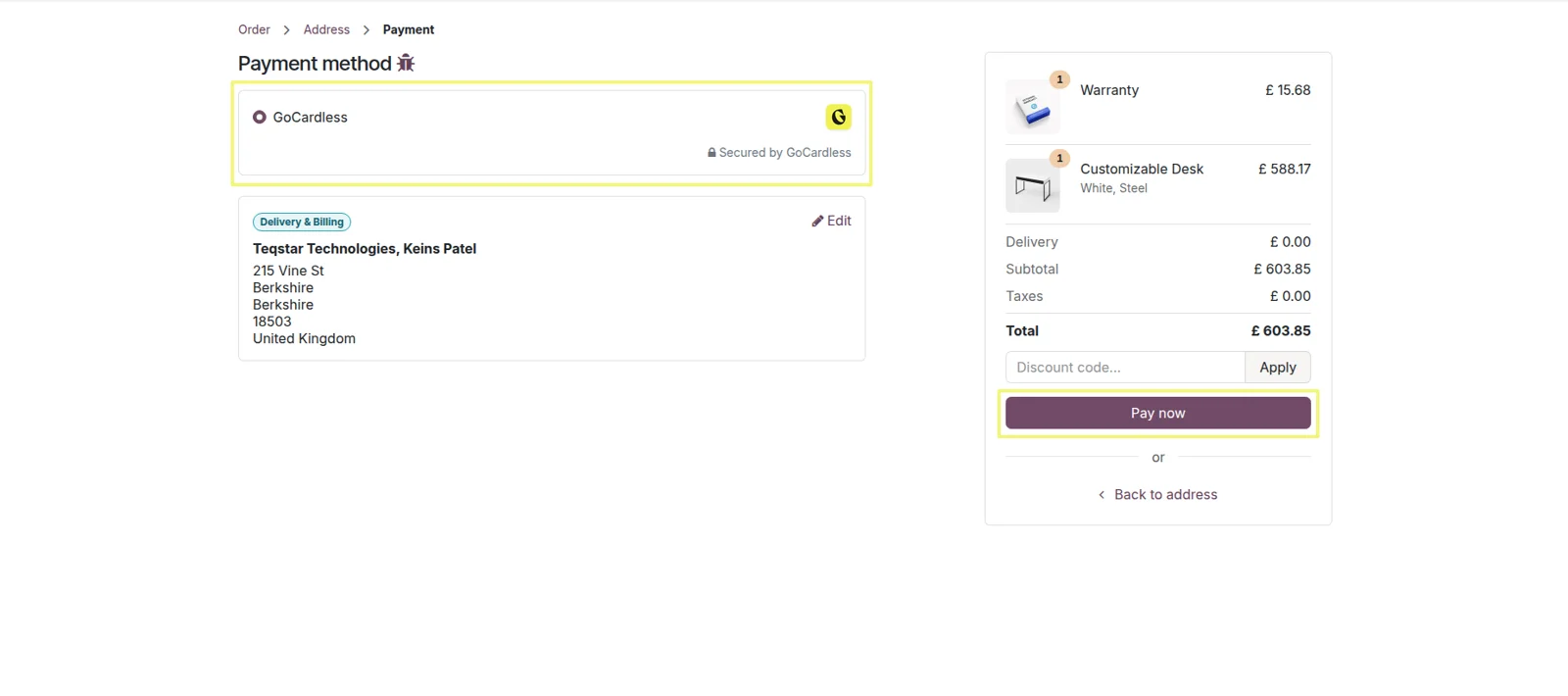
Pay by Bank on your checkout page
Your buyers see GoCardless (Pay by Bank) listed beside your other payment methods on the standard Odoo payment screen. Once you publish the provider it shows up on the website checkout, the customer portal and invoice payment pages. Shoppers who would rather not hand over card numbers get a bank option, and you get a method that usually costs less than card processing.
Bank picked in a secure popup
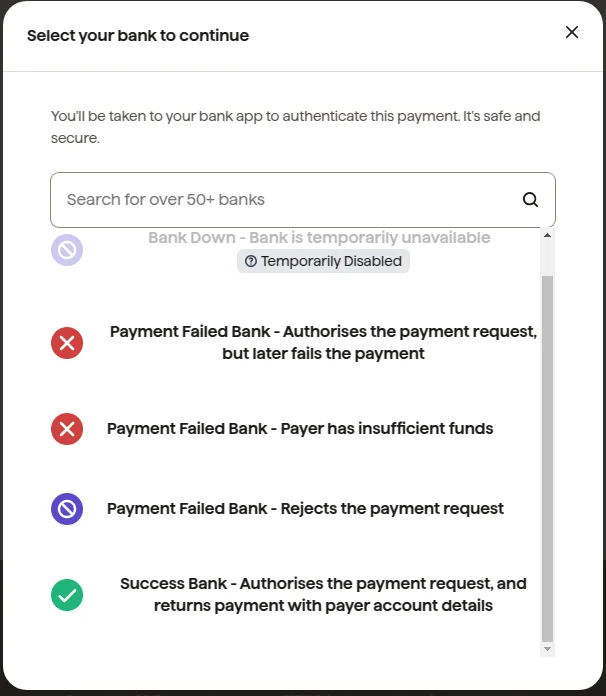
A GoCardless popup opens on the same page, so the customer stays with the order they were paying for. They choose their bank from the list and carry on, with no long hop to another site and no card number to type. If they have paid you before, the module links them to their existing GoCardless customer rather than adding a second one.
Transfers approved inside the bank
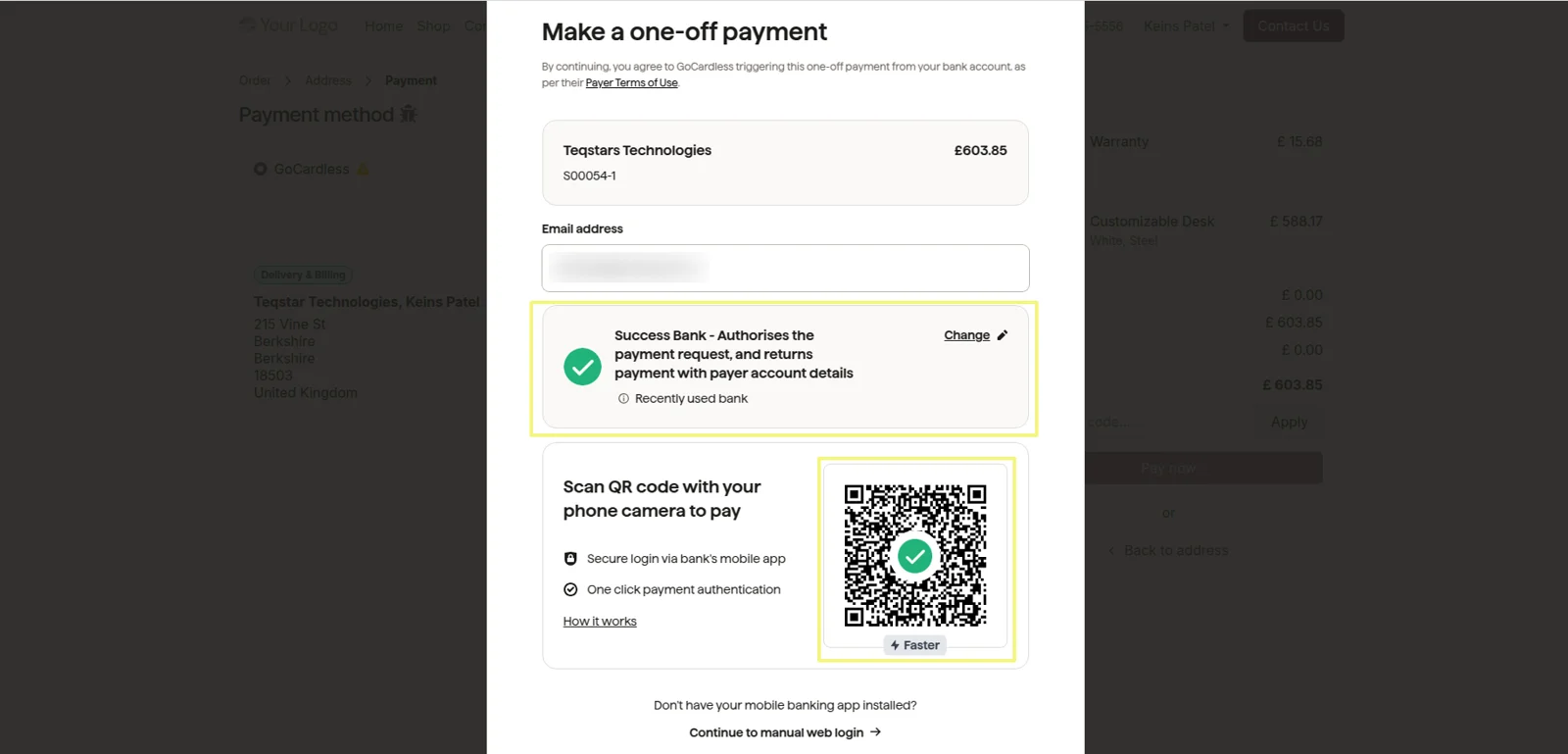
The customer confirms the payment in their own bank, and the money moves bank to bank. Transfers from the United Kingdom run over Faster Payments in GBP, and Eurozone transfers use SEPA Credit Transfer in EUR. Nothing sensitive is typed on your website, no card data is collected or stored in Odoo, and every update sent back is signed and verified.
Invoices reconciled when payment settles
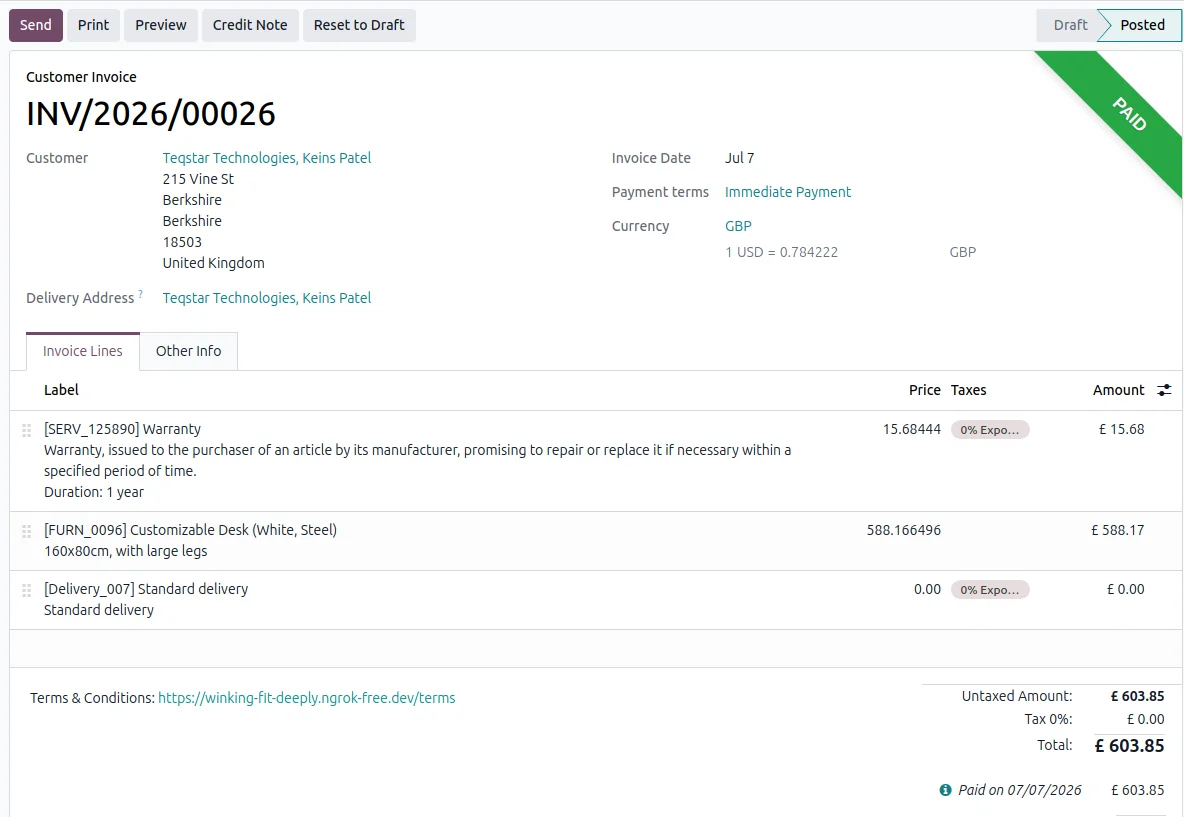
The moment a payment settles at GoCardless, the matching Odoo invoice or sale order is reconciled and marked paid, so nobody keys it in. The payment also appears in your GoCardless dashboard with the same reference and amount as the Odoo record, which lets finance match the two sides end to end during a review.
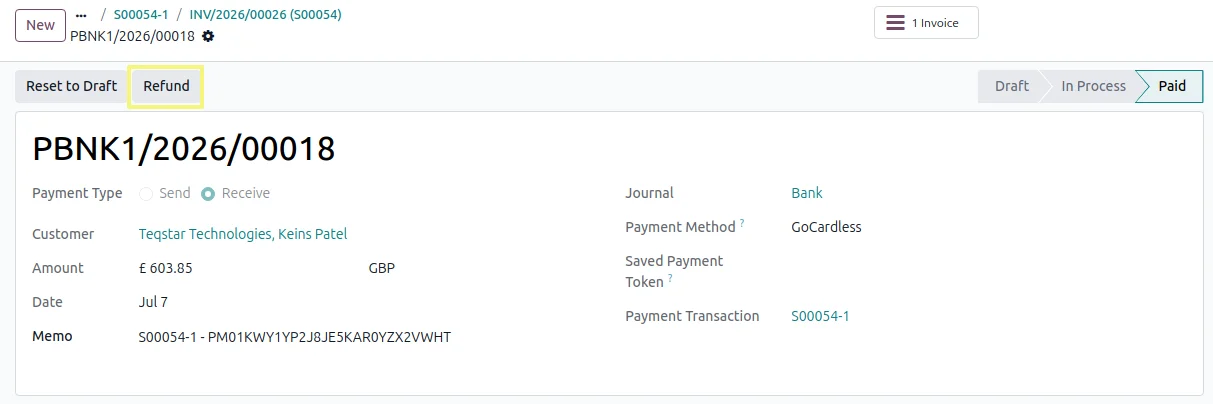
Full or partial refunds from the transaction
Open a successful transaction in Odoo, click Refund, and return the whole amount or only part of it. The refund is logged against the original payment, so your accounting picks it up instead of waiting on a manual entry. Nobody needs a GoCardless dashboard login to give money back. Refunds do have to be enabled once in your GoCardless account.
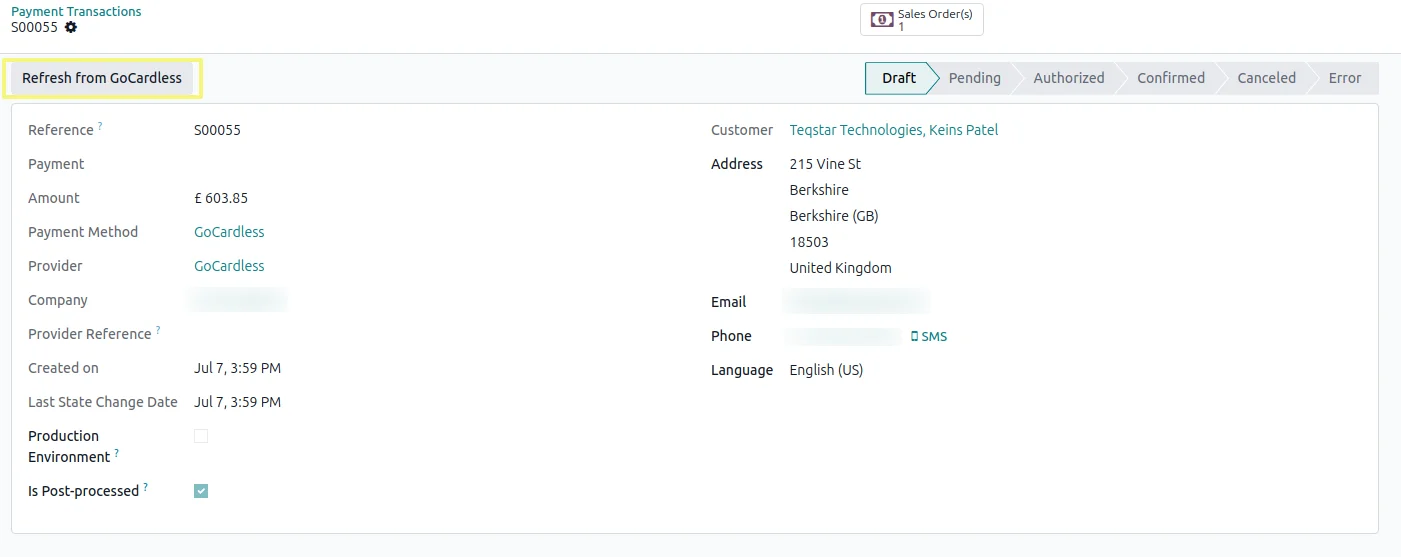
Check a slow payment right away
Odoo checks the payment status straight after checkout, and a sync keeps watching a transfer that has not cleared yet. When you want an answer this second, open the transaction and click Refresh from GoCardless to pull the newest status. Real-time notifications from GoCardless update the same record as soon as the payment state changes on their side.
Supported Odoo versions
| Odoo version | Editions | Hosting | Price | Latest release | |
|---|---|---|---|---|---|
| 20.0 | Community & Enterprise | Odoo.sh · On-premise | €99 | No release notes | Buy |
| 19.0 | Community & Enterprise | Odoo.sh · On-premise | €99 | No release notes | Buy |
| 18.0 | Community & Enterprise | Odoo.sh · On-premise | €99 | No release notes | Buy |
| 17.0 | Community & Enterprise | Odoo.sh · On-premise | €99 | No release notes | Buy |
Support for Odoo GoCardless Payment Gateway
The developers who build the app answer your tickets.
- Free app support from purchase
- 60 days
- First response in working hours, typical
- 4–6 hours
- Support hours, 10:00–18:00 IST
- Mon–Fri
How to connect GoCardless to Odoo
-
Step 1
Paste your access token
Open the GoCardless provider in Odoo and add your access token, then set the mode to Sandbox or Live. That token is the whole connection, so there is nothing else to wire up before a first test payment.
-
Step 2
Switch on instant updates
The provider form shows a Webhook URL. Add it in your GoCardless dashboard and bring the signing secret back into Odoo, and GoCardless then reports each payment change as it happens. This part is optional.
-
Step 3
Publish and start collecting
Set the provider to Published. Customers then find GoCardless (Pay by Bank) on your storefront, in the customer portal and on invoice payment pages, and paid orders come back to you reconciled.
Questions before you buy
Not answered here? Talk to the team.