Take card and ACH payments on your own Odoo checkout page.
Customers see one NMI option at your Odoo checkout and pay by card or from a US bank account. The card and bank fields are served by NMI, so your server only handles a one-time token. Approved card payments update the Odoo transaction and the invoice behind it.
- Odoo 17.0 – 20.0
- Community & Enterprise
- Odoo.sh · On-premise
-
Not for
Odoo Online
Top seller on the Odoo Apps Store
- sales on the Odoo Apps Store
- 3,000+
- apps published
- 100+
- countries running them
- 100+
Payment work before and after this NMI gateway
Without the connector by hand
-
Buyers are sent to another site to pay, and some drop off
-
Check the NMI portal, then mark each invoice paid yourself
-
Sign in to the NMI portal to capture or refund a card
-
Returning buyers type their card details again on every order
-
Watch the portal for days to see if a bank payment cleared
With the connector automatic
-
Card and bank payments are taken on your own checkout page
-
Odoo matches the payment and marks the invoice paid automatically
-
You click Capture, Void or Refund on the Odoo transaction
-
A saved card lets a returning buyer pay in one tap
-
A background sync updates pending bank payments for you
Payments, refunds and statuses between Odoo and NMI
Every object the connector handles, which way it travels and what triggers it.
| Data | Direction | What happens & when |
|---|---|---|
| Card payment |

 Odoo to NMI
|
Customer submits the NMI-hosted card fields at checkout. |
| ACH bank debit in USD |
Odoo to NMI
|
Customer picks Bank Account and submits their account details. |
| Saved card token |
Odoo to NMI
|
Customer chooses to store the card in the NMI Customer Vault. |
| Capture or void request |
Odoo to NMI
|
You capture or void an authorized card transaction in Odoo. |
| Refund, full or partial |
Odoo to NMI
|
You click Refund on a card payment in Odoo. |
| Payment approval or decline |
NMI to Odoo
|
NMI finishes reviewing the payment taken at checkout. |
| Pending bank payment status |
NMI to Odoo
|
A background sync checks payments pending from the last seven days. |
| Transaction status on demand |
NMI to Odoo
|
You press Refresh from NMI on a transaction. |
Odoo NMI Payment Gateway features
One NMI option, two ways to pay
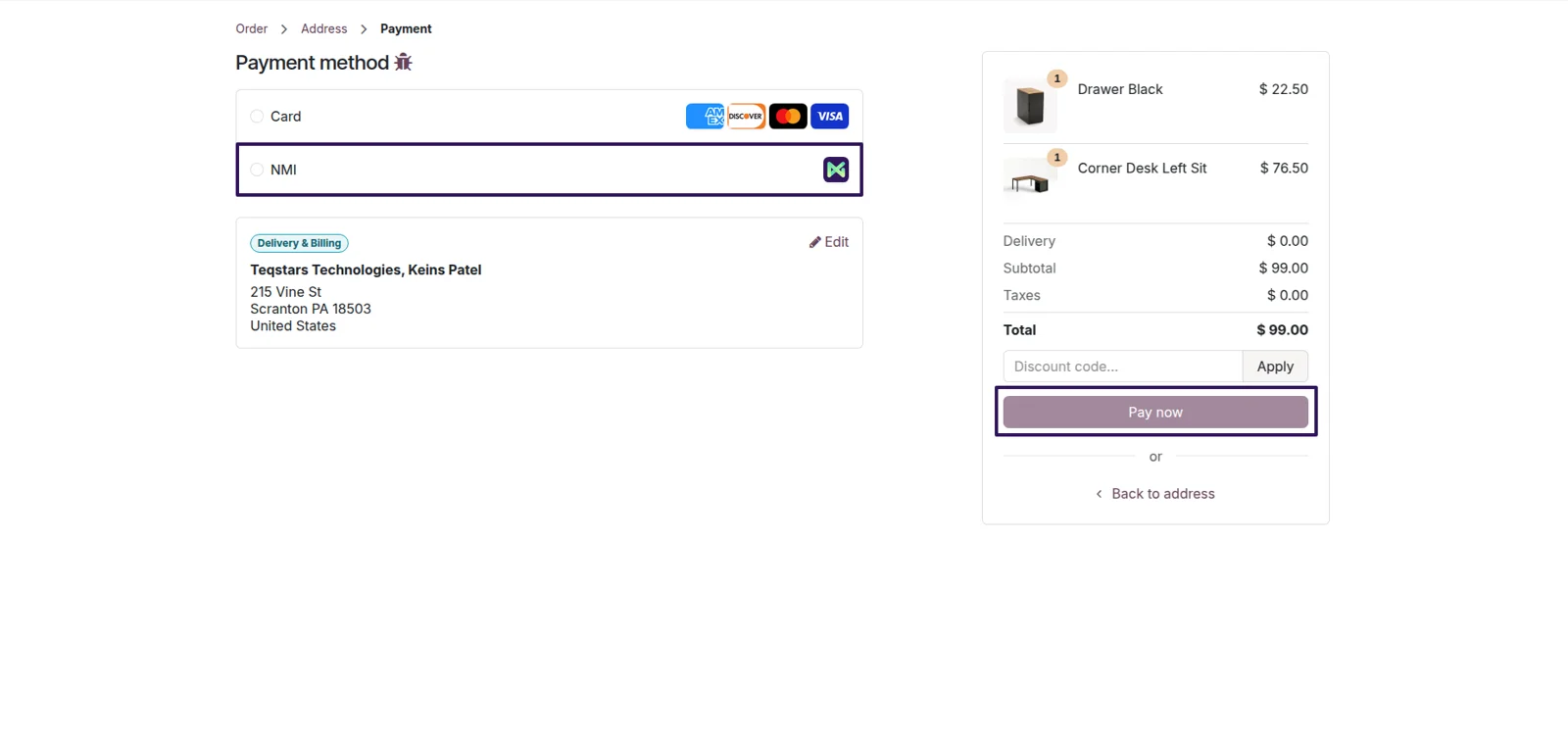
Your checkout list stays short. Buyers pick NMI once, then choose Card or Bank Account from a picker inside that option, and the matching fields appear. When the amount is not in US dollars, only the card fields are offered, because NMI settles ACH debits in dollars. Customers stay on your order or invoice page throughout.
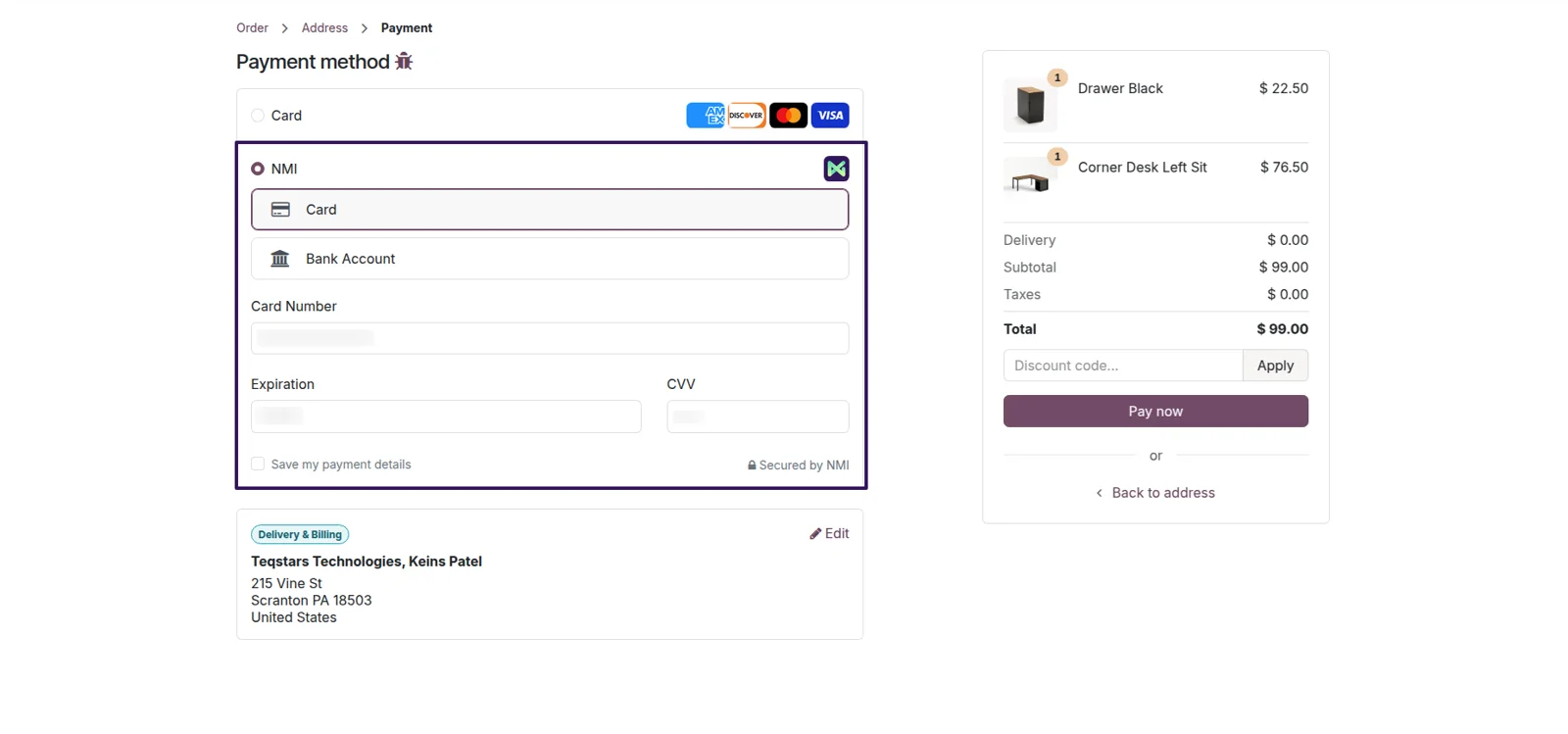
Card details stay off your server
Your card compliance scope stays small. The number, expiry date and security code are typed into fields that NMI serves inside your own page, so they are tokenized in the browser. What reaches your Odoo server is a one-time token, which is worthless to anyone else. Shoppers never get bounced to a separate payment site to enter a card.
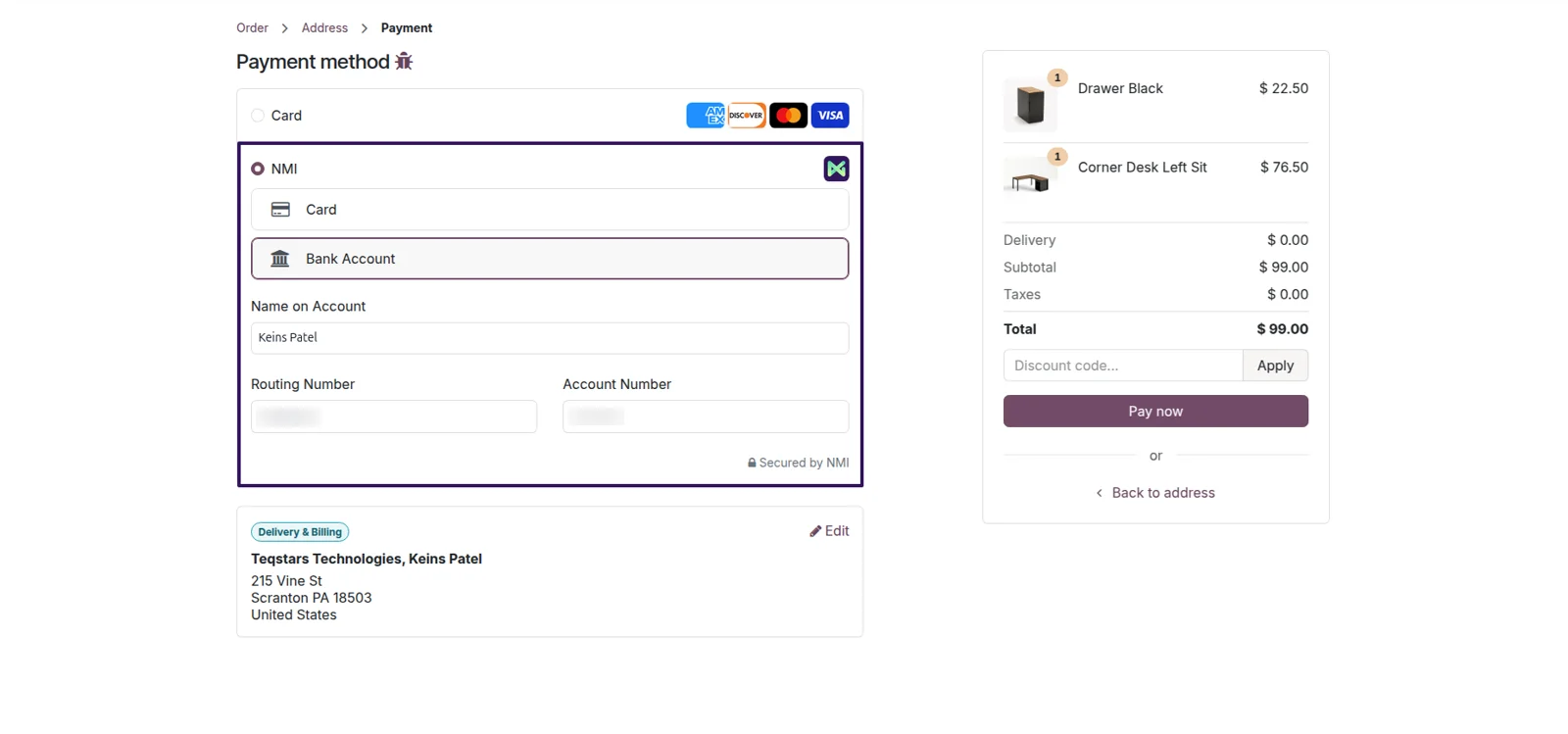
Pay large invoices by ACH debit
Large invoices can be paid from a bank account rather than a card. Choose Bank Account and three different fields appear: the name on the account, the routing number and the account number. NMI hosts them exactly as it hosts the card fields, and the money is taken as an ACH debit. Odoo offers this choice only when the payment amount is in US dollars.
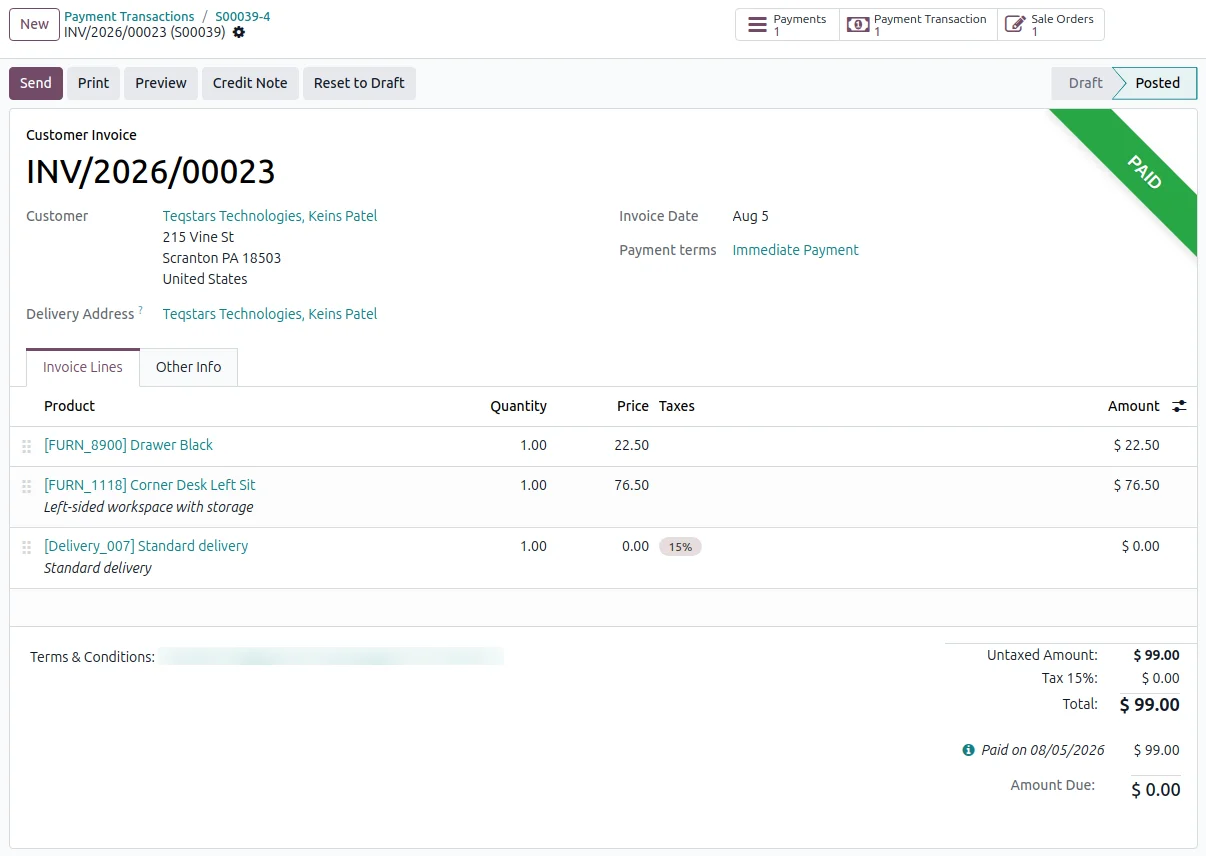
Invoices reconciled without data entry
Your team stops reconciling NMI payments by hand. Once a payment goes through, Odoo matches it to the sale order or invoice behind it and marks that invoice paid. Nobody re-types amounts or compares the NMI portal against your ledger. A card payment is reconciled as soon as NMI approves it, while an ACH debit is only matched after it settles.
Refund a card in full or in part
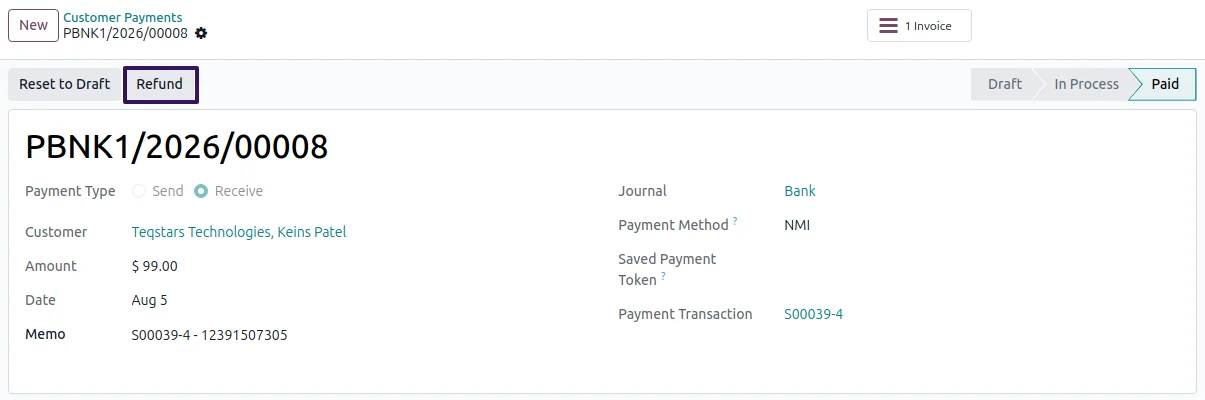
You can return money to a card buyer from the Odoo transaction. Open the card payment, click Refund, and choose the full amount or a smaller one. NMI credits the customer, Odoo logs the refund against the payment it came from, and the credit note is handled for you. An ACH debit is the exception: refund it in the NMI portal, and only once it has settled.
Pending payments get chased for you
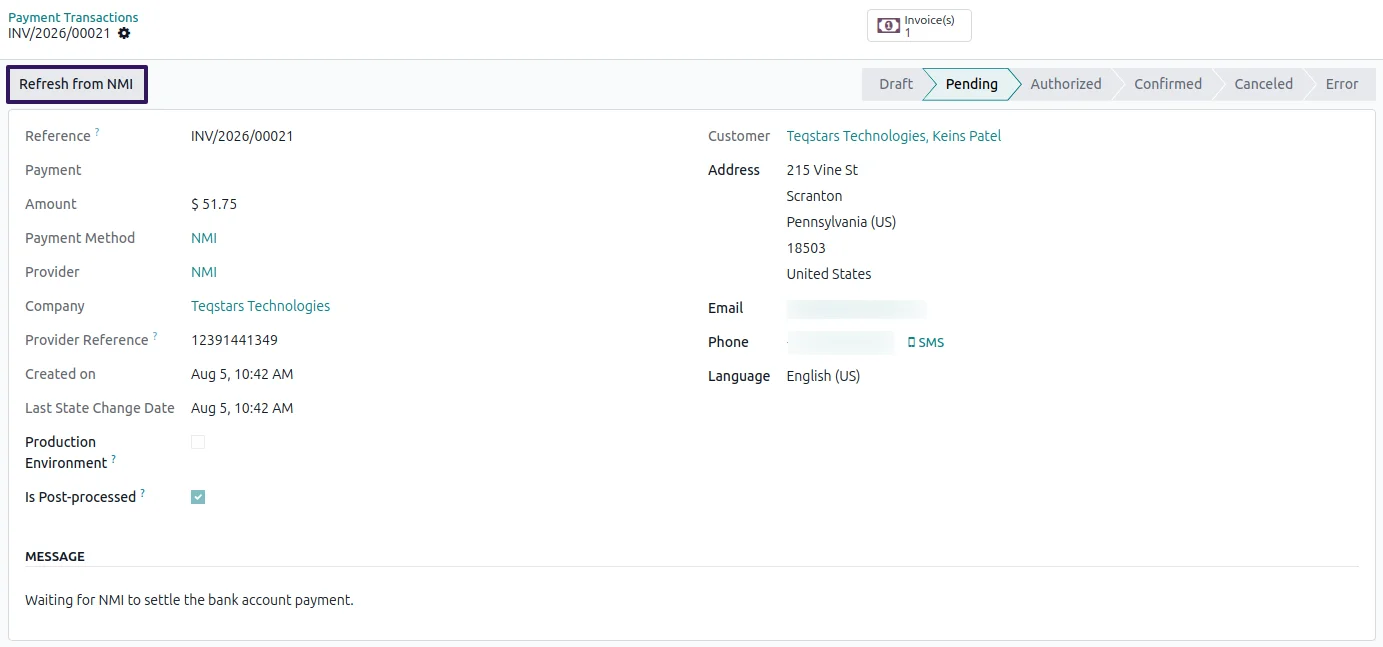
A shopper who closes the browser mid-payment will not leave your books stale. On a schedule, the app asks NMI about payments still pending from the past seven days and updates the matching Odoo transaction. You can also press Refresh from NMI on a single transaction to pull its status at that moment. ACH debits stay at Pending until NMI reports them settled.
Supported Odoo versions
| Odoo version | Editions | Hosting | Price | Latest release | |
|---|---|---|---|---|---|
| 20.0 | Community & Enterprise | Odoo.sh · On-premise | €99 | No release notes | Buy |
| 19.0 | Community & Enterprise | Odoo.sh · On-premise | €99 | No release notes | Buy |
| 18.0 | Community & Enterprise | Odoo.sh · On-premise | €99 | No release notes | Buy |
| 17.0 | Community & Enterprise | Odoo.sh · On-premise | €99 | No release notes | Buy |
Support for Odoo NMI Payment Gateway
The developers who build the app answer your tickets.
- Free app support from purchase
- 60 days
- First response in working hours, typical
- 4–6 hours
- Support hours, 10:00–18:00 IST
- Mon–Fri
How to connect NMI to Odoo
-
Step 1
Enter your two NMI keys
Open the NMI provider record in Odoo's payment settings and fill in the Security Key and the Tokenization Key you copy from your NMI merchant portal. The app then addresses the correct NMI host for you.
-
Step 2
Try it in Test Mode first
Leave the provider in Test Mode and run payments end to end with your NMI sandbox keys. When the results look right, move it to Enabled and swap in your live keys. No code changes are involved.
-
Step 3
Publish the payment method
Mark the provider as Published so buyers can actually choose it. NMI then shows up on your storefront checkout, in the customer portal and on invoice pay pages, with Card and Bank Account held inside it.
-
Step 4
Watch payments settle themselves
From here your customers pay the way they prefer, and Odoo updates the transaction and the invoice as NMI reports back. A background sync plus a per-transaction refresh keep slower bank payments accurate.
Questions before you buy
Not answered here? Talk to the team.