Customers pay with Revolut, cards or wallets right on your checkout page
This Revolut Odoo integration puts a secure payment widget on your shop, portal and invoice pay pages. Each cleared charge is reported back to Odoo right away, so transactions and invoices update themselves. Refunds and held payments are handled on the transaction form.
- Odoo 17.0 – 20.0
- Community & Enterprise
- Odoo.sh · On-premise
-
Not for
Odoo Online
Top seller on the Odoo Apps Store
- sales on the Odoo Apps Store
- 3,000+
- apps published
- 100+
- countries running them
- 100+
Payment and reconciliation work before and after this gateway
Without the connector by hand
-
Send shoppers to an outside payment page and lose some carts
-
Offer card payments only, with no wallet options at checkout
-
Read the bank statement, then mark each invoice paid by hand
-
Sign in to the provider's portal to refund a customer
-
Guess the outcome when a shopper's browser crashes mid-payment
-
Wait with no way to check a payment's current state
With the connector automatic
-
Shoppers pay in a widget on your own page, no redirects
-
Cards, Apple Pay, Google Pay and Revolut Pay in one widget
-
Invoices and orders are marked paid when the charge clears
-
Click Refund on the Odoo transaction, in full or in part
-
Revolut reports each payment, refund and status change to Odoo
-
Click "Refresh from Revolut" to pull that payment's latest state
Payments, refunds and statuses between Odoo and Revolut
Every object the connector handles, which way it travels and what triggers it.
| Data | Direction | What happens & when |
|---|---|---|
| Card and wallet payments |

 Revolut to Odoo
|
A customer pays in the embedded widget at checkout |
| Payment status changes |
Revolut to Odoo
|
Revolut reports an authorization, completion, failure or cancellation |
| Capture or void of an authorization |
Odoo to Revolut
|
You capture or void the payment on the Odoo transaction |
| Full and partial refunds |
Both ways
|
You click Refund in Odoo, Revolut returns the final state |
| Invoice and sale order payment |
Revolut to Odoo
|
Revolut confirms the charge and the record is marked paid |
| Single transaction status |
Revolut to Odoo
|
You click "Refresh from Revolut" on the transaction |
Odoo Revolut Payment Gateway features
Checkout stays on your own page
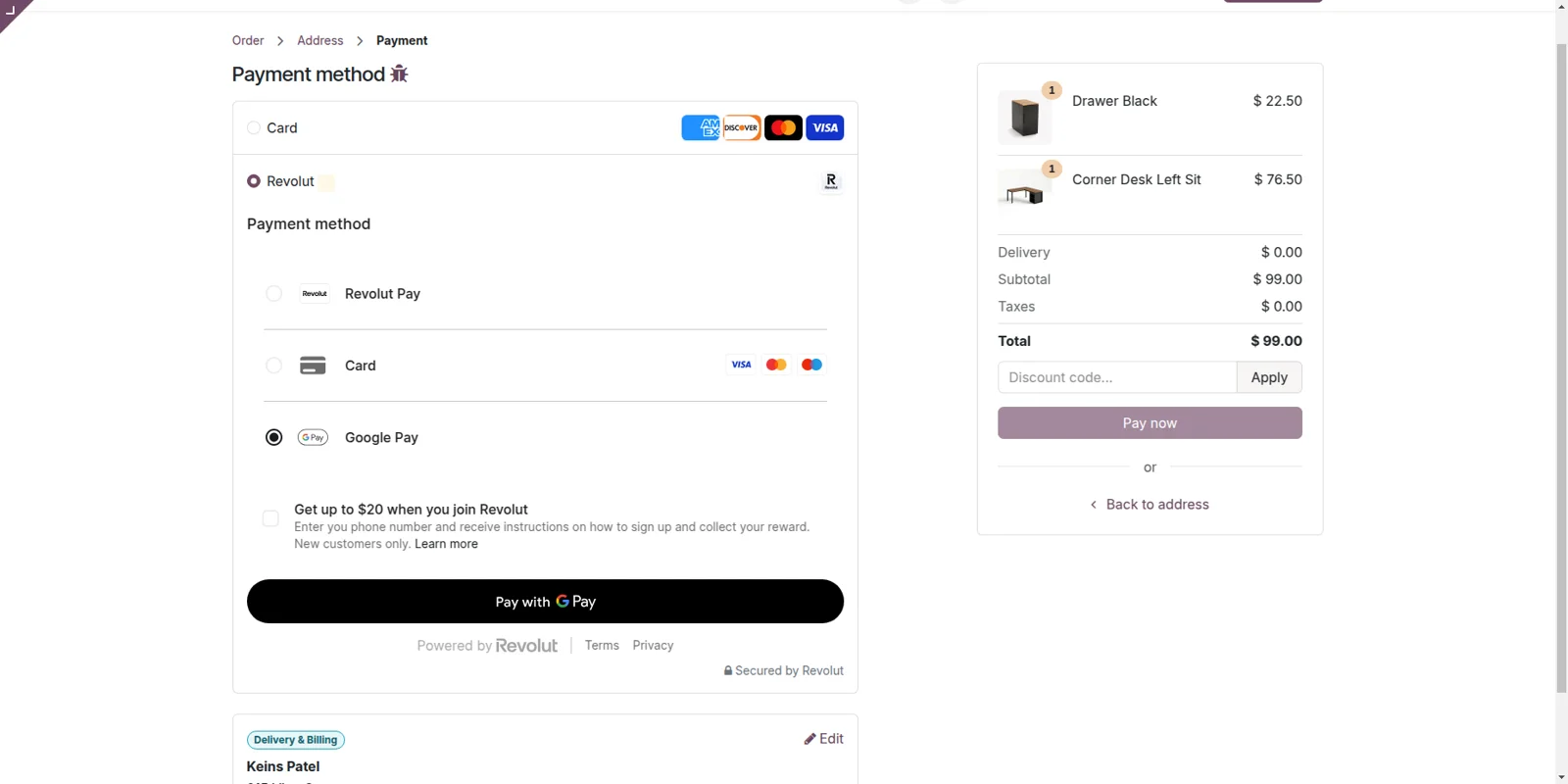
Shoppers finish paying on the page they were already reading. Once Revolut is chosen at checkout, the payment widget loads inside your store page, so nobody is pushed out to an outside payment screen. Your branding stays in view for the whole payment, which is where carts often get abandoned. The same widget appears on the customer portal and on invoice pay pages.
Cards and wallets in one widget
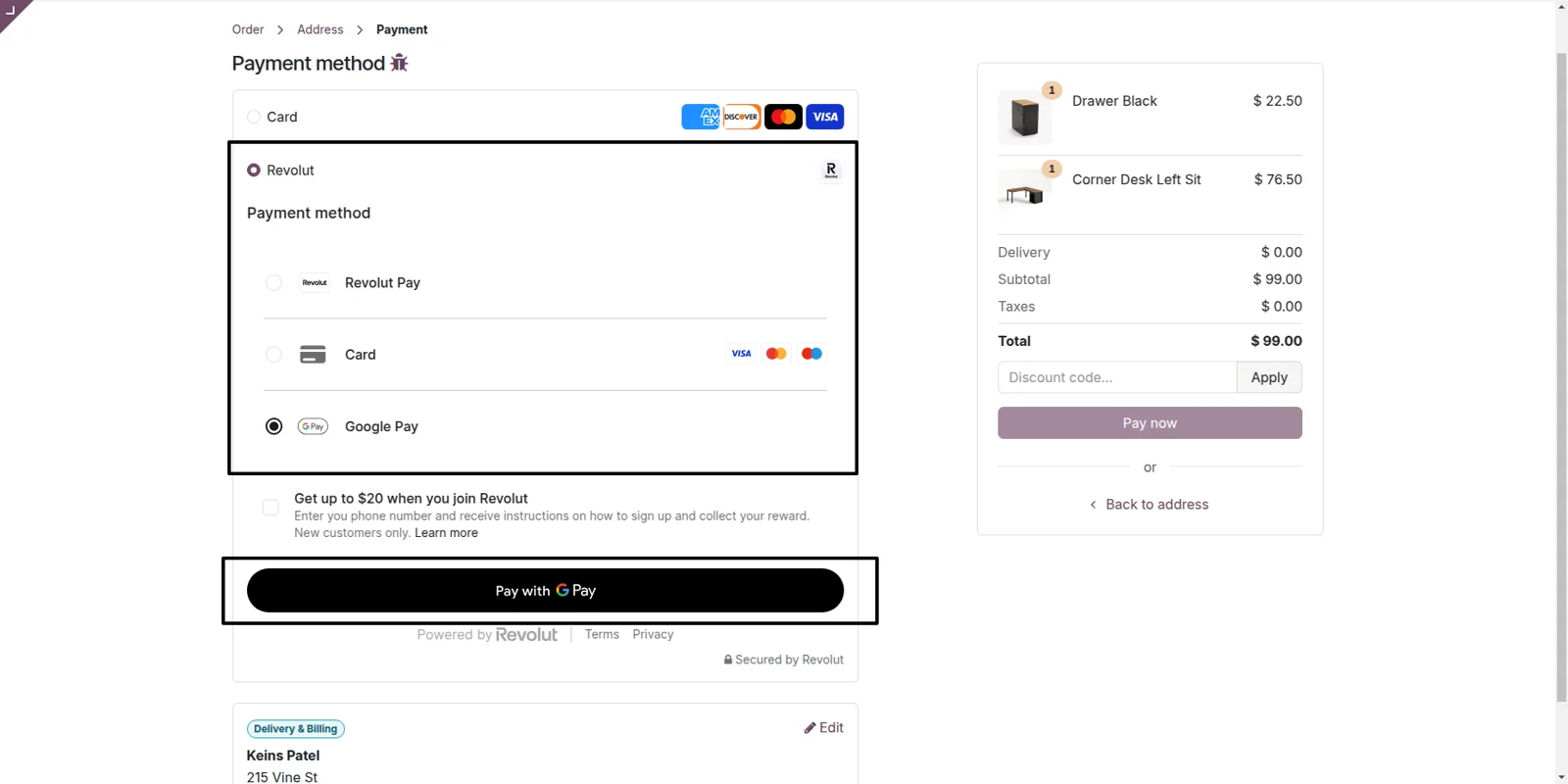
Your customer picks how to pay without a second screen. Visa, Mastercard and Maestro cards sit beside the wallet options in the same widget. Revolut Pay is available from the start. Cards, Apple Pay and Google Pay are switched on in your Revolut Business Dashboard, and they appear in the widget after that, with nothing more to set in Odoo.
Card data never reaches your server
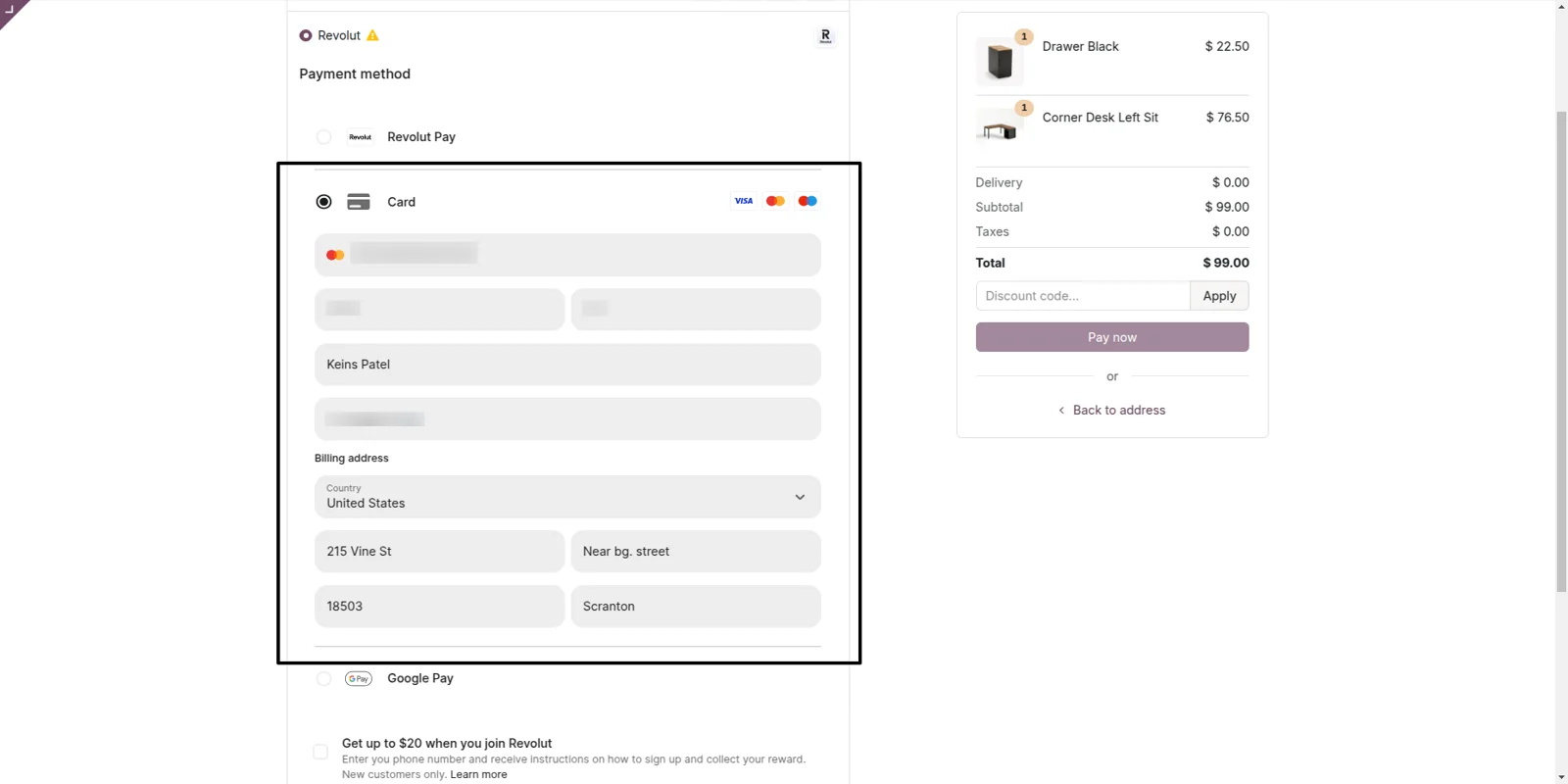
Card numbers are typed into Revolut's own secured field, so they never touch your Odoo server and your team stays clear of card data handling. Revolut is PCI-DSS Level 1 certified and takes care of that compliance. When the shopper's bank asks for Strong Customer Authentication, 3D Secure 2 runs during the same payment, which lifts approval rates and reduces chargebacks.
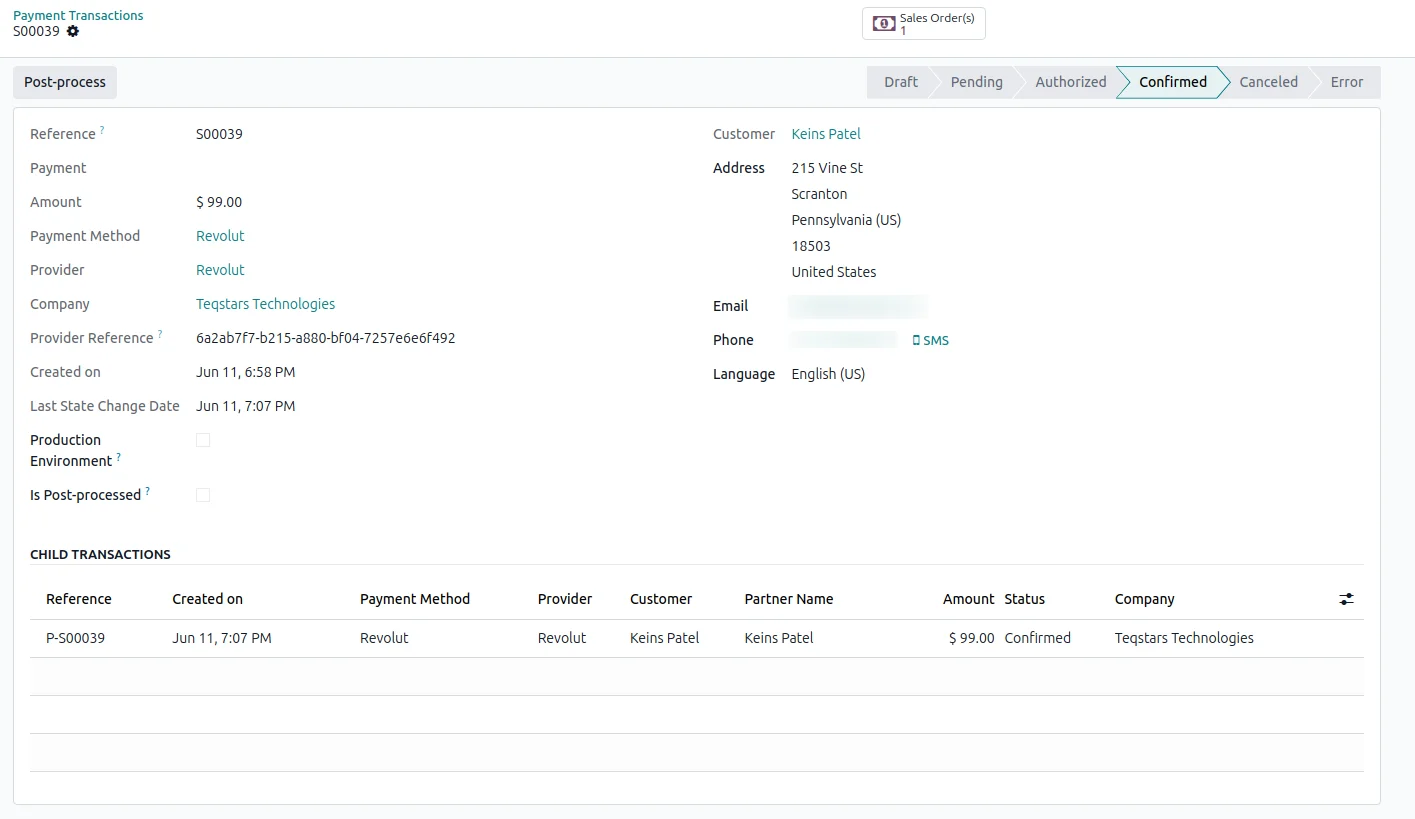
Transactions marked Done without you
You can tell which orders are genuinely paid without opening the bank. The moment a charge completes at Revolut, the matching Odoo payment transaction turns to Done, because Revolut reports each authorization, completion, failure and cancellation to Odoo. Nobody edits the record by hand. Declines are written onto the transaction as well, so your list shows what really happened at the provider.
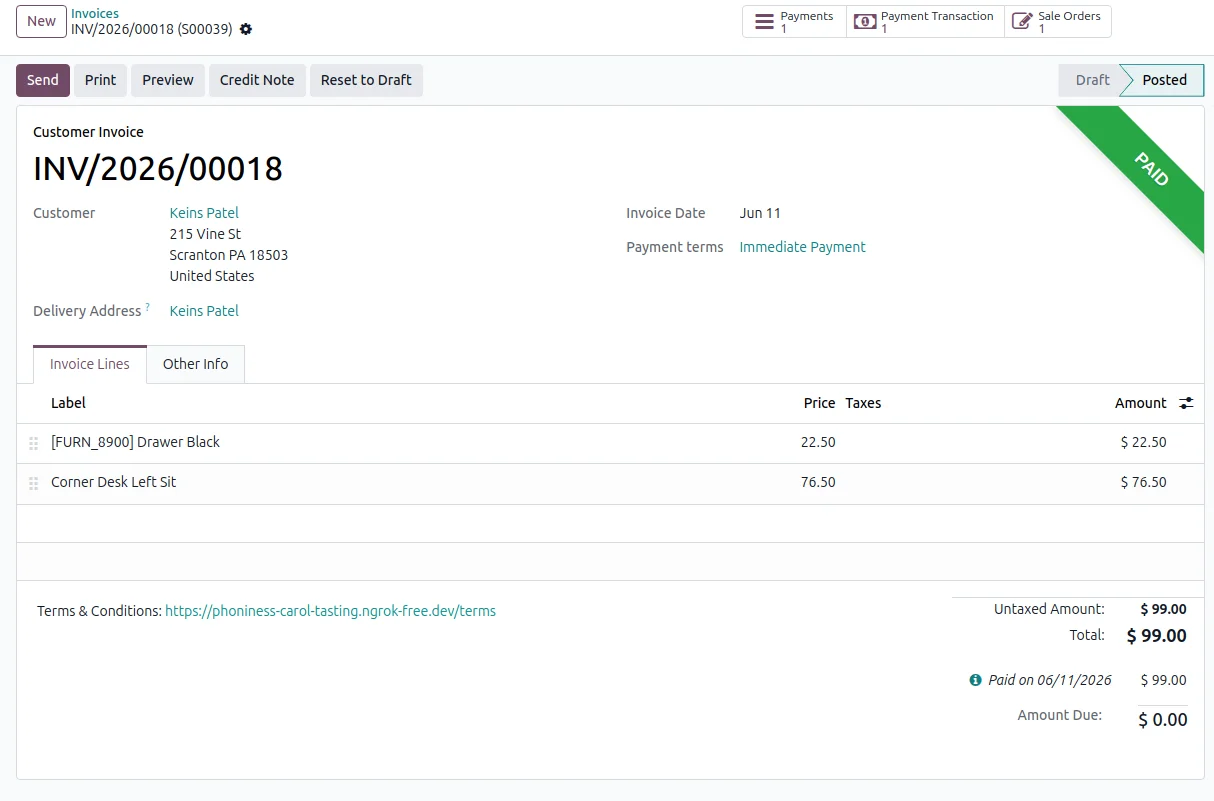
Invoices reconciled and marked paid
The invoice or sale order is matched to the Revolut payment and set to paid, so nobody re-keys amounts into accounting. Reconciliation happens when Revolut confirms the charge, rather than when someone reaches the bank statement. For B2B collections you send a pay link with the invoice, the client pays by card or wallet in the portal, and the document closes itself.
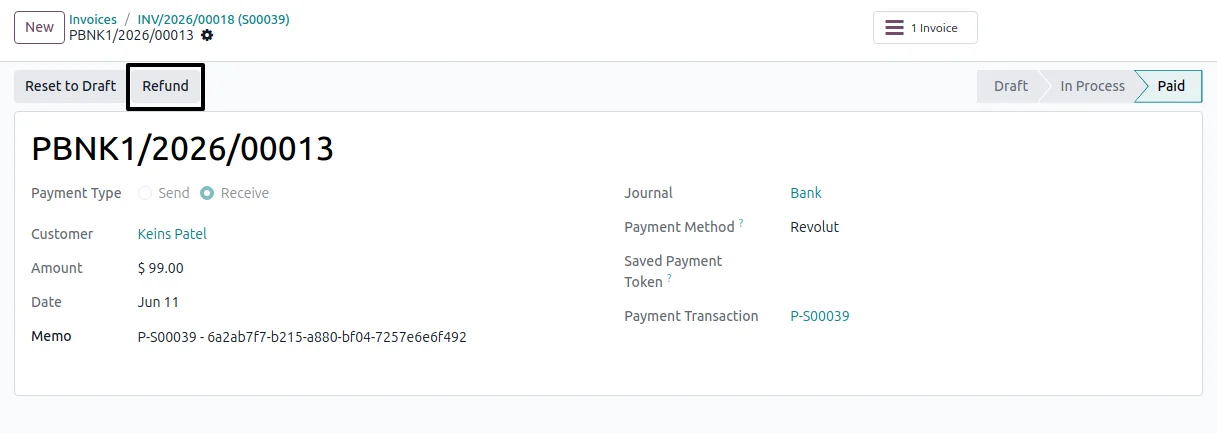
Refund in full or in part
Refunds are issued from the Odoo transaction, so finance needs no separate login to the provider's portal. Open a successful transaction, click Refund, and choose the whole amount or part of it. Revolut credits the customer's card and the refund is recorded against the original payment in your books. Revolut may need some time to settle the refund's closing state.
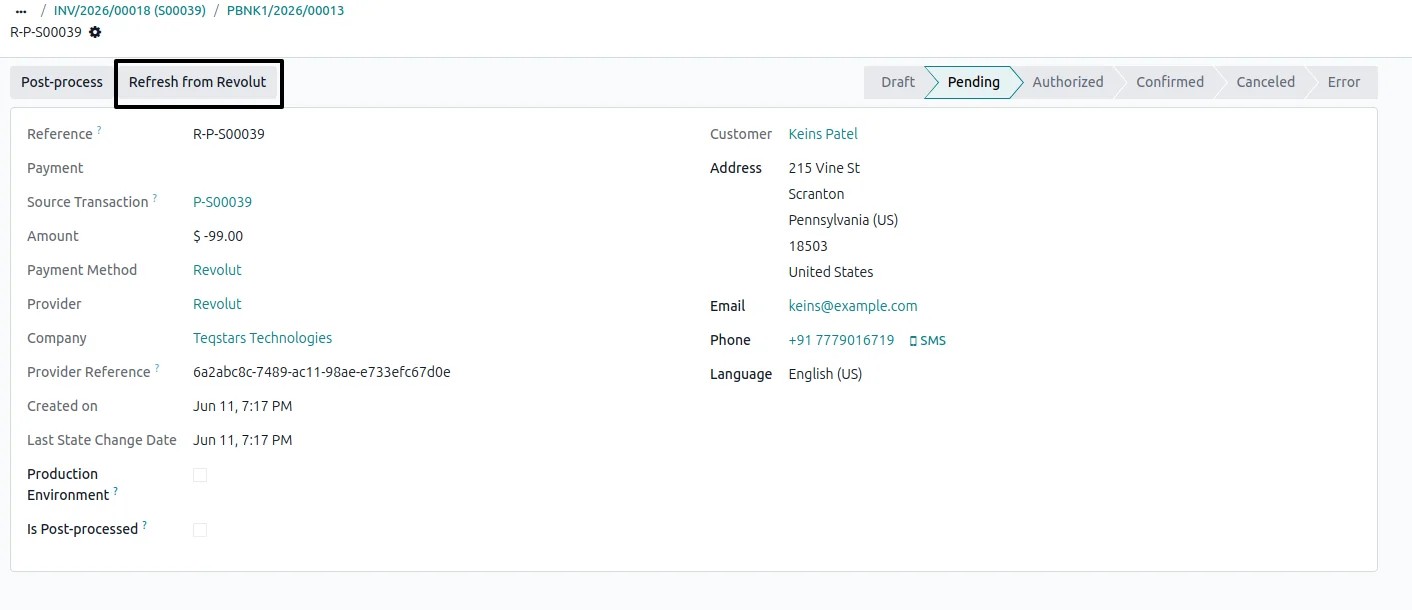
Pull a payment's latest status
When an update from Revolut does not arrive, you are not left guessing. Every Revolut transaction form carries a "Refresh from Revolut" button. One click asks Revolut for that payment's current state and writes it onto the Odoo record. That covers the odd case of a shopper's browser crashing part-way through checkout, and no developer is needed to sort it out.
Supported Odoo versions
| Odoo version | Editions | Hosting | Price | Latest release | |
|---|---|---|---|---|---|
| 20.0 | Community & Enterprise | Odoo.sh · On-premise | €99 | No release notes | Buy |
| 19.0 | Community & Enterprise | Odoo.sh · On-premise | €99 | No release notes | Buy |
| 18.0 | Community & Enterprise | Odoo.sh · On-premise | €99 | No release notes | Buy |
| 17.0 | Community & Enterprise | Odoo.sh · On-premise | €99 | No release notes | Buy |
Support for Odoo Revolut Payment Gateway
The developers who build the app answer your tickets.
- Free app support from purchase
- 60 days
- First response in working hours, typical
- 4–6 hours
- Support hours, 10:00–18:00 IST
- Mon–Fri
How to connect Revolut to Odoo
-
Step 1
Paste your Revolut keys
Open the Revolut provider record in Odoo's payment settings. Paste the Public and Secret API keys taken from your Revolut Business Dashboard, then pick Sandbox for test payments or Production for live money.
-
Step 2
Turn on instant updates
Click "Enable Webhook" once. Revolut then sends Odoo a message for each payment, refund and status change, which is what keeps your transactions and invoices accurate with nobody checking the bank.
-
Step 3
Choose methods and capture mode
Switch cards, Apple Pay and Google Pay on in your Revolut Business Dashboard. Revolut Pay is already available. For pre-orders or fraud checks, enable "Capture Manually" so a checkout only authorizes the card.
-
Step 4
Publish and get paid
Set the provider to Published. Revolut then shows as a payment option on your shop pages, the customer portal and invoice pay pages, and paid invoices appear in your Odoo dashboard.
Questions before you buy
Not answered here? Talk to the team.