One Wallee connection covers cards, wallets and local methods at Odoo checkout
Wallee is a Swiss payment platform that offers many payment methods through one secure checkout page. This gateway sends each Odoo payment to Wallee, then updates the order, the transaction and the invoice once the money clears.
- Odoo 17.0 – 20.0
- Community & Enterprise
- Odoo.sh · On-premise
-
Not for
Odoo Online
Top seller on the Odoo Apps Store
- sales on the Odoo Apps Store
- 3,000+
- apps published
- 100+
- countries running them
- 100+
Payment handling before and after the Wallee gateway
Without the connector by hand
-
Shoppers leave checkout when their preferred card or wallet is missing.
-
Check the Wallee dashboard, then tick the invoice as paid yourself.
-
Sign in to Wallee for every refund and every capture.
-
Orders sit unresolved when a shopper closes the browser mid-payment.
-
Search the Wallee panel to learn a payment's current state.
With the connector automatic
-
Cards, wallets and local methods sit together on one secure page.
-
Invoices and orders update as soon as Wallee confirms the payment.
-
Click Refund or Capture on the payment record in Odoo.
-
Real-time updates from Wallee settle payments the customer never returned from.
-
Click "Refresh from Wallee" on the transaction to pull the status.
Payments, refunds and status updates between Odoo and Wallee
Every object the connector handles, which way it travels and what triggers it.
| Data | Direction | What happens & when |
|---|---|---|
| Payment request |

 Odoo to Wallee
|
The customer picks Wallee and confirms the payment at checkout. |
| Payment confirmations |
Wallee to Odoo
|
Wallee reports a successful payment, capture or refund in real time. |
| Refund requests |
Odoo to Wallee
|
You click Refund on the payment for a full or partial amount. |
| Capture or void of an authorization |
Odoo to Wallee
|
You capture when you ship, or void a hold you no longer need. |
| Latest transaction status |
Wallee to Odoo
|
You click "Refresh from Wallee" on the transaction. |
Odoo Wallee Payment Gateway features
Customers pay on Wallee's secure page
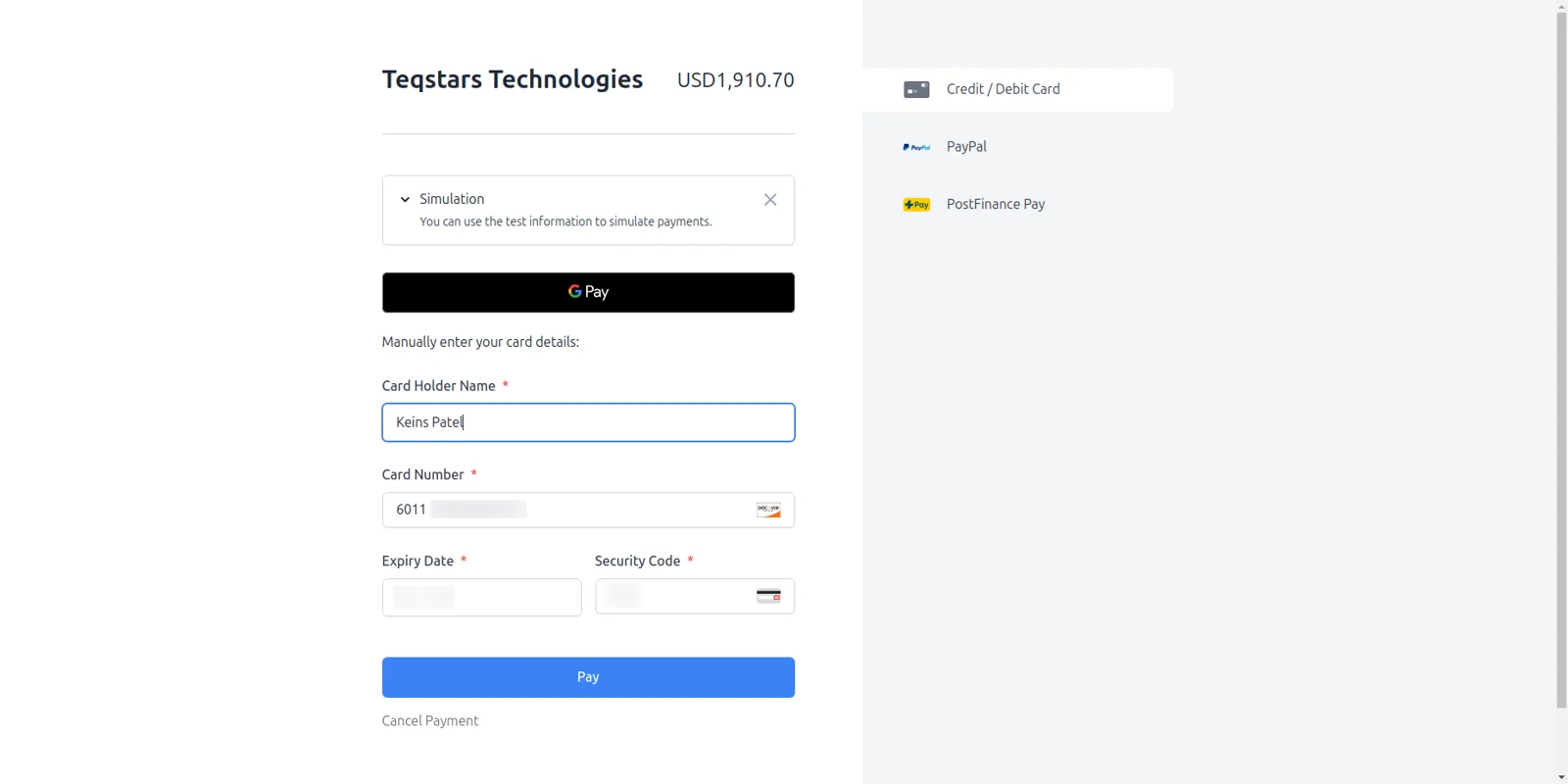
Your shopper finishes paying on Wallee's own hosted page, which keeps card numbers away from your Odoo server. On that page they choose a card, a wallet or a local option, and Wallee takes care of card authentication. Because the card step happens there, your store does not have to be PCI compliant.
Wallee appears at Odoo checkout
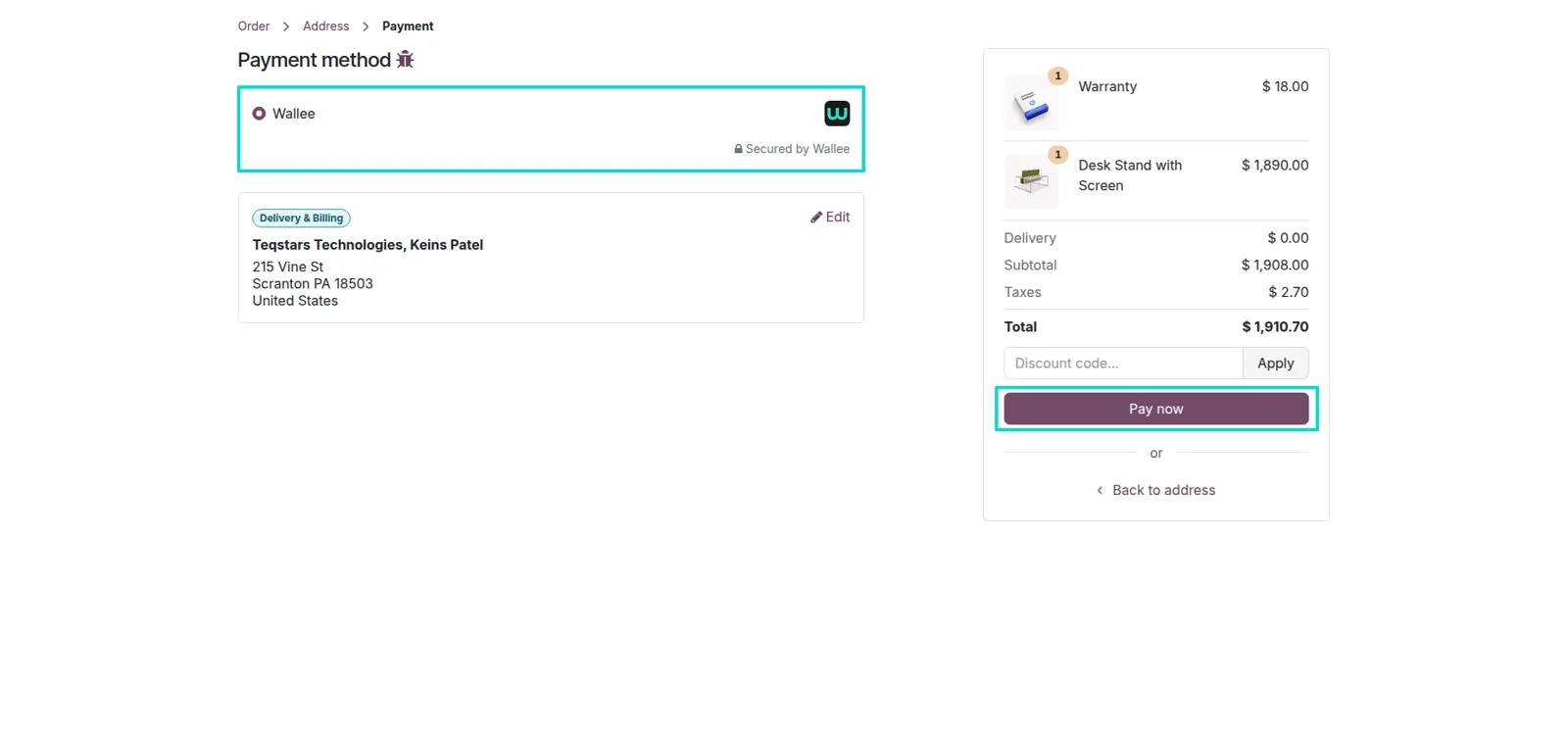
Wallee shows up as a choice on the standard Odoo payment screen, so shoppers select it the way they select any other provider. Once the provider is published, it is also offered in the customer portal and on invoice payment pages. Every method you switch on in your Wallee account is then presented on the page that follows.
Transactions update when Wallee confirms
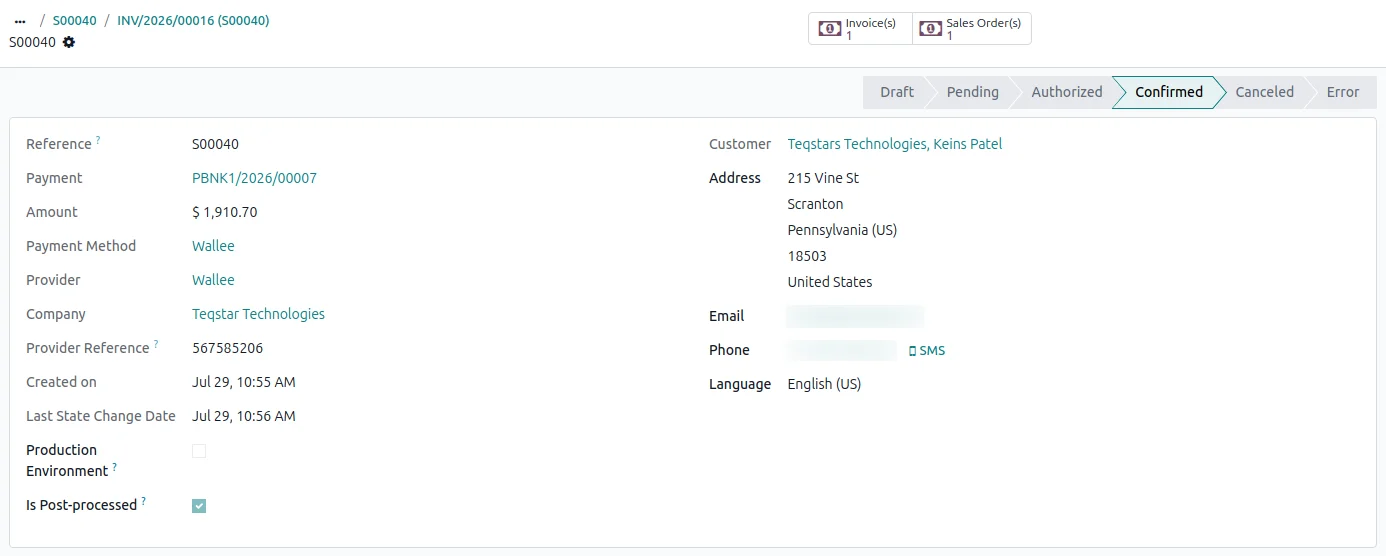
The payment transaction in Odoo moves to Done the moment Wallee confirms the charge, so nobody keys in a status. The same real-time updates cover captures and refunds later in that payment's life. Your team reads the current state on the record itself instead of comparing two screens side by side.
Invoices reconciled without data entry
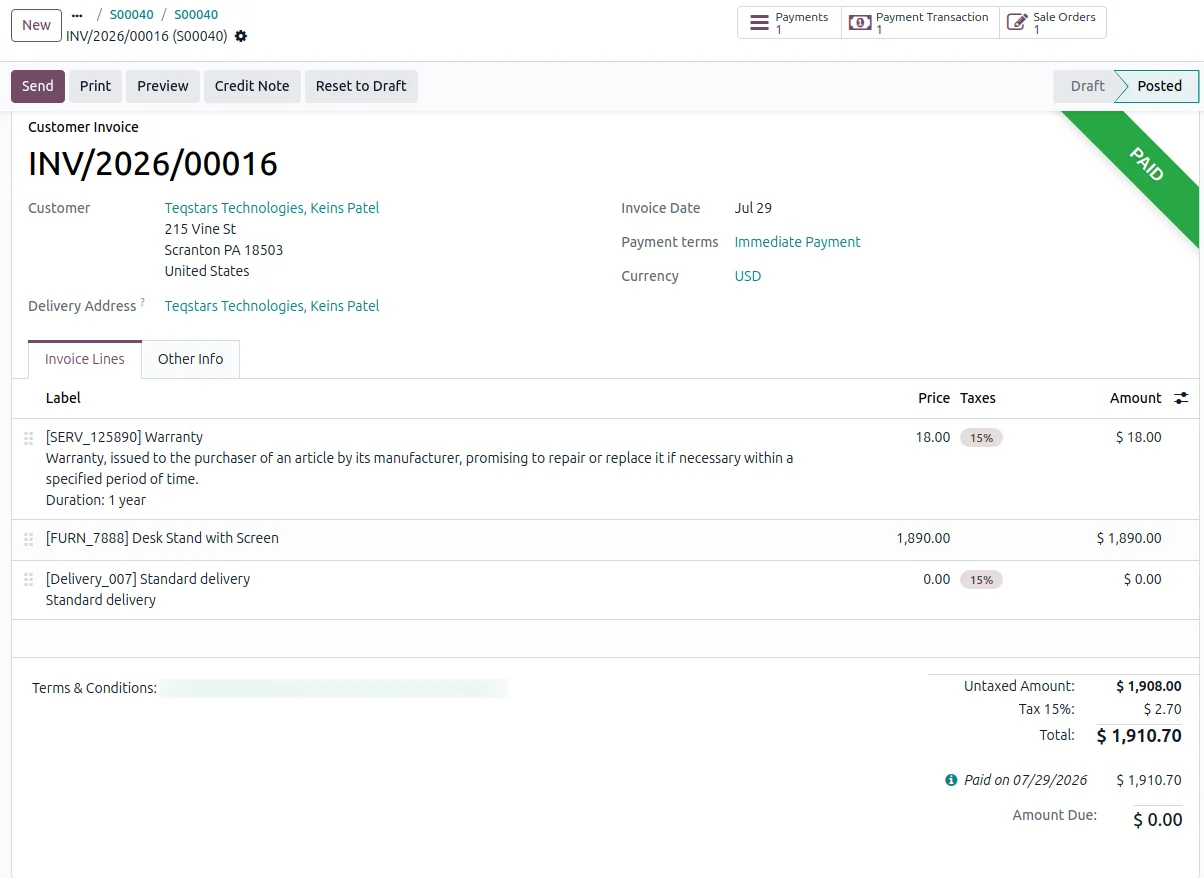
The sale order or invoice behind a payment is matched and marked paid for you, so your books stay current while sales keep closing. Odoo links the amount received to the right document as soon as Wallee reports the payment. That removes the usual chore of pairing Wallee activity with open invoices by hand.
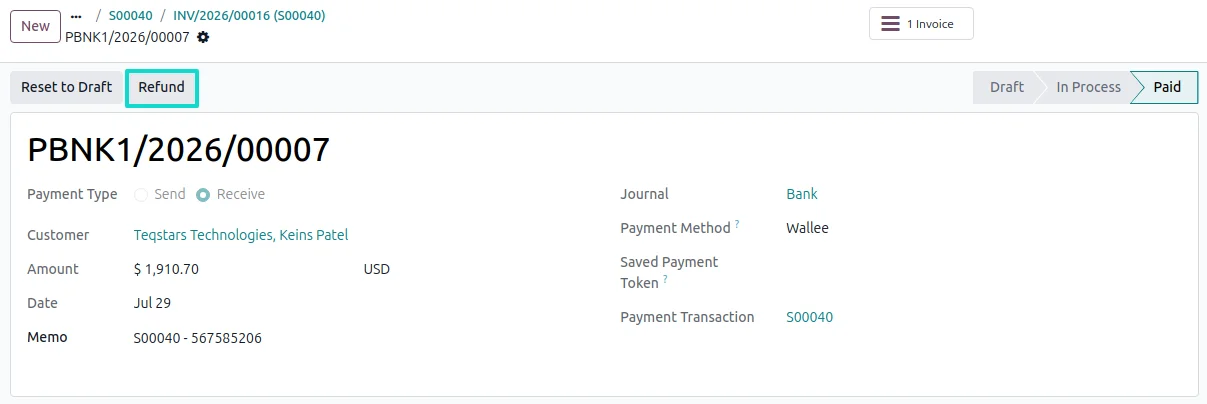
Refund in one click from the payment
You return a customer's money by opening the payment in Odoo and clicking Refund, for the full amount or part of it. Wallee credits the customer, and the refund is recorded against the original payment in your accounts. The entry settles on its own once Wallee confirms that the credit went through.
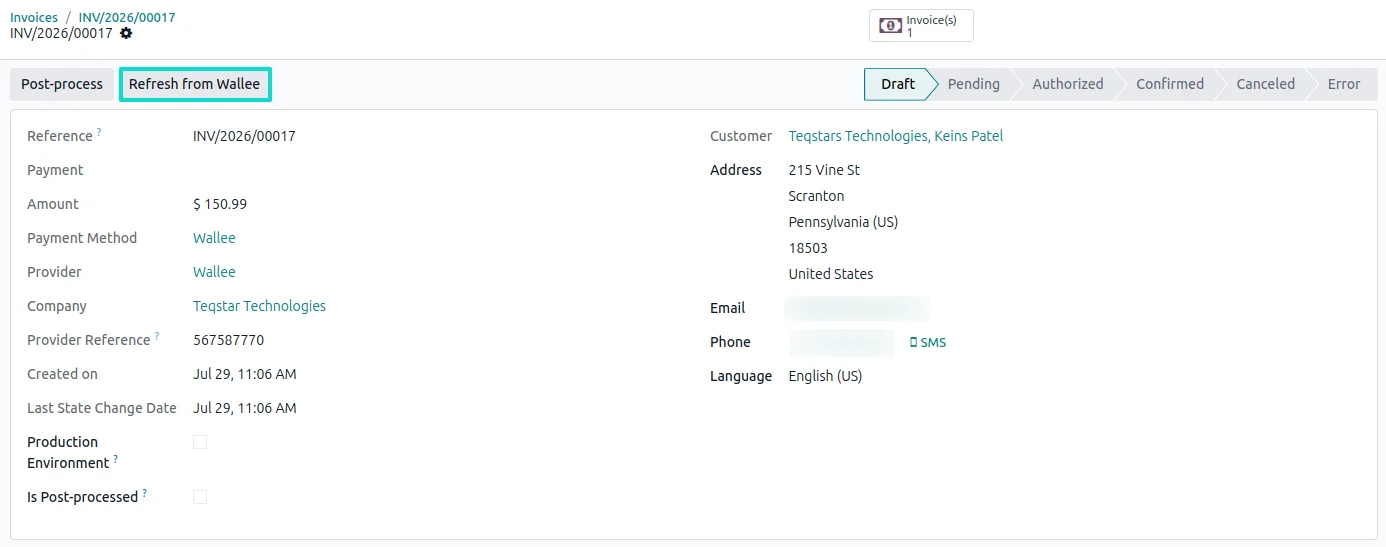
Pull the latest status on demand
When an update from Wallee is slow to arrive, the transaction carries a "Refresh from Wallee" button that fetches the current status straight away. One click tells your team whether the charge went through, so support can answer a waiting customer. No developer and no trip to the Wallee dashboard is needed for that check.
Supported Odoo versions
| Odoo version | Editions | Hosting | Price | Latest release | |
|---|---|---|---|---|---|
| 20.0 | Community & Enterprise | Odoo.sh · On-premise | €99 | No release notes | Buy |
| 19.0 | Community & Enterprise | Odoo.sh · On-premise | €99 | No release notes | Buy |
| 18.0 | Community & Enterprise | Odoo.sh · On-premise | €99 | No release notes | Buy |
| 17.0 | Community & Enterprise | Odoo.sh · On-premise | €99 | No release notes | Buy |
Support for Odoo Wallee Payment Gateway
The developers who build the app answer your tickets.
- Free app support from purchase
- 60 days
- First response in working hours, typical
- 4–6 hours
- Support hours, 10:00–18:00 IST
- Mon–Fri
How to connect Wallee to Odoo
-
Step 1
Enter your Wallee keys
Open the Wallee provider in Odoo and fill in the three credentials from your Wallee space: Space ID, Application User ID and Authentication Key. Then choose Test while you try things out, or Live for real money.
-
Step 2
Turn on real-time updates
Click "Generate your webhook" once. Odoo registers the connection with Wallee for you, so payments, captures and refunds reach your records as they happen rather than when someone checks.
-
Step 3
Publish and go live
Set the provider to Published, which puts Wallee on your website, your customer portal and your invoice payment pages. Run a test order end to end, then switch the mode to Live when the flow looks right.
Questions before you buy
Not answered here? Talk to the team.