Publish eBay listings, import orders and update stock from one Odoo database
This eBay Odoo integration covers Auction and Fixed Price listings, orders and stock levels. Orders can import on a schedule you set and switch on, and tracking goes back to eBay from the delivery you validate in Odoo.
- Odoo 17.0 – 20.0
- Community & Enterprise
- Odoo.sh · On-premise
-
Not for
Odoo Online
Top seller on the Odoo Apps Store
- sales on the Odoo Apps Store
- 3,000+
- apps published
- 100+
- countries running them
- 100+
eBay selling work before and after the connector
Without the connector by hand
-
Retype each eBay order into Odoo as a sales order.
-
Adjust eBay quantities by hand after every sale you record.
-
Copy tracking numbers from Odoo deliveries into the eBay seller account.
-
Open eBay to see what each listing operation cost you.
-
Read buyer feedback on eBay and note it against the order.
-
Rekey titles, prices and item specifics into eBay's listing form.
With the connector automatic
-
Orders import on a schedule you set.
-
Stock exports on the interval you set, or when you run Export Inventory.
-
Tracking goes to eBay on the scheduled export, or when you press Update in Marketplace.
-
Fees from create, update, relist and end are recorded on each listing.
-
Feedback imports with rating and comment, linked to the order and the listing.
-
Odoo products export as Auction or Fixed Price listings when you run Export Listings.
Listings, orders, stock and feedback between eBay and Odoo
Every object the connector handles, which way it travels and what triggers it.
| Data | Direction | What happens & when |
|---|---|---|
| Product listings |

 Both ways
|
You run Import Listings, or Export Listings after filling the eBay details. |
| Orders and order lines |
eBay to Odoo
|
A schedule you set, or a manual import. |
| Order cancellations |
eBay to Odoo
|
The connector reads the cancel status while importing the order. |
| Buyer contacts |
eBay to Odoo
|
Created with billing and shipping addresses when an order imports. |
| Stock levels |
Odoo to eBay
|
Interval you set on the Export Product's Inventory job, or a manual export. |
| Prices |
Odoo to eBay
|
Daily by default on the price job you enable, or a manual export. |
| Tracking and fulfillment status |
Odoo to eBay
|
You validate the delivery and press Update in Marketplace, or the scheduled export runs. |
| In-store pickup status |
Both ways
|
Imported with the order, and sent back when you click Mark as Picked Up. |
| Buyer feedback and seller ratings |
eBay to Odoo
|
Daily on the feedback job you enable, or the Import Feedbacks operation. |
| Seller policies |
eBay to Odoo
|
You run Import Policies for payment, fulfillment or return policies. |
| Categories and item specifics |
eBay to Odoo
|
Imported when you confirm the eBay account, or with Fetch Attributes. |
| Merchant locations |
eBay to Odoo
|
You run Import Locations, then map each one to an Odoo warehouse. |
| Listing fees |
eBay to Odoo
|
Recorded after each create, update, relist or end operation. |
Odoo eBay Connector features
Publish Auction and Fixed Price listings
Your Odoo products go live on eBay as Auction or Fixed Price listings. You add them with the "Add to Listings" action, then fill the eBay category, item condition and listing duration on the listing form. Item specifics such as Brand and MPN sit on the same form. Running "Export Listings" creates the listing on eBay, and existing eBay listings import into Odoo in both formats.
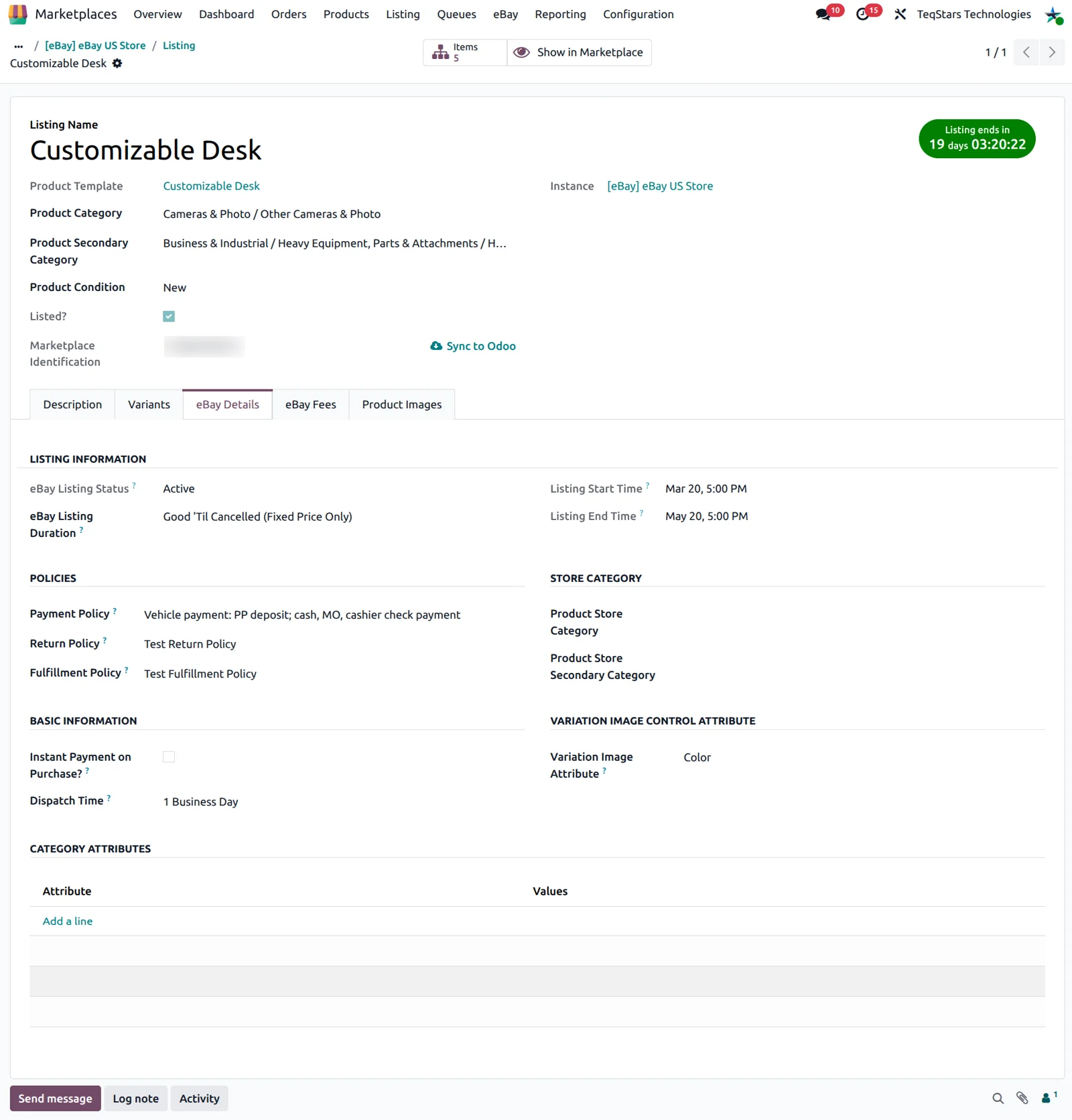
eBay orders become Odoo sales orders
Each eBay order arrives in Odoo as a sales order carrying its products, the shipping cost and the eBay fees, plus any adjustment line. The buyer becomes a contact with billing and shipping addresses. Orders import on a schedule you set, or when you run the import yourself. An order canceled on eBay is canceled in Odoo when the connector reads its status.
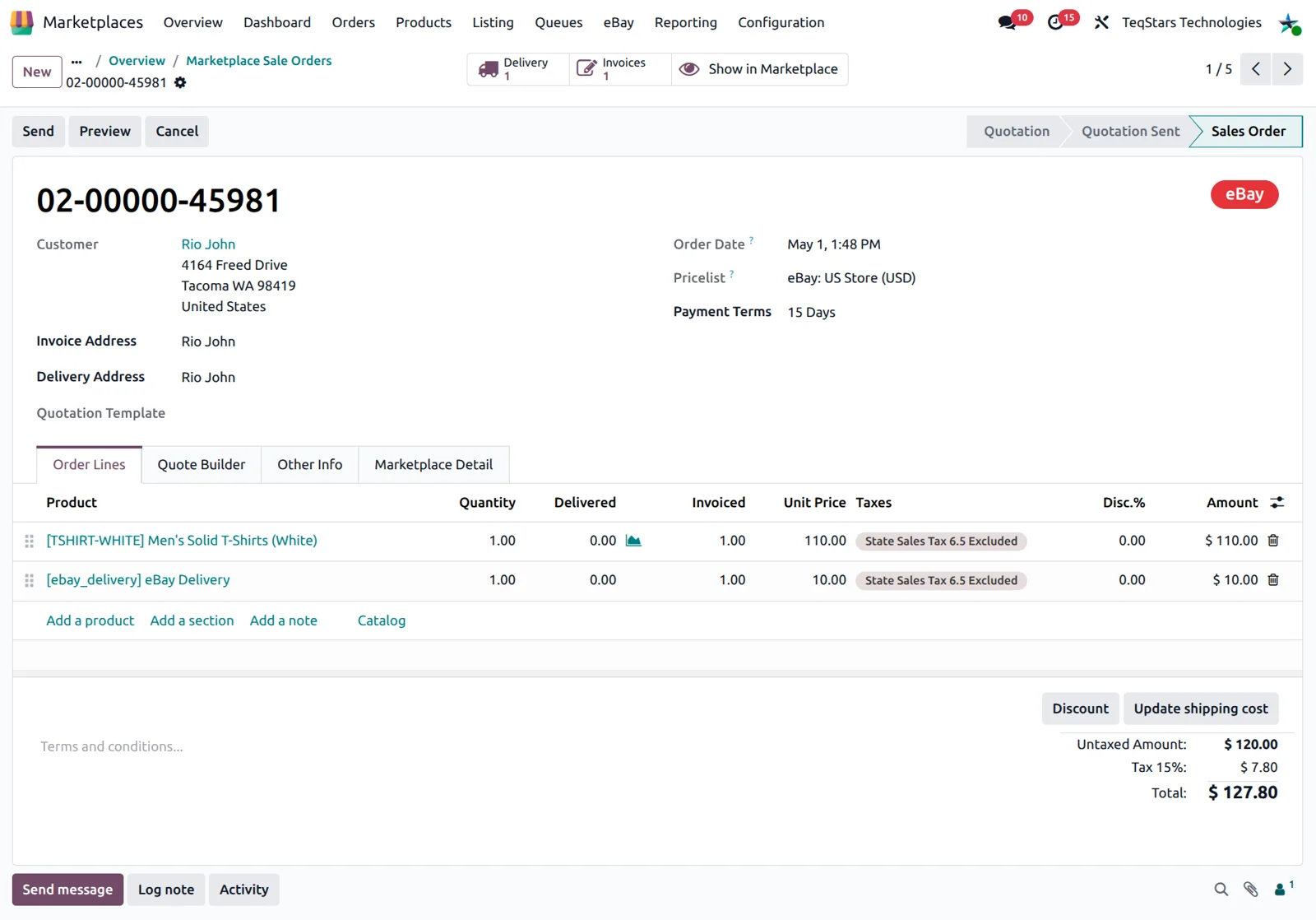
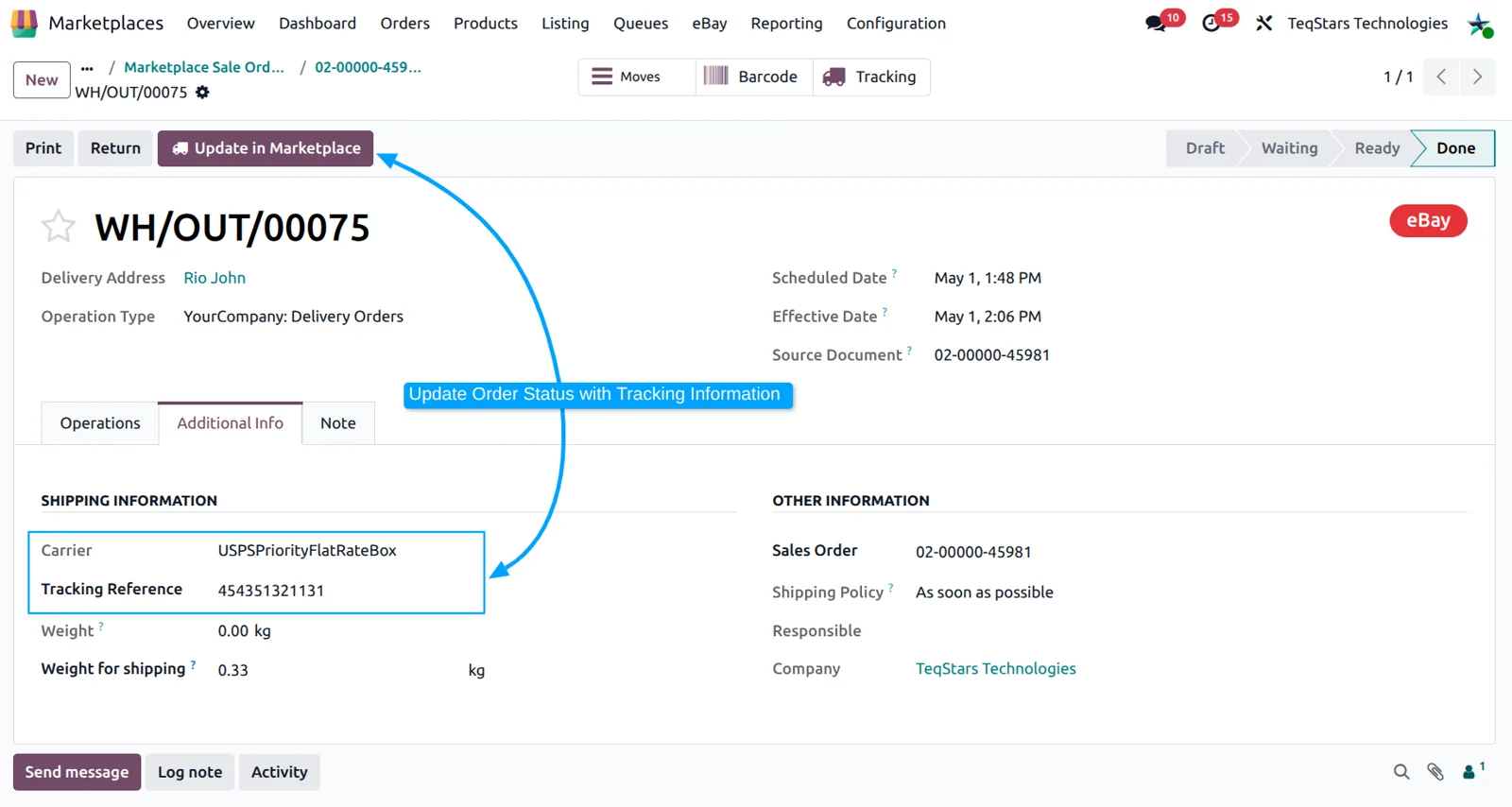
Send tracking numbers back to eBay
Your eBay buyers get their tracking number without anyone signing in to eBay. You enter the carrier and tracking number on the Odoo delivery, validate it, then press "Update in Marketplace" to send the fulfillment status. The scheduled export does the same job for all validated deliveries at the interval you set. Your delivery carriers need their eBay Carrier Code filled in before this works.
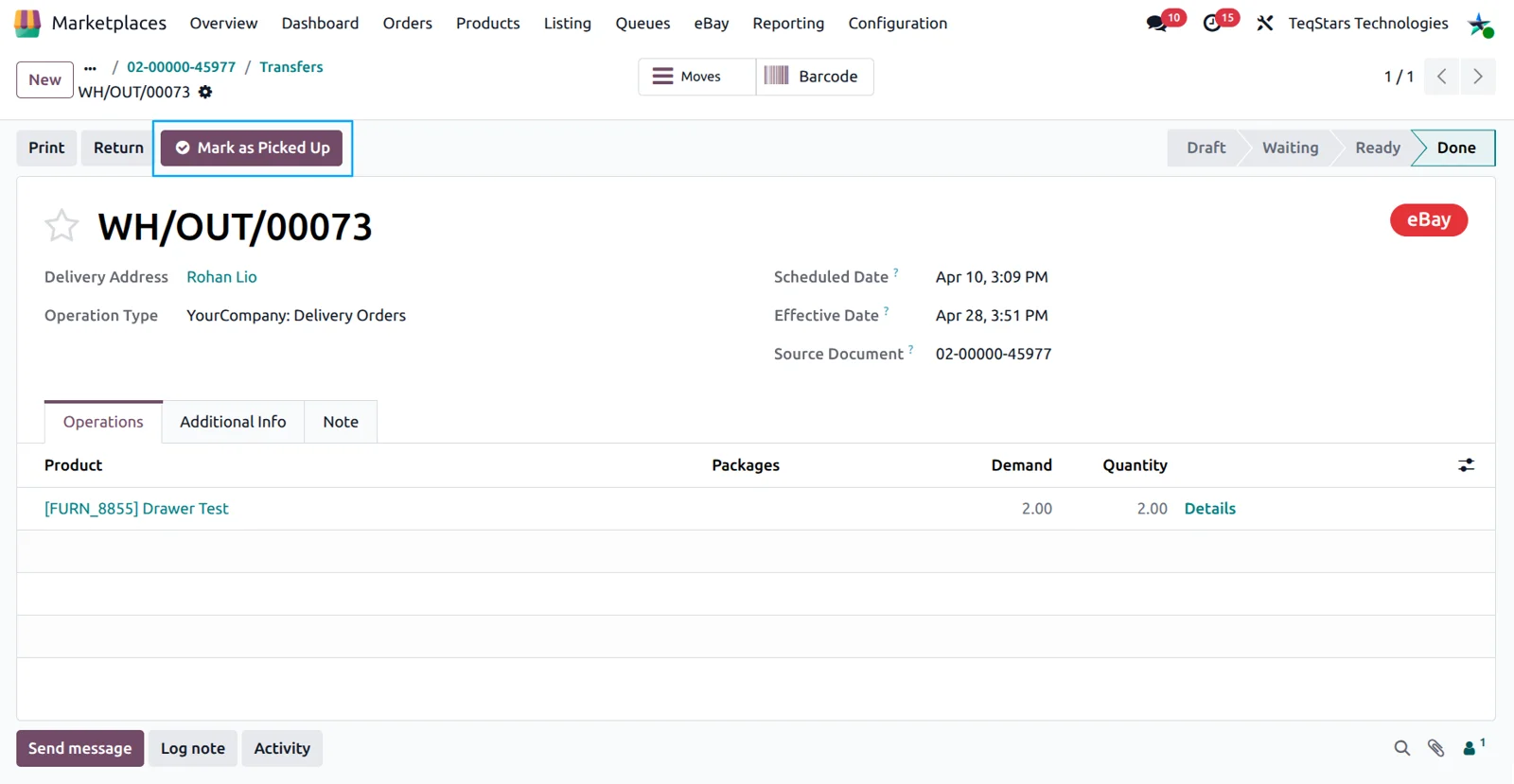
Close in-store pickup orders correctly
Orders collected at your counter finish properly on both sides. When a buyer chooses In-Store Pickup on eBay, the order imports into Odoo as a pickup order with no extra configuration. Once the buyer has the goods, open the validated delivery and click "Mark as Picked Up" to tell eBay the order is fulfilled. Buyers who collected before the import already show as picked up.
See what every listing costs you
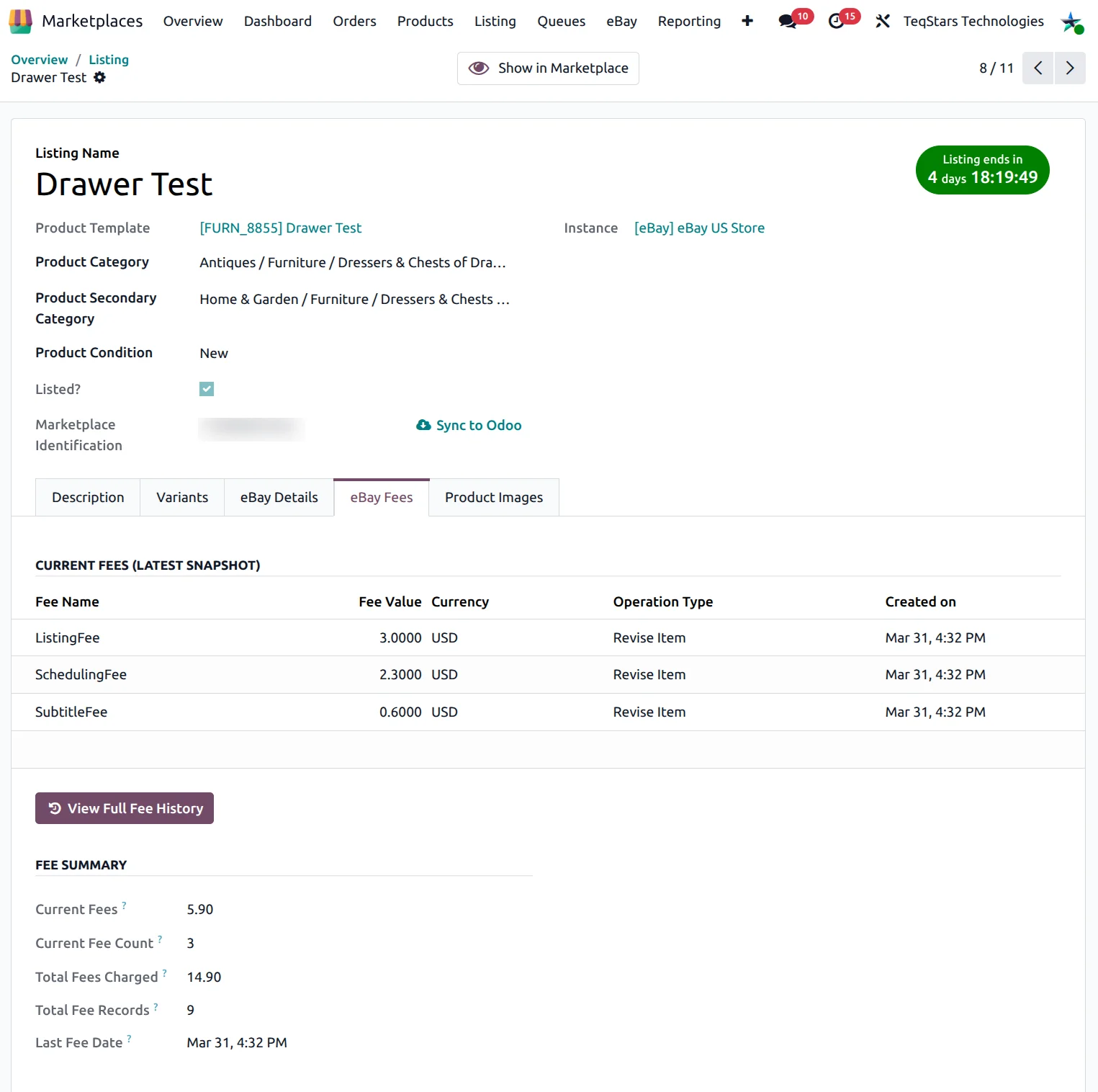
You can read what eBay charged for each listing action inside Odoo. The connector records the fees eBay returns when a listing is created, updated, relisted or ended, including the fee name, the amount and the currency. The "eBay Fees" tab on the listing shows the current charges and the full history, so you can compare what different products cost you over time.
Read buyer feedback and seller ratings
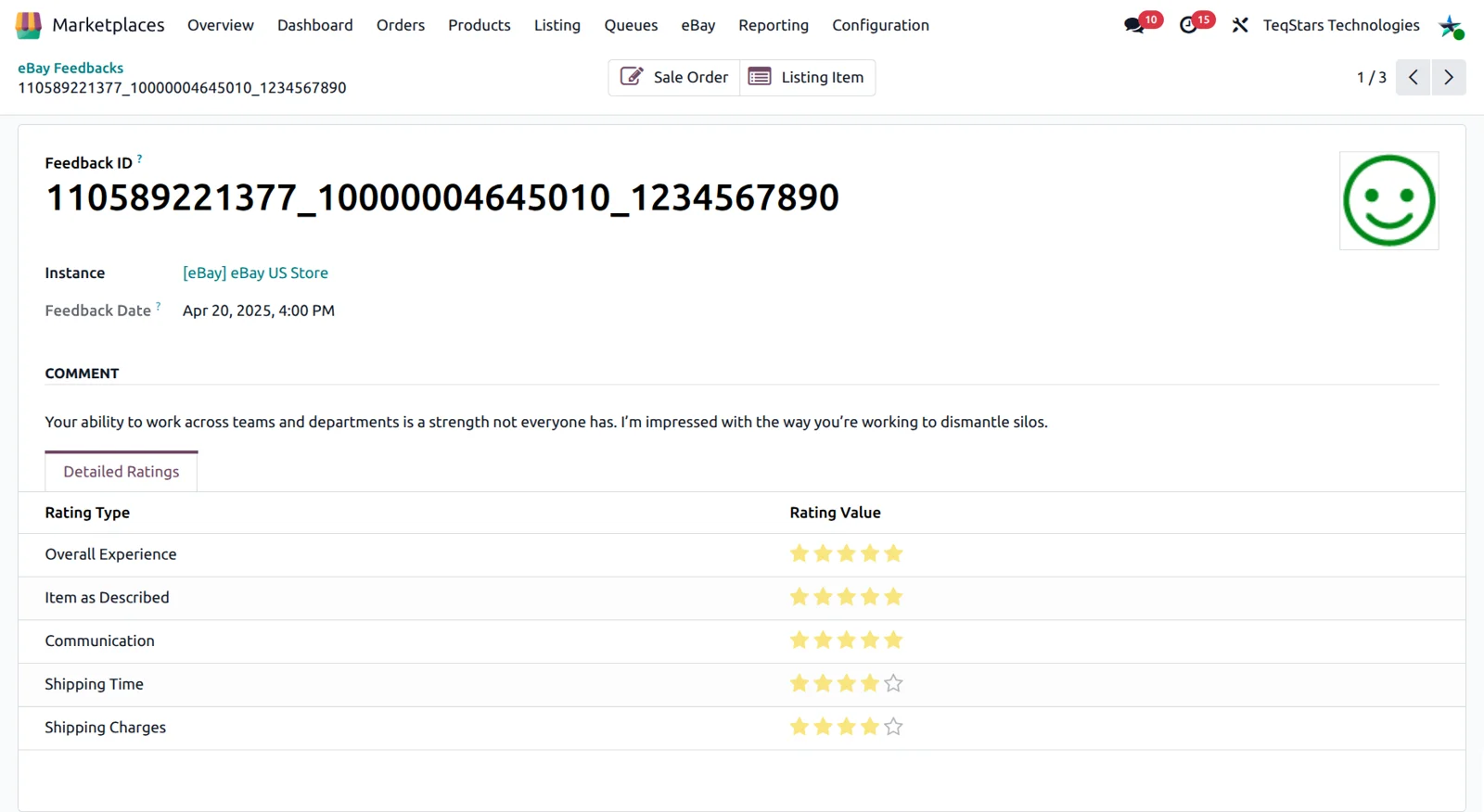
Buyer feedback sits in Odoo beside the order it belongs to. The connector imports the Positive, Neutral or Negative rating, the comment text and the feedback status, including entries that were revised or withdrawn. Each record holds eight detailed seller rating categories, among them Item as Described, Communication and Shipping Time. The feedback import can run daily on a schedule you enable.
Export stock and prices to eBay
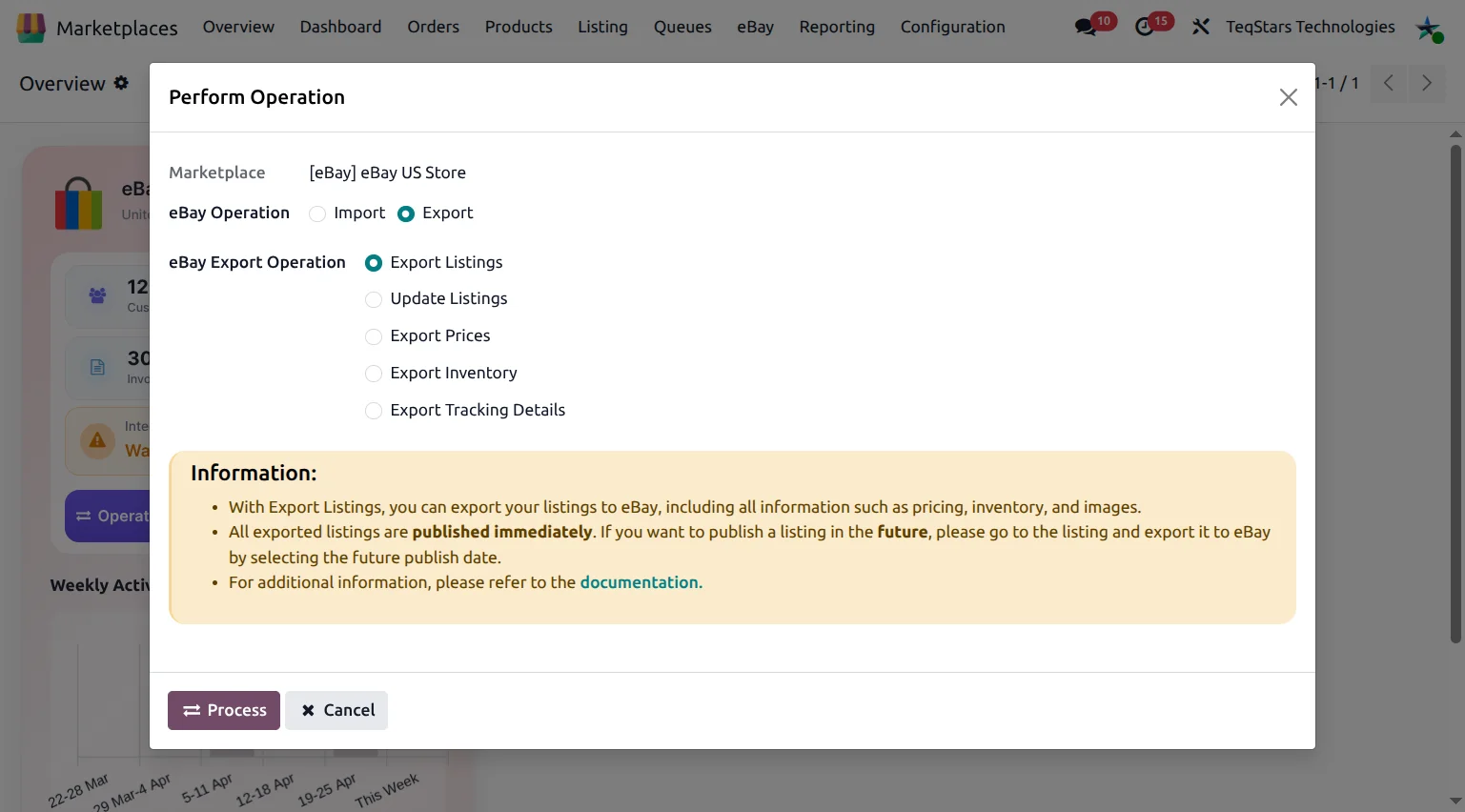
eBay quantities and prices follow your Odoo catalog instead of a spreadsheet. The export sends stock calculated from your "Stock Based On" setting and prices read from the pricelist on your eBay account, or the product sale price when you turn that option on. You can run both from the export wizard, or set an interval for each job. Only mapped locations enabled for stock are used.
Import eBay categories and item specifics
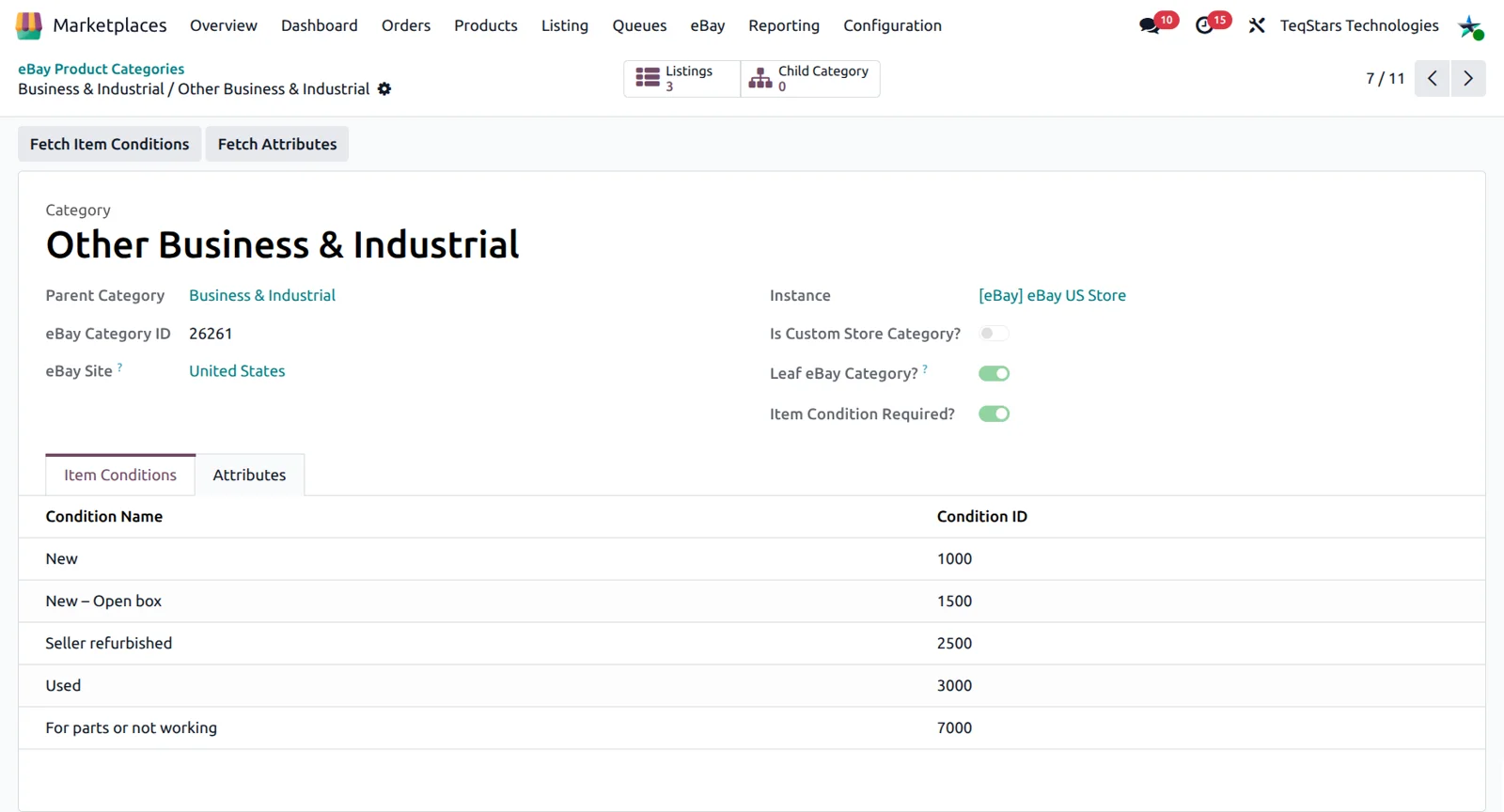
Your listings meet eBay's category rules because Odoo already holds them. Categories import when you confirm your eBay account, and you can rerun the import whenever eBay changes its tree. On a category, "Fetch Item Conditions" brings in the allowed conditions such as New or Used, and "Fetch Attributes" brings the item specifics for that category. Missing required specifics are a common reason an export fails.
Supported Odoo versions
| Odoo version | Editions | Hosting | Price | Latest release | |
|---|---|---|---|---|---|
| 20.0 | Community & Enterprise | Odoo.sh · On-premise | €369.99 | 20.0.1.0.3 | Buy Docs |
| 19.0 | Community & Enterprise | Odoo.sh · On-premise | €369.99 | 19.0.2.0.0 | Buy Docs |
| 18.0 | Community & Enterprise | Odoo.sh · On-premise | €369.99 | No release notes | Buy |
| 17.0 | Community & Enterprise | Odoo.sh · On-premise | €369.99 | No release notes | Buy |
Support for Ebay Connector
The developers who build the app answer your tickets.
- Free app support from purchase
- 60 days
- First response in working hours, typical
- 4–6 hours
- Support hours, 10:00–18:00 IST
- Mon–Fri
How to connect eBay to Odoo
-
Step 1
Install the connector
Search for "teqstars ebay" in your Odoo Apps list and install it. Dependencies install with it. The app runs on Odoo 17.0, 18.0, 19.0 and 20.0.
-
Step 2
Connect your eBay account
Go to Marketplaces, Configuration, Instance and create a record for eBay. Paste the Client ID, Client Secret, Dev ID and RuName from your eBay developer account, then click "Connect eBay Account" and sign in.
-
Step 3
Test and import your settings
Press "Test Connection" to confirm the credentials work. Then import your seller policies, categories with their item conditions, and your eBay merchant locations, and map each location to an Odoo warehouse.
-
Step 4
Map payments to workflows
Match each eBay payment method and financial status to an Odoo workflow. This decides whether an incoming order is confirmed, invoiced and paid automatically, so paid orders can go straight to your warehouse.
-
Step 5
Import listings and orders
Bring your existing eBay listings and orders into Odoo. Products are matched or created by SKU. Then switch on the jobs for order import, stock export, price export and order status so they keep running.
Questions before you buy
Not answered here? Talk to the team.