Sell on Etsy while Odoo keeps your listings, orders and stock aligned
This Etsy Odoo integration imports receipts, listings and shop reference data, and sends listings, stock and prices back to Etsy. Validating a delivery pushes the carrier and tracking number. Orders can import on a schedule you set once you switch it on.
- Odoo 17.0 – 20.0
- Community & Enterprise
- Odoo.sh · On-premise
-
Not for
Odoo Online
Top seller on the Odoo Apps Store
- sales on the Odoo Apps Store
- 3,000+
- apps published
- 100+
- countries running them
- 100+
Etsy shop work before and after this connector
Without the connector by hand
-
Retyping each Etsy receipt into Odoo as a sales order
-
Copying tracking numbers into Etsy after every shipment
-
Rebuilding shipping rules, return terms and processing times by hand
-
Comparing Etsy stock counts against Odoo in a spreadsheet
-
Re-entering titles, photos and attributes in Etsy's listing form
-
Watching for canceled receipts and closing the Odoo order yourself
-
Guessing why one receipt never showed up in Odoo
-
Signing in again whenever Etsy's access runs out
With the connector automatic
-
A schedule you set imports receipts into sales orders
-
Validating the delivery sends carrier and tracking number to Etsy
-
One 'Import Master Data' run pulls profiles, policies and readiness states
-
A schedule you set sends current stock and prices to your listings
-
'Export Listings' creates the Etsy listing from the Odoo product
-
The next order import cancels the matching Odoo sales order
-
The failed line keeps Etsy's own error message, ready to retry
-
The access token is renewed before it expires, with a 30-day reminder
Listings, orders and tracking between Etsy and Odoo
Every object the connector handles, which way it travels and what triggers it.
| Data | Direction | What happens & when |
|---|---|---|
| Shop reference data |

 Etsy to Odoo
|
An 'Import Master Data' run, and the first time you confirm the shop |
| Product listings |
Etsy to Odoo
|
An 'Import Listings' run; matched to Odoo products by SKU |
| Etsy receipts |
Etsy to Odoo
|
A schedule you set, or a manual import |
| Order cancellations |
Etsy to Odoo
|
Noticed on the next order import of that receipt |
| Buyer contacts and addresses |
Etsy to Odoo
|
Created when their order imports, matched against existing contacts |
| New listings |
Odoo to Etsy
|
An 'Export Listings' run, published or kept as a draft |
| Listing detail updates |
Odoo to Etsy
|
An 'Update Listings' run, by hand or on a schedule you set |
| Stock and prices |
Odoo to Etsy
|
An 'Update Stock & Prices' run or the schedule you set |
| Tracking details |
Odoo to Etsy
|
Validating the delivery, then 'Update in Marketplace' or the tracking schedule |
| Order payment status |
Odoo to Etsy
|
Clicking 'Mark Order as Paid in Etsy' on a fully paid order |
Etsy Connector features
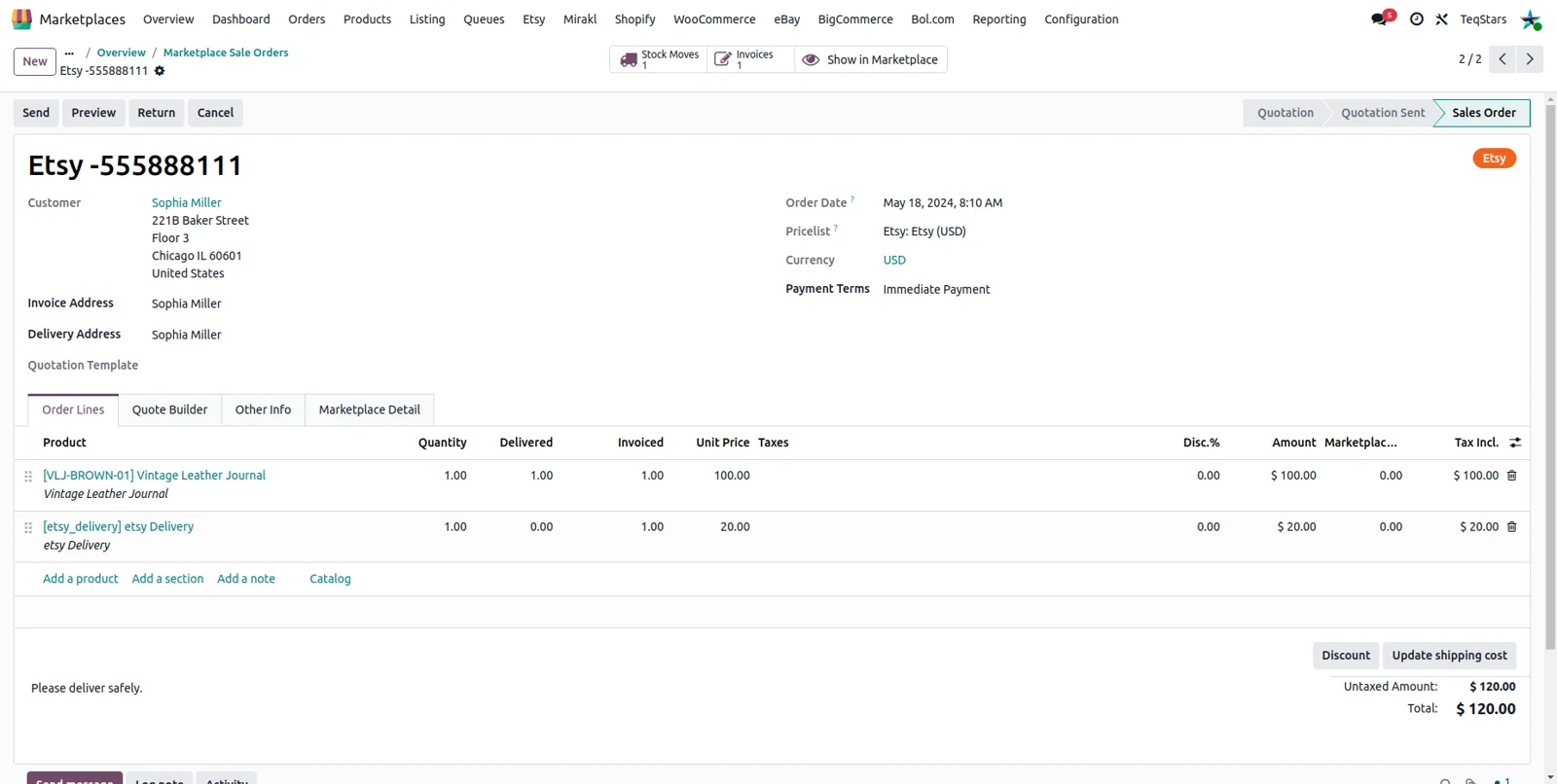
Etsy receipts become Odoo sales orders
Each Etsy receipt arrives in Odoo as a sales order carrying the buyer's contact and shipping address and the ordered items. Quantities and prices come across, together with the shipping cost, any discount and the gift-wrap charge. The receipt's payment type and payment status pick the workflow you defined, which can confirm the order, create and validate the invoice, and register the payment.
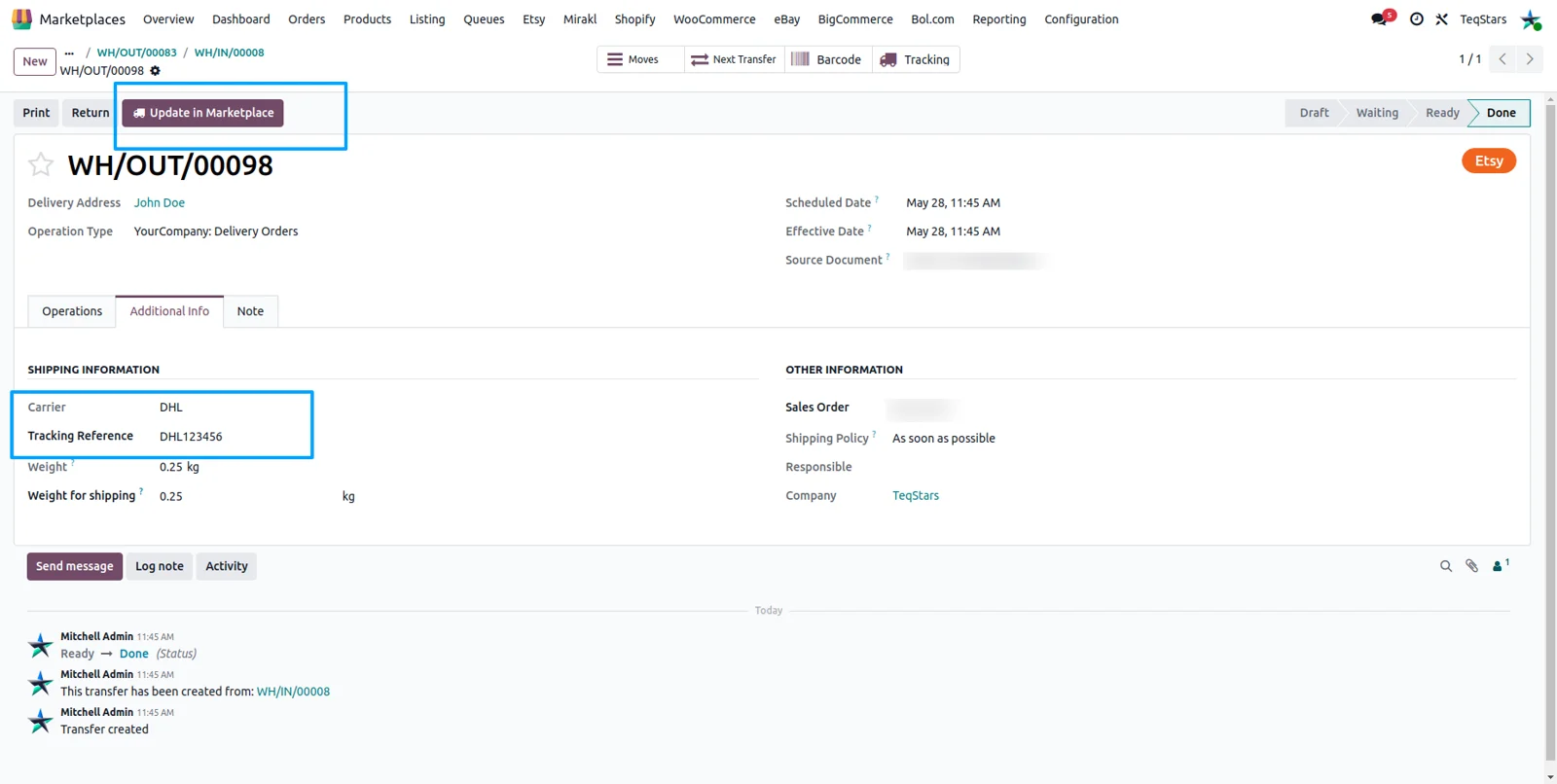
Send tracking numbers back to Etsy
Your buyer hears from Etsy once the parcel leaves your warehouse. Fill in the carrier and tracking number on the Odoo delivery, validate it, then press 'Update in Marketplace'. Etsy records the shipment, marks the receipt shipped and emails the buyer. Enable 'Notify Customer?' on the shop record to get a copy of that email, or set the tracking schedule to send validated deliveries for you.
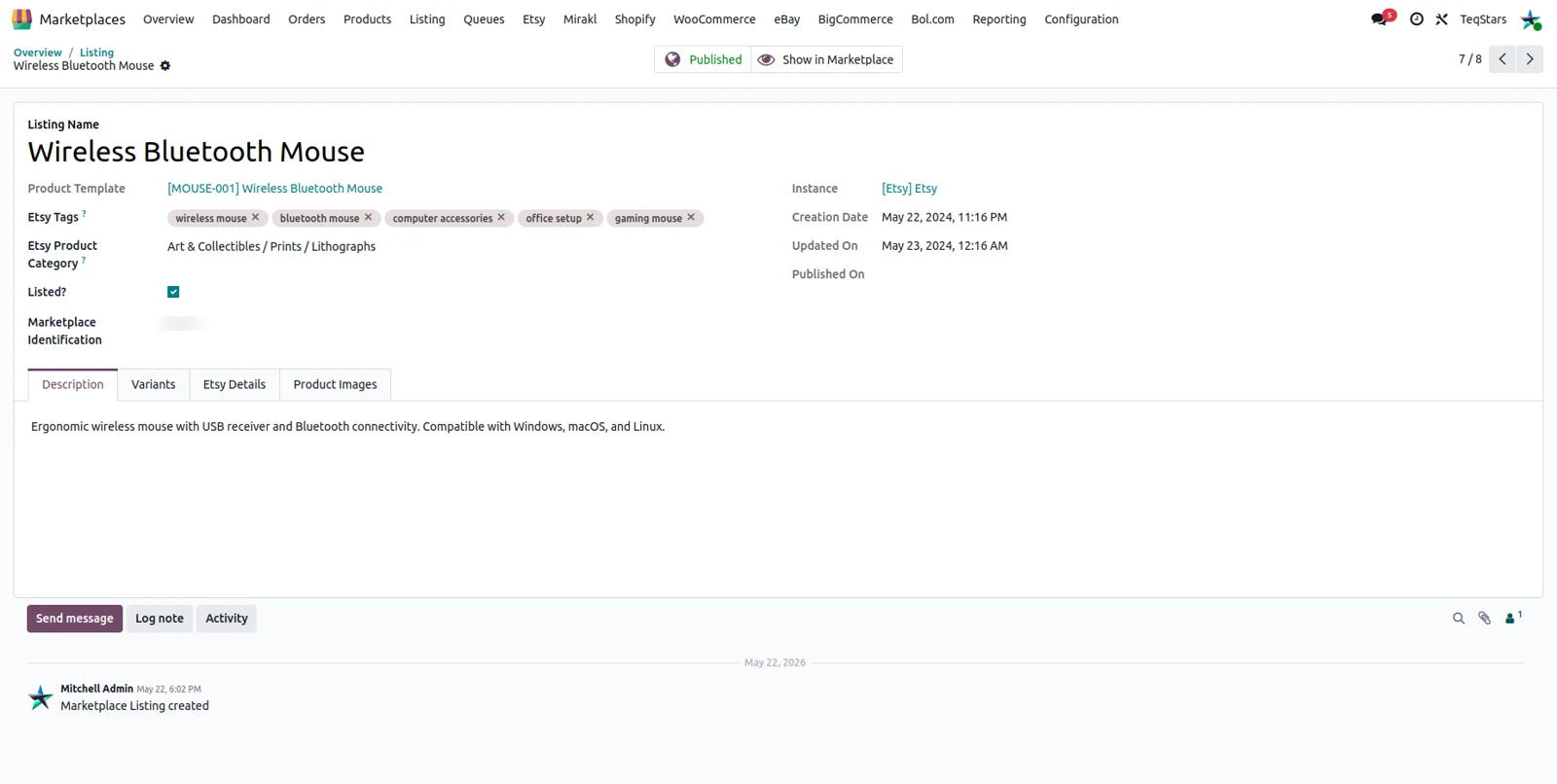
Listings with variants and stock in Odoo
You get one Odoo product per Etsy listing, with every Etsy variation as a product variant. Each variation keeps its own SKU, price, weight and quantity, and the attributes behind it are created for you. Imports match listings to existing Odoo products by SKU. You can pull in all listings, only certain listing IDs, or only the ones still sitting in draft on Etsy.
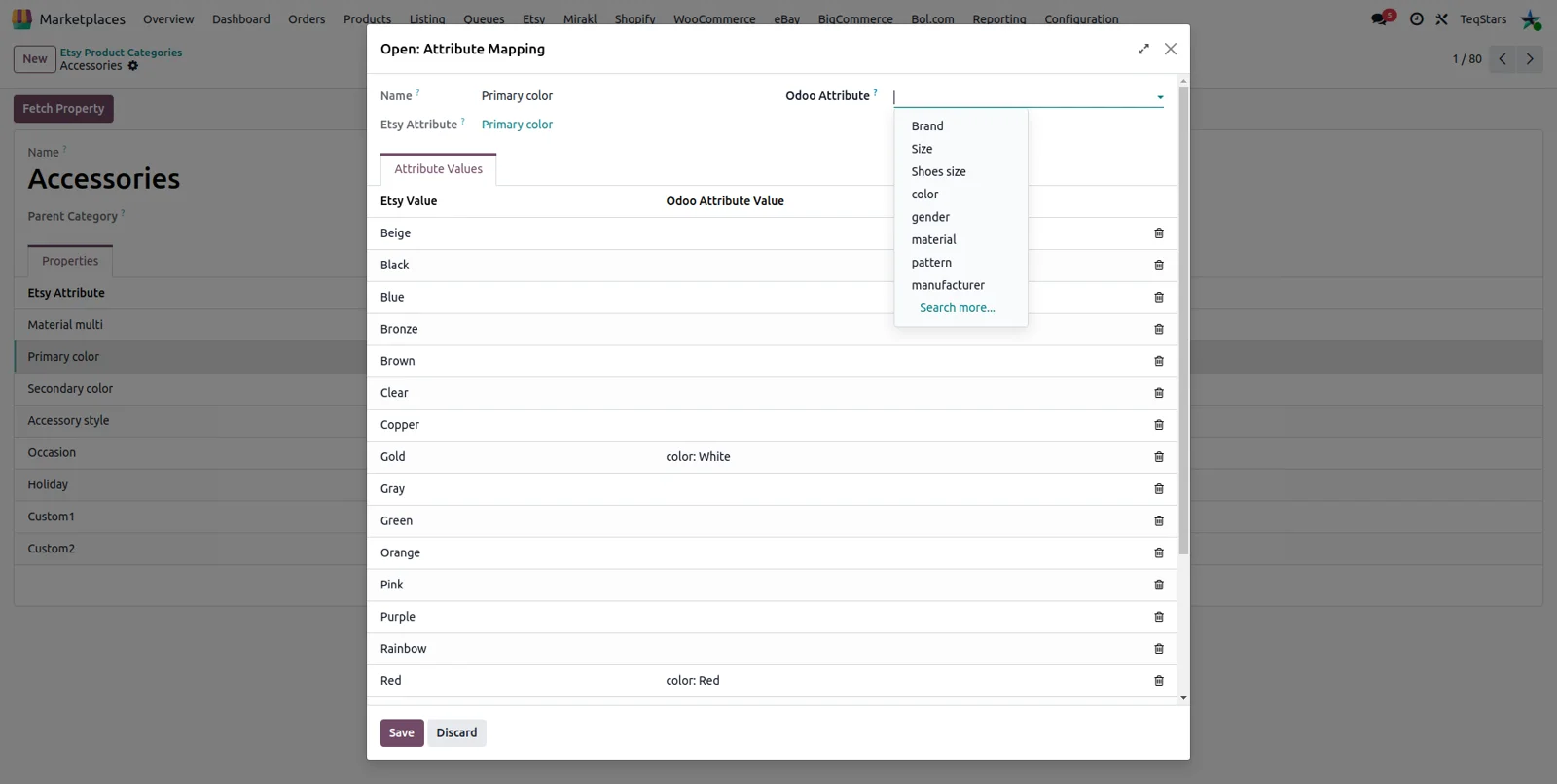
Map Odoo attributes to Etsy properties
Color, size and material reach Etsy in the wording Etsy accepts. Link an Odoo attribute and its values to an Etsy property once, either for a single Etsy category or across all of them on that shop. Category mappings are checked first, then the global ones. When an Odoo value already has the same name as an Etsy value, the connector fills that line in during the property fetch.
Pick imported Etsy shipping profiles
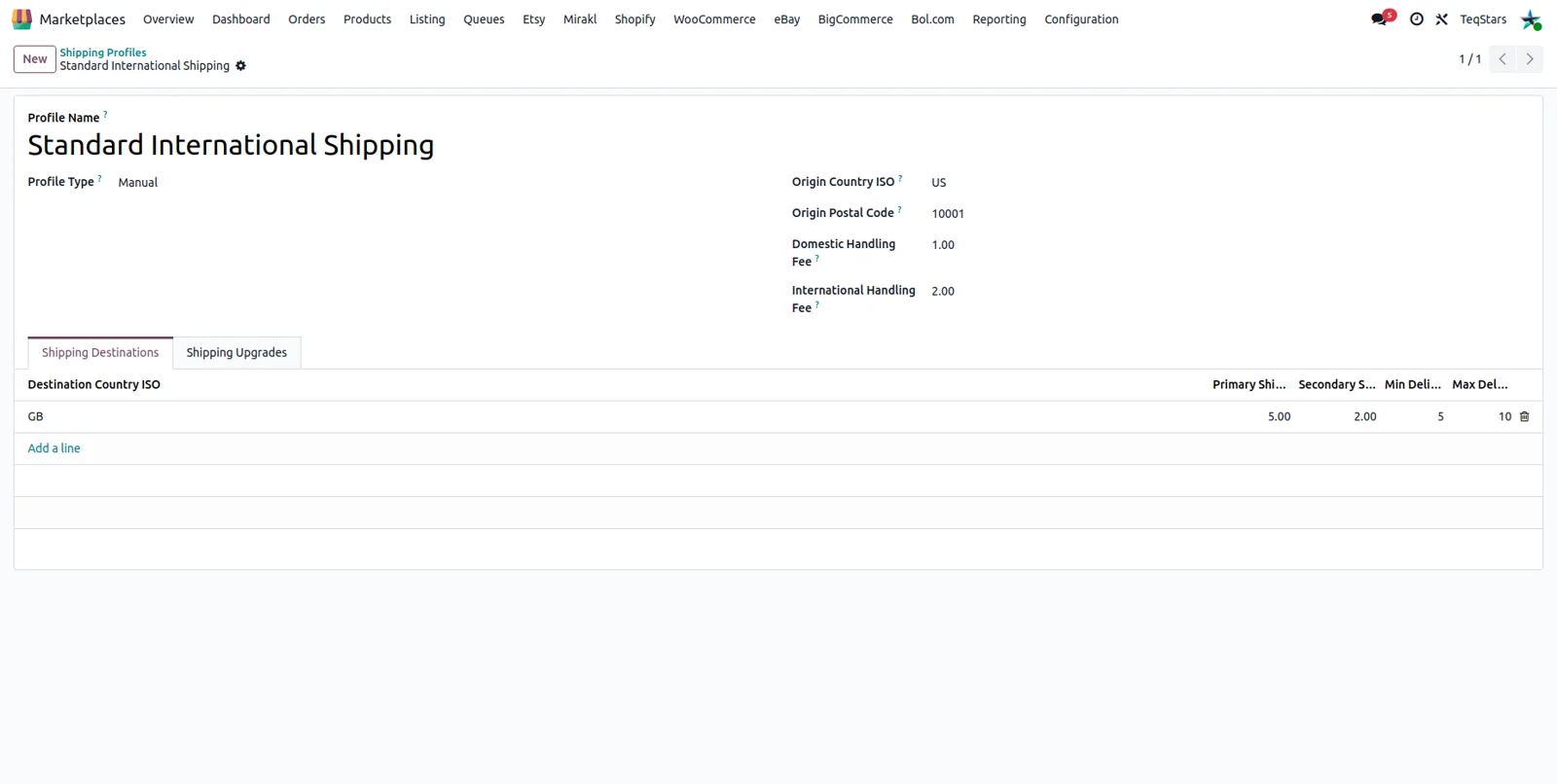
The shipping rules you built on Etsy are readable in Odoo, so you choose a profile when exporting a product instead of typing rates again. Each imported profile keeps its origin country and postal code, its type and its handling fees, plus every destination and upgrade with cost, carrier and delivery days. Profiles are still created and edited on Etsy, then re-imported after you change them.
Export Odoo products as Etsy listings
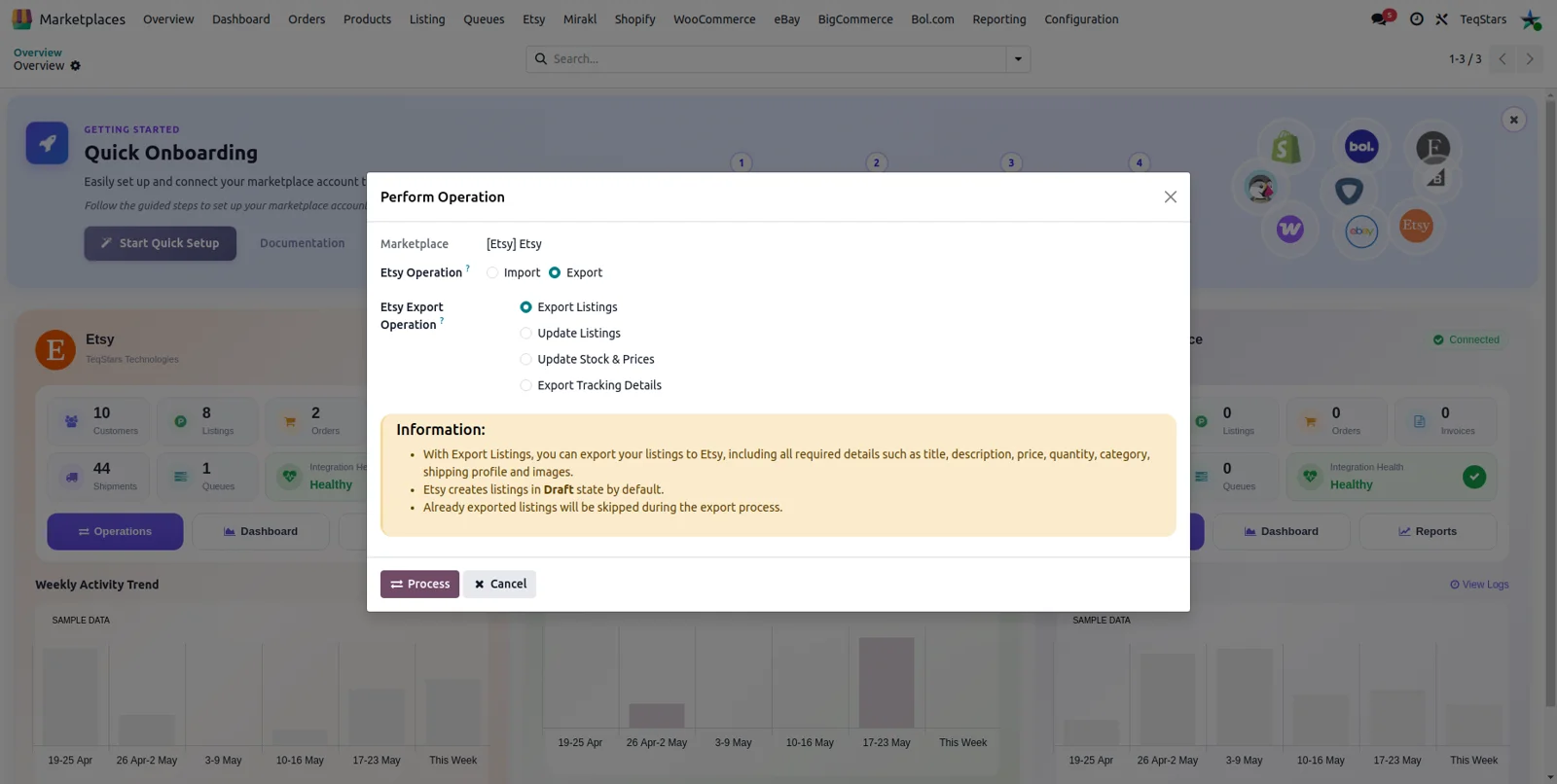
Send an Odoo product to Etsy as a complete listing instead of filling Etsy's listing form. The wizard pushes the title, description, price, variants and images, along with the category, shipping profile, return policy, readiness state and tags. Set 'Publish In Etsy' to Published to make it live, or leave it as a draft. Etsy requires at least one image to publish, and products already exported are skipped.
See and retry failed Etsy records
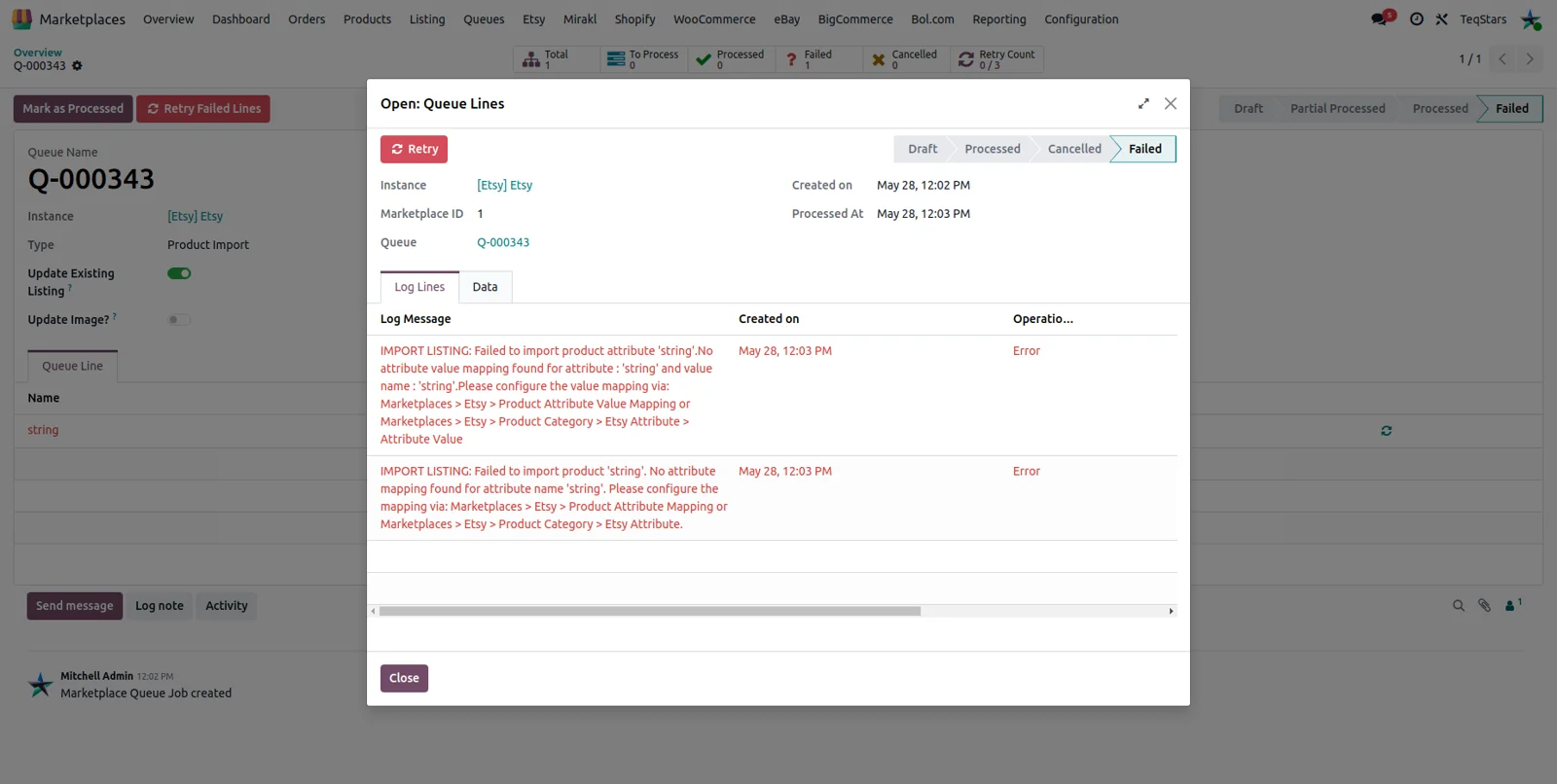
When one receipt or listing fails, the rest of the batch carries on. The failed line is kept with the exact message Etsy returned, next to the operation that ran and the receipt or listing ID. Open it, fix the cause such as a missing product mapping, and retry that single record. If the cause is a missing payment workflow, a shortcut opens the right configuration form.
What buyers say on the Odoo Apps Store
The Etsy Odoo Connector provides a great solution for integrating Etsy with Odoo. The setup is well structured, and the app includes the important functions required to manage Etsy orders and related processes within Odoo.
The support provided by Gops and the team has been excellent. They took the time to answer our questions, understand our requirements, and guide us through the setup. We are very satisfied with both the application and the quality of the support and can confidently recommend this connector.
Supported Odoo versions
| Odoo version | Editions | Hosting | Price | Latest release | |
|---|---|---|---|---|---|
| 20.0 | Community & Enterprise | Odoo.sh · On-premise | €269.99 | 20.0.1.0.0 | Buy Docs |
| 19.0 | Community & Enterprise | Odoo.sh · On-premise | €269.99 | 19.0.1.0.6 | Buy Docs |
| 18.0 | Community & Enterprise | Odoo.sh · On-premise | €269.99 | No release notes | Buy |
| 17.0 | Community & Enterprise | Odoo.sh · On-premise | €269.99 | No release notes | Buy |
Support for Etsy Connector
The developers who build the app answer your tickets.
- Free app support from purchase
- 60 days
- First response in working hours, typical
- 4–6 hours
- Support hours, 10:00–18:00 IST
- Mon–Fri
How to connect Etsy to Odoo
-
Step 1
Create your Etsy app
In the Etsy Developer Portal, create an app and collect the API Keystring and the Shared Secret. Those two values are what Odoo uses to reach your shop.
-
Step 2
Install the connector
Install Etsy Connector by TeqStars from Odoo's Apps menu. It depends on Base Marketplace, also by TeqStars and free on Odoo Apps, which installs along with it. No extra Python packages are needed.
-
Step 3
Connect your shop
Open Marketplaces, Configuration, Instance, click New and pick Etsy. Paste the keystring and secret, copy the callback address Odoo shows into your Etsy app, then click 'Connect Etsy Account'. Odoo reads your shop name, ID and currency.
-
Step 4
Import your shop data
Run 'Import Master Data' from the Operations wizard to pull the Etsy category tree, shipping profiles, return policies and processing times. Open a category and fetch its properties when you need its attributes.
-
Step 5
Map attributes and payments
Link your Odoo attributes to Etsy properties, per category or across the shop. Then map each Etsy payment type and payment status to the workflow that should confirm the order, invoice it and register the payment.
-
Step 6
Import, then set the schedules
Import your listings and orders once from the Operations wizard. Then set the interval for order import, stock and price export and tracking export, and activate each one so the shop keeps updating.
Questions before you buy
Not answered here? Talk to the team.
Talk to the team that built it
Contact us
Bol.com Connector
Your Bol.com orders, stock and returns handled in Odoo
From €499.99 56 sold
Odoo PrestaShop Integration
PrestaShop orders, stock and catalog handled in your Odoo backend
From €220 2 sold
Odoo Shopify Connector
Your Shopify orders, stock and payouts handled in Odoo
From €399.99 404 sold