
Quote, label and track carrier shipments as your team validates deliveries
One EasyPost Odoo integration connects you to USPS, UPS, FedEx, DHL and other major carriers. Your team quotes shipping on the sales order, and the label, commercial invoice and tracking number come back when the delivery order is validated.
- Odoo 17.0 – 19.0
- Community & Enterprise
- Odoo.sh · On-premise
-
Not for
Odoo Online
Shipping work before and after the EasyPost Connector
Without the connector by hand
-
Look up carrier rates on shipping websites before quoting a customer.
-
Retype addresses and weights into separate portals for USPS, UPS, FedEx and DHL.
-
Prepare labels and commercial invoices by hand for each parcel.
-
Copy tracking numbers out of a carrier portal to answer customer questions.
-
Sign in to a carrier account to void a booking you no longer need.
-
Keep one shipping login per company and remember which one to use.
With the connector automatic
-
An EasyPost delivery method returns a shipment quote on the order.
-
One EasyPost connection covers those carriers and more from Odoo.
-
Validating the delivery order generates the label and the commercial invoice.
-
Tracking numbers sit on the delivery order, with tracking you can open there.
-
One click on the delivery order cancels the shipment in EasyPost.
-
Several EasyPost accounts can be set up against your Odoo databases.
Quotes, labels and tracking between Odoo and EasyPost
Every object the connector handles, which way it travels and what triggers it.
| Data | Direction | What happens & when |
|---|---|---|
| Shipment quote |
|
You pick an EasyPost delivery method on a sales order or at website checkout. |
| Shipment and package details |
|
You validate the delivery order in Odoo. |
| Shipping label and commercial invoice |
|
Created as soon as the delivery order is validated. |
| Tracking number |
|
Returned with the label when the delivery order is validated. |
| Shipment status and location |
|
You check tracking on the delivery order. |
| Shipment cancellation |
|
You cancel the shipment from the delivery order with one click. |
Easypost Odoo Shipping Connector features
Separate domestic and international methods
Local and cross-border orders each get their own shipping options. You set up domestic and international EasyPost delivery methods in Odoo, so nobody offers a domestic service for a parcel headed abroad. Each method keeps its own configuration, which makes the difference between local and global shipments clear to your sales team and your warehouse.
Quote shipping on the sales order
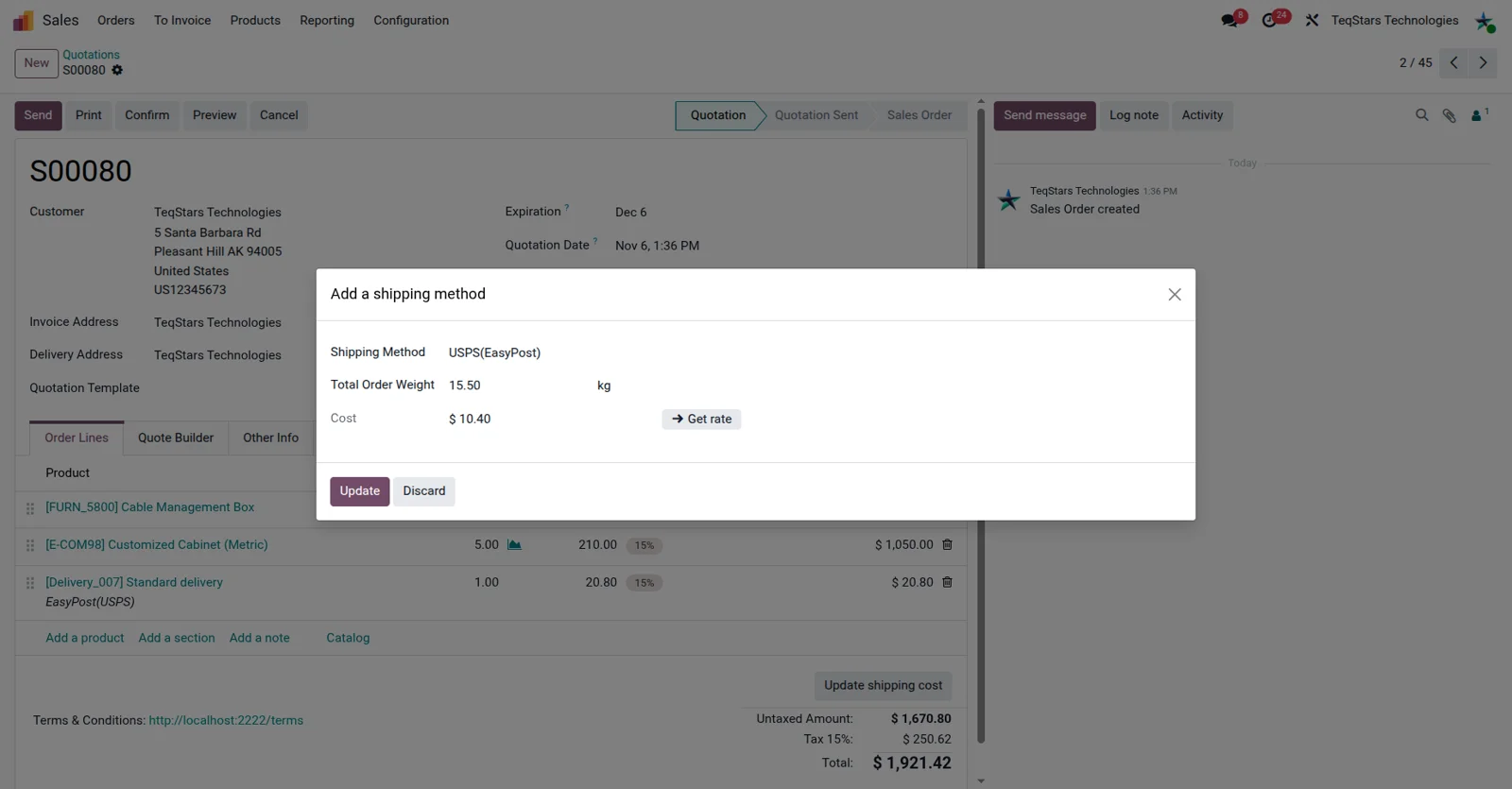
Your salespeople put a real shipping figure on the quotation. Add an EasyPost delivery method to the sales order and the connector returns a shipment quote, so the delivery cost you tell the customer comes from a carrier rate instead of an estimate. Large or unusual orders stop being a guessing exercise for the person writing the quote.
Shipping choices at website checkout
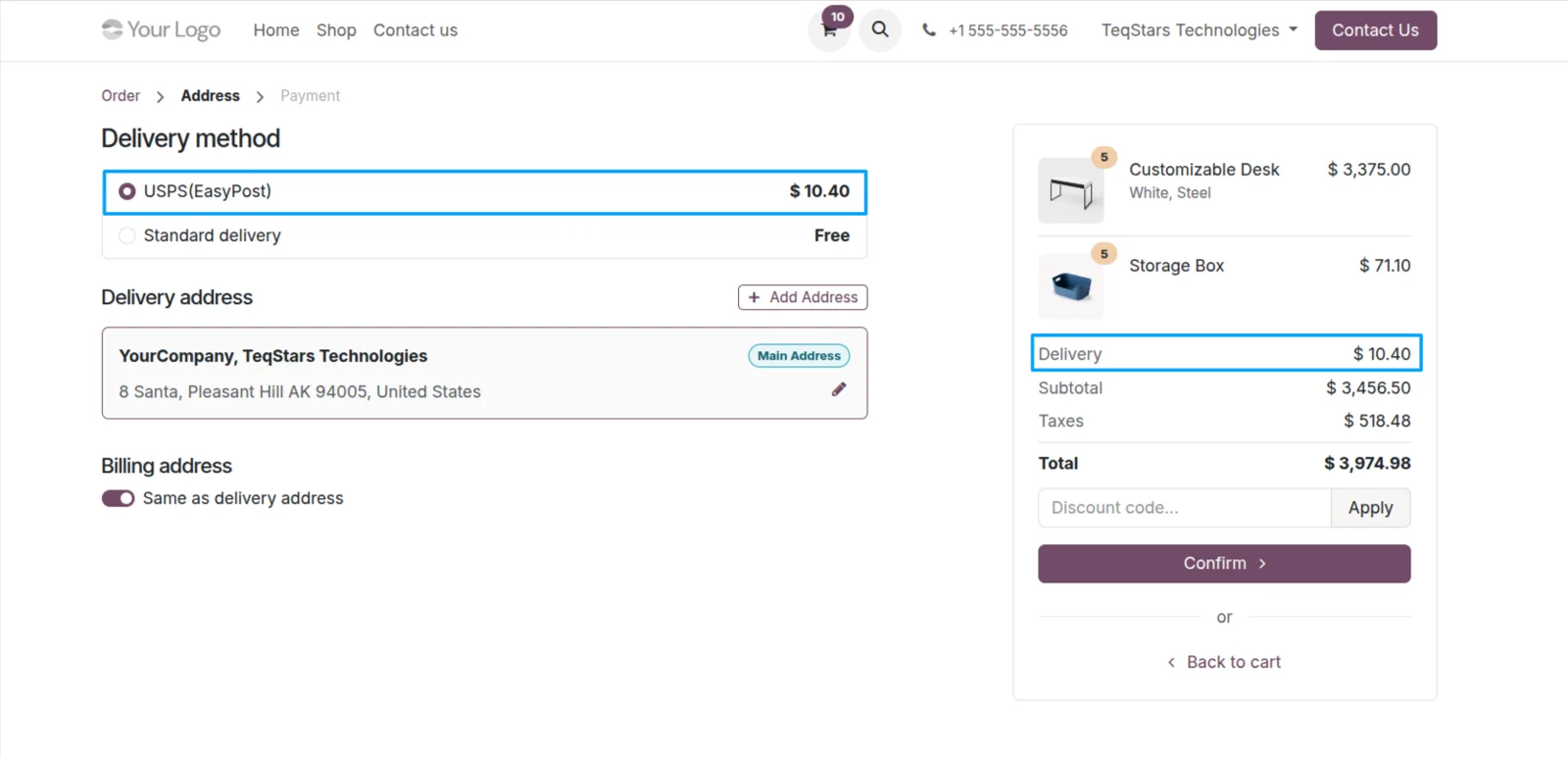
Online shoppers choose how their order ships. EasyPost delivery methods appear at your Odoo website checkout with a quoted shipping cost, so buyers can weigh price against speed themselves. The option they select carries through to the sales order, which means the warehouse ships the service the customer actually paid for.
Ship one order in several boxes
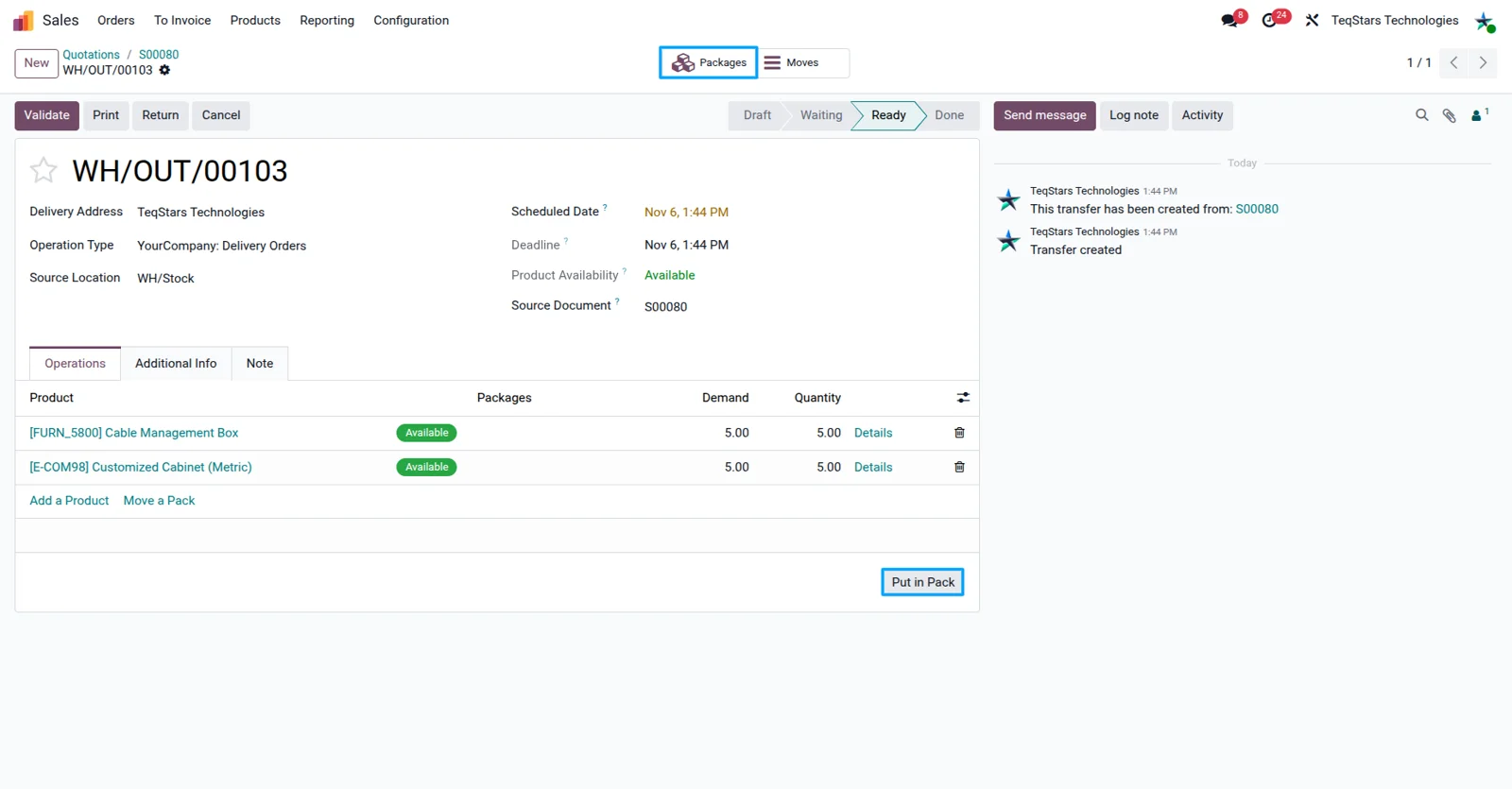
Multi-parcel deliveries stay accurate. When an order needs more than one box, your warehouse uses the "Put in Pack" operation in Odoo to record what goes into each package. The connector then passes those packages to EasyPost, so every box belongs to the same shipment and gets its own handling rather than being squeezed into a single parcel.
Labels and commercial invoices on validation
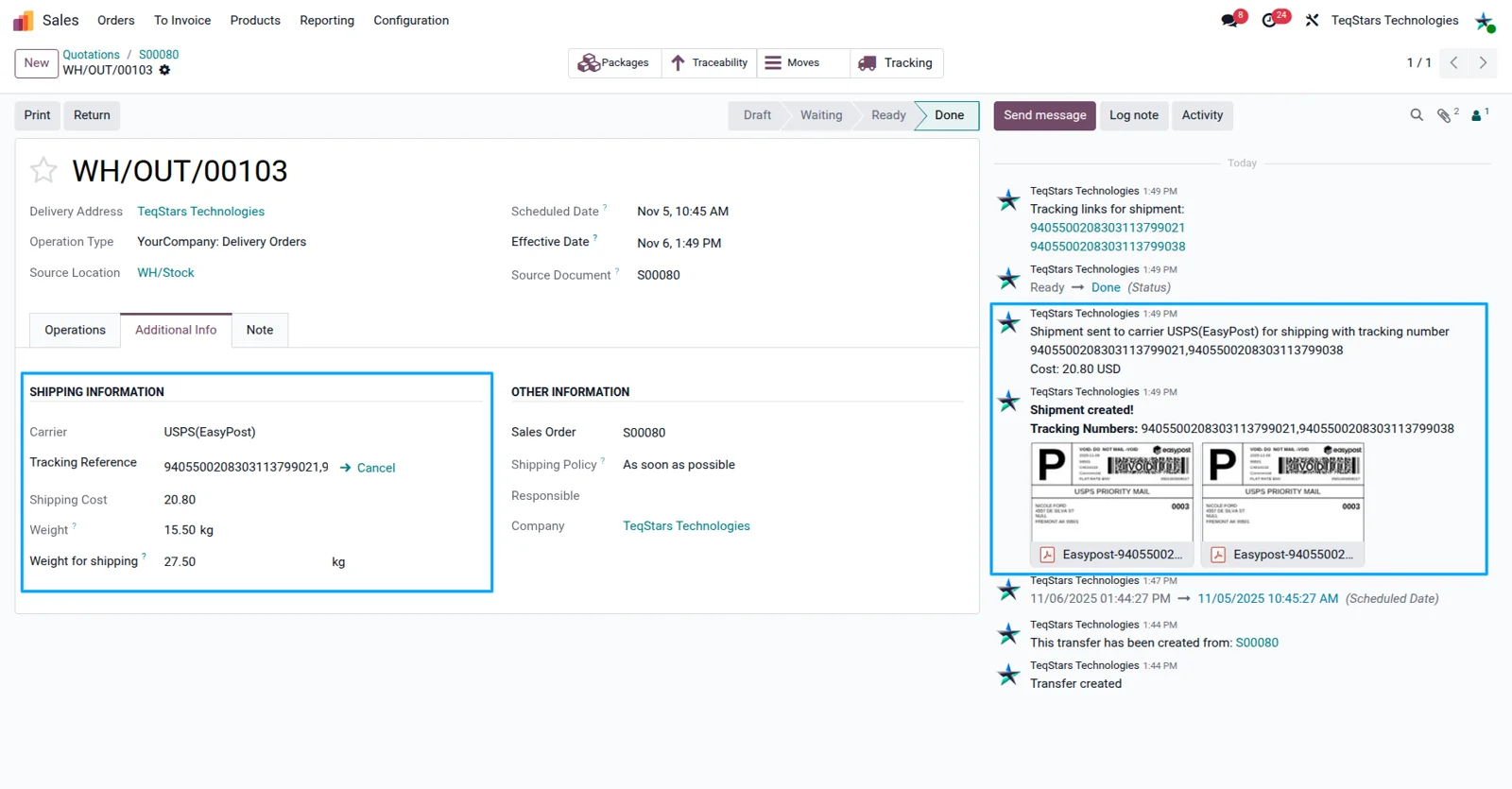
Shipping paperwork is ready the moment a delivery order is validated. The connector generates the shipping label and the commercial invoice at that point, so your packers spend their time packing. Everything sits on the delivery order in Odoo, ready to print, which cuts the preparation time each shipment takes on a busy afternoon.
Track shipments from the delivery order
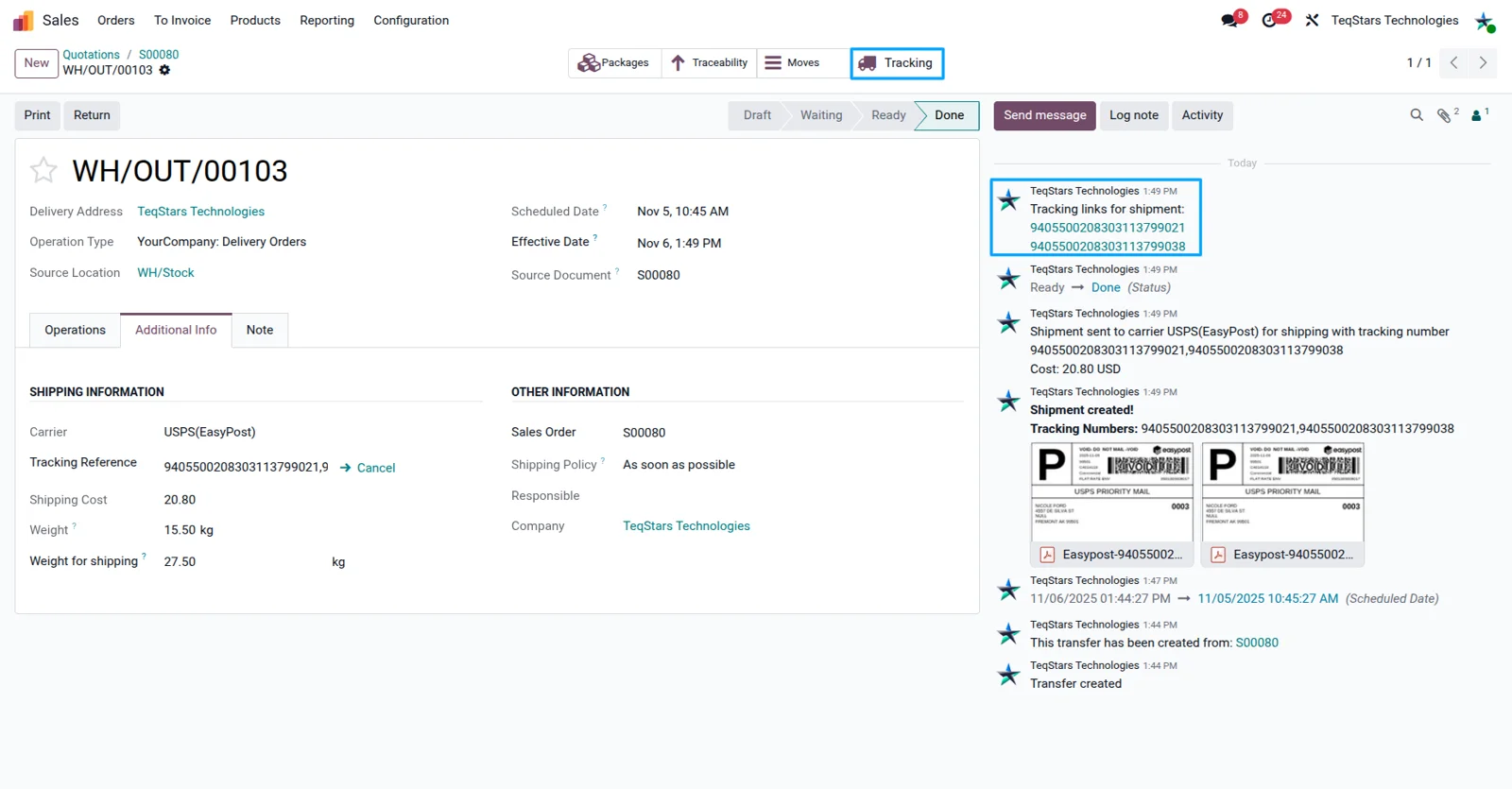
Anyone can answer where an order is without calling the carrier. The tracking number comes back from EasyPost with the label, and your team checks tracking from the delivery order to see the shipment's current status and location. Customer service works on the same record as the order, so there is no hunting through carrier websites.
Cancel a shipment in one click
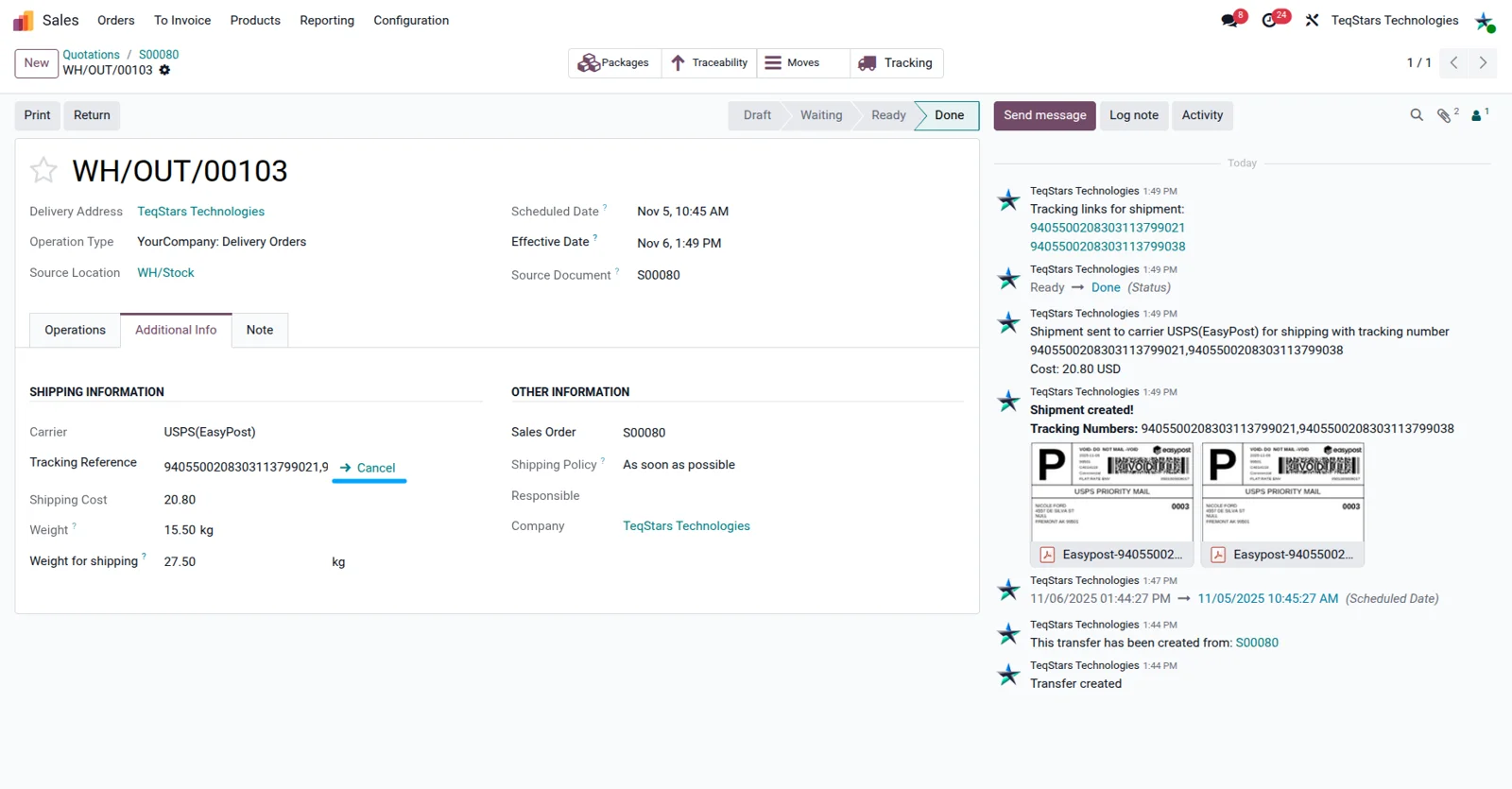
A booking made by mistake takes one click to undo. You cancel the shipment in EasyPost from the Odoo delivery order, so the carrier drops it instead of leaving an unused label in the system. Orders that change late in the day are easier to handle, and your team decides what ships and what does not.
EasyPost Connector video tutorial
EasyPost Connector tutorial
Learn how to set up and use the EasyPost Connector in Odoo, step by step.
How to connect EasyPost to Odoo
-
Step 1
Install the connector
Install EasyPost Connector on Odoo 17.0, 18.0 or 19.0. It runs on Odoo Community and on Odoo Enterprise, hosted on Odoo.sh or on your own server.
-
Step 2
Connect your EasyPost account
Set up your EasyPost account in Odoo. Teams that ship under more than one account can connect each of them, which suits several companies or brands in the same database.
-
Step 3
Create delivery methods
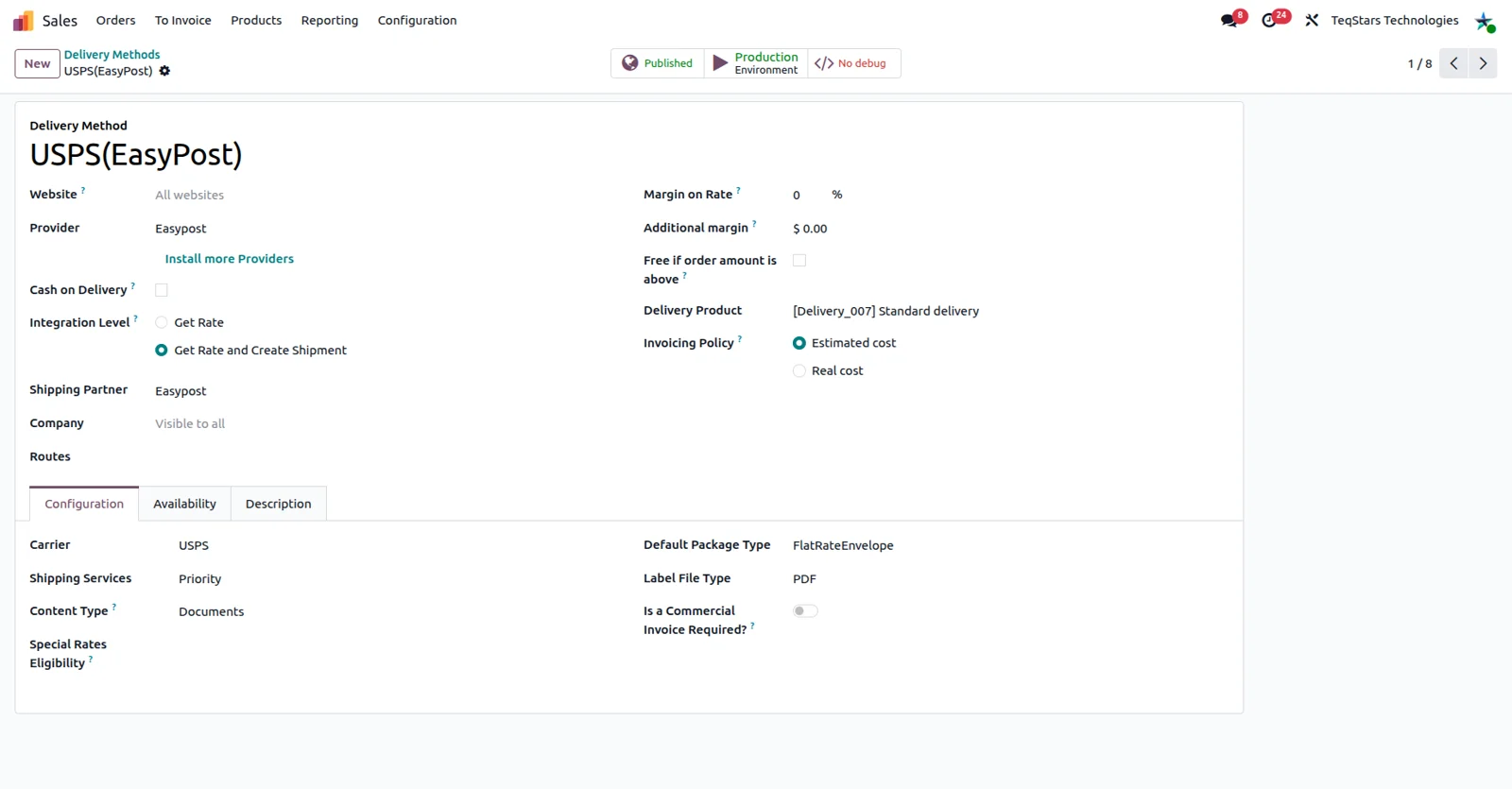
Add EasyPost delivery methods for domestic and international shipping. These are what your team and your website visitors select later, so name them the way your customers talk about delivery.
-
Step 4
Offer them on orders
Put the new methods on sales orders and at website checkout. A shipment quote is added before the order is confirmed, so the delivery cost is agreed up front.
-
Step 5
Pack, validate, ship
For multi-box orders, use "Put in Pack" in the warehouse, then validate the delivery order. The label, the commercial invoice and the tracking number come back from EasyPost.
Supported Odoo versions
Support for EasyPost Connector
The developers who build the app answer your tickets.
- Free app support from purchase
- 60 days
- First response in working hours, typical
- 4–6 hours
- Support hours, 10:00–18:00 IST
- Mon–Fri
Questions before you buy
Not answered here? Talk to the team.
Top 10 Odoo Apps Store seller
One team behind every one of them: every connector on this page is built and supported by the same people — Odoo partners since 2020.
- sales on the Odoo Apps Store
- 3,000+
- apps published
- 100+
- countries running them in production
- 100+